How do I see who reports to whom?
Pick each employee's Supervisor and Department, or drag people onto their supervisor in Who reports to whom, under Employees › List.
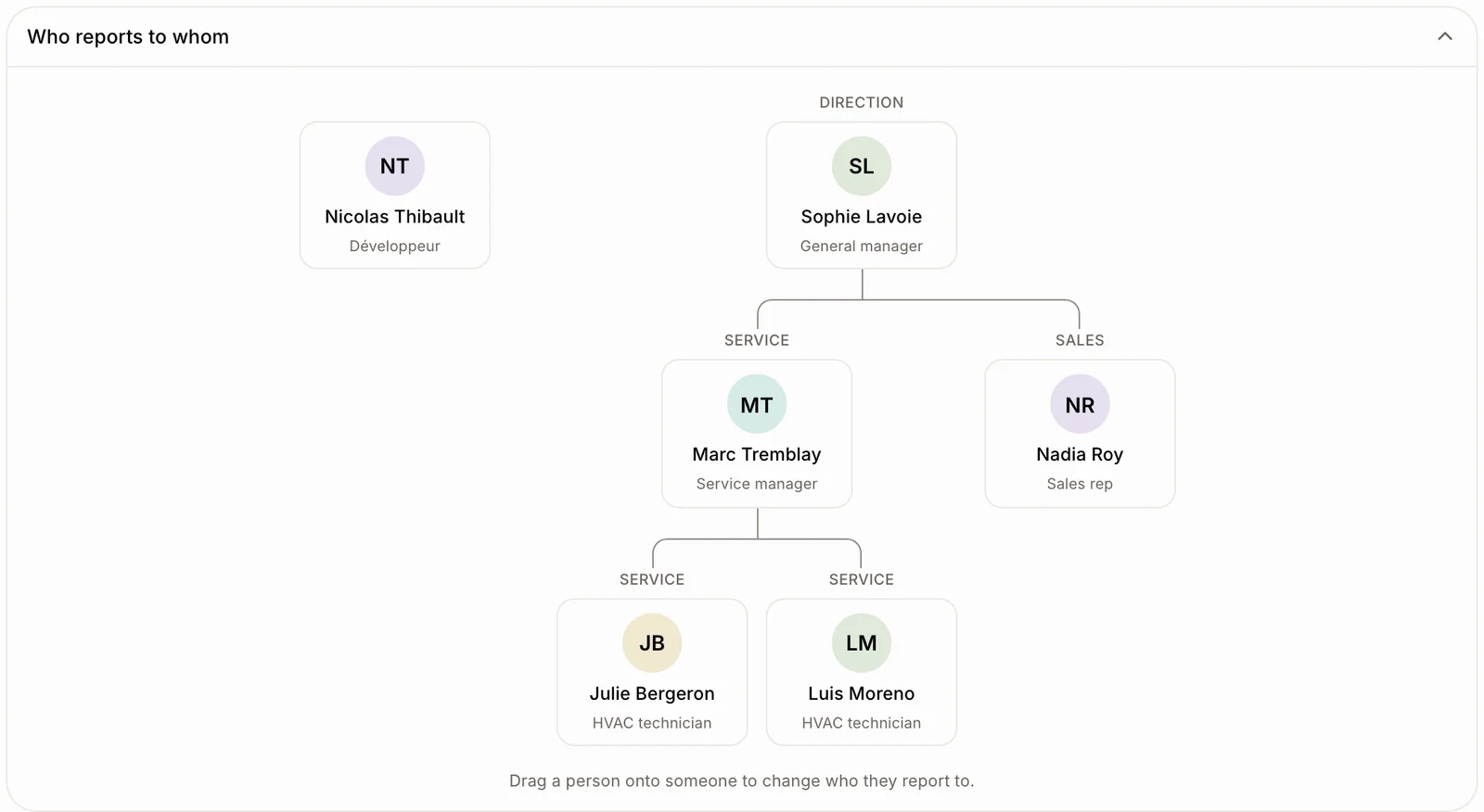
Pick each employee's Supervisor and Department. Employees › List then shows Who reports to whom under the list: a chart from top to bottom, with each person's department above their box.
Also called: org chart, organization chart, hierarchy, supervisor, manager, department, team, drag and drop, organigramme, superviseur, supérieur, département, hiérarchie, glisser-déposer
Step 1: Set the supervisor and the department
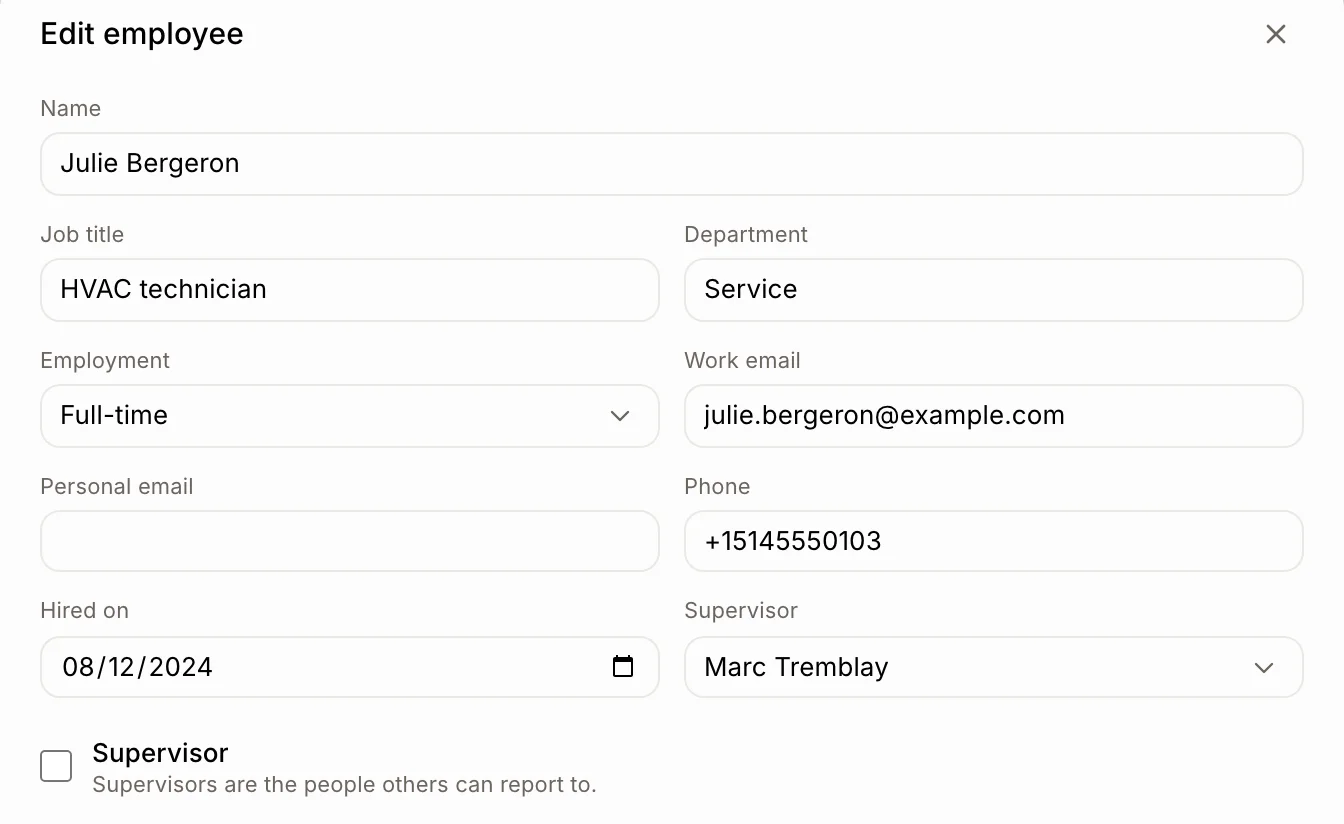
When you add someone, step 2 asks if they are an Employee or a Supervisor, then who their Supervisor is. Only supervisors are listed. For someone already on the team, open them under Employees › List, click Edit, and fill in Department and Supervisor. Tick Supervisor on the people others report to.
Click: the person › Edit › Department and Supervisor
Step 2: See the chart
Go to Employees › List. Under the list, click Who reports to whom to open the chart; click it again to close it. Each team hangs from its supervisor, and the department sits above every box so you find people fast. A wide team scrolls sideways: drag the empty space to move around, or use the small overview in the top corner. Its frame shows the part on screen; click or drag in it to jump anywhere. Click a person to open their file.
Step 3: Change the chart by dragging
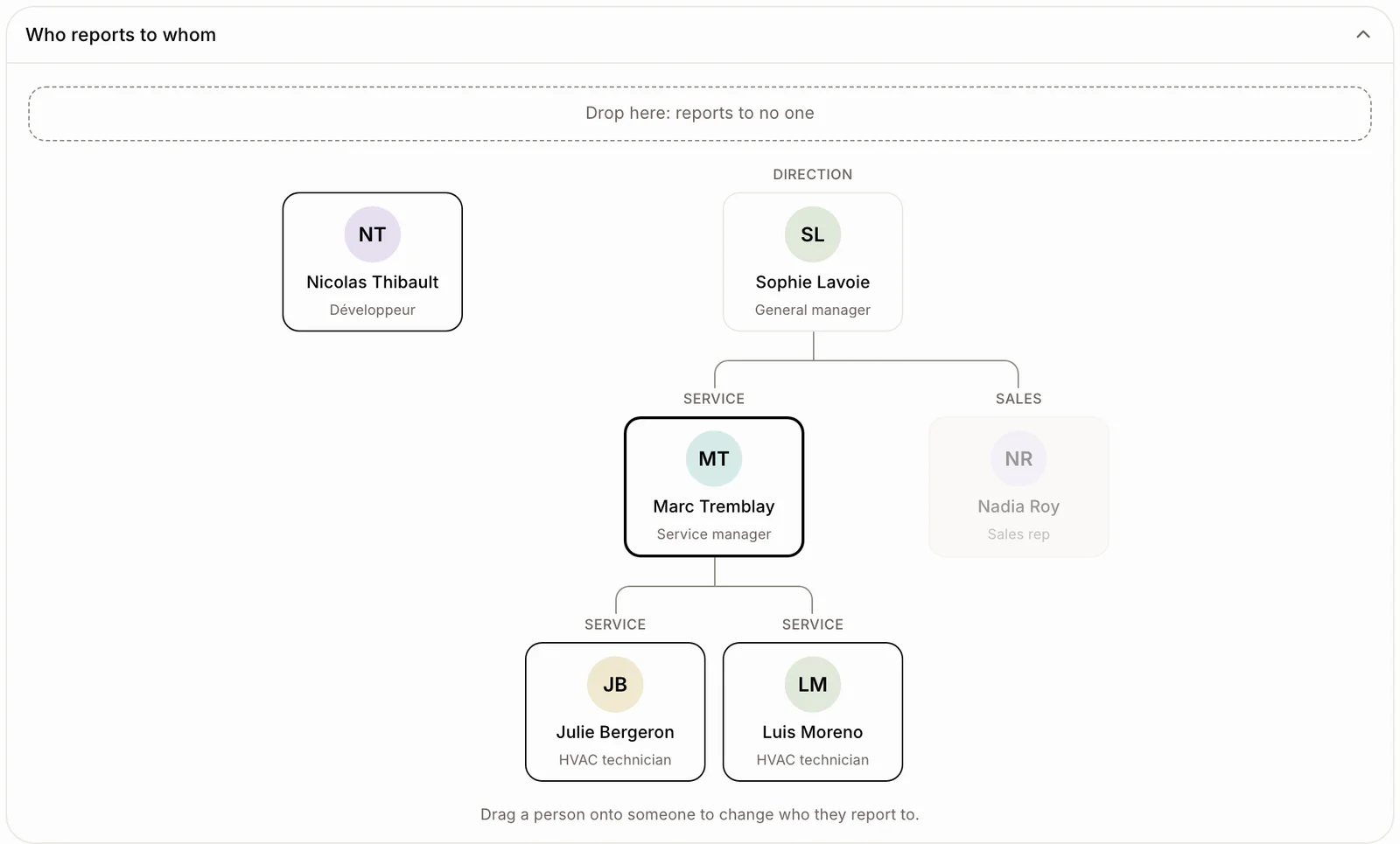
To change who someone reports to, drag their box onto their new supervisor. To have them report to no one, drop them on Drop here: reports to no one at the top. A message confirms it, with Undo. You can't drop someone onto a person in their own team. To add someone straight into a branch, hover a person and click the + under their box: Add an employee opens with that person as their supervisor.
Click: drag a person › drop them on their new supervisor
Good to know
The chart shows once at least one person has a supervisor.
Inactive people aren't in it. Someone whose supervisor is inactive moves to the top.
A department is typed freely; Alori suggests the ones you already use. Filter the team list by department, or search for it.
On a phone, the chart shows as an indented list.
You can ask Ask Alori: "Who reports to Marc?" or "Put Nadia in Sales."