How do I give a discount on a line?
In a deal, quote or invoice, type the discount in the line's Discount box, then pick % or your currency. Every total counts it.
Every line of a deal, a quote or an invoice has a Discount box. Type a number, then choose % for a percent off, or your currency sign ($) for an amount off the line. The line's Total, the taxes and the deal's value all count it.
Also called: rebate, price reduction, markdown, promo, special price, percent off, rabais, escompte, remise, réduction
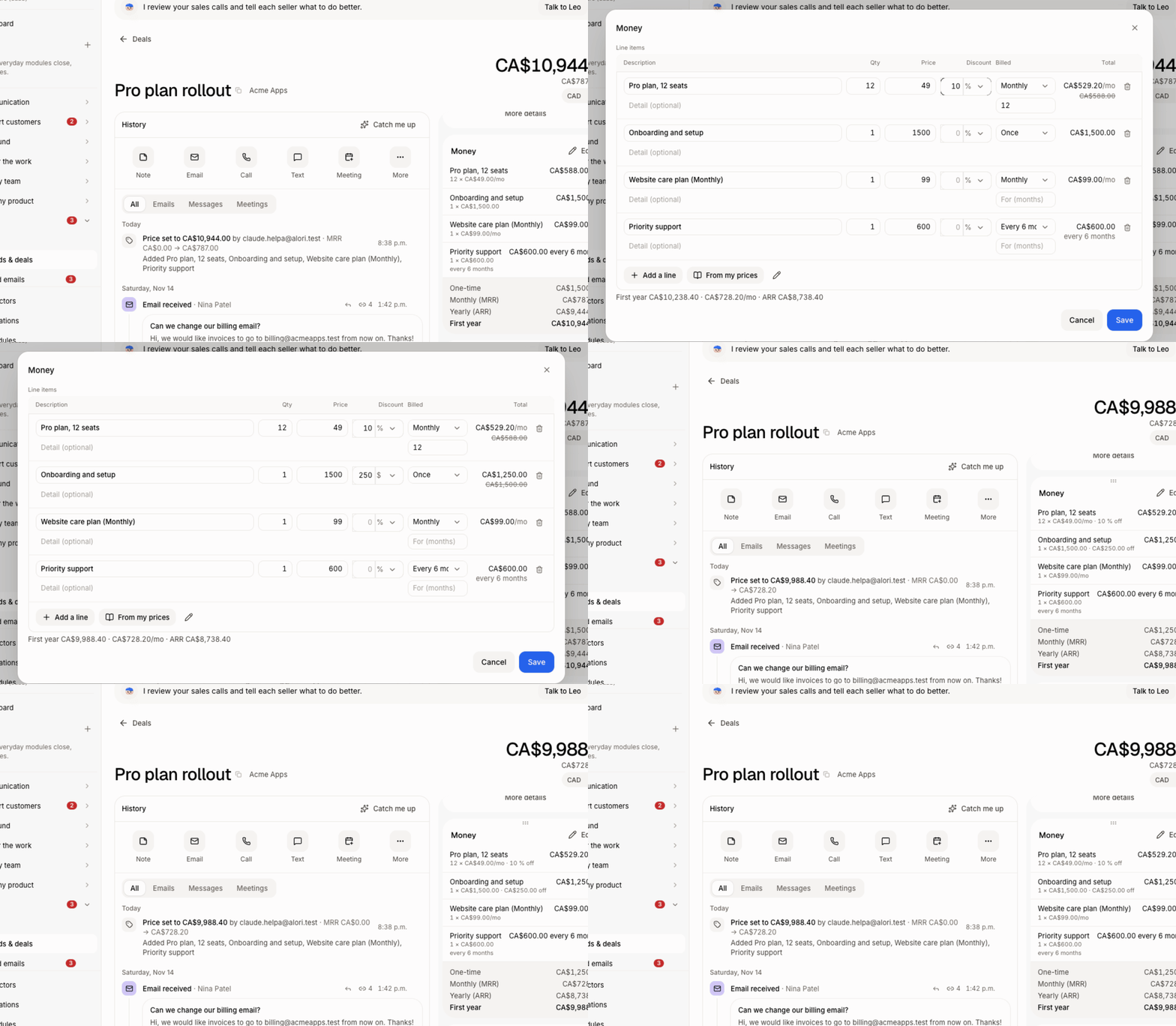
Step 1: Open the lines
Deal: open the deal, then in the Money card click Edit (or Add line items).
Quote: open the quote in Quotes.
Invoice: in Invoices, click New invoice; the lines are under Lines.
Click: the deal › Money › Edit
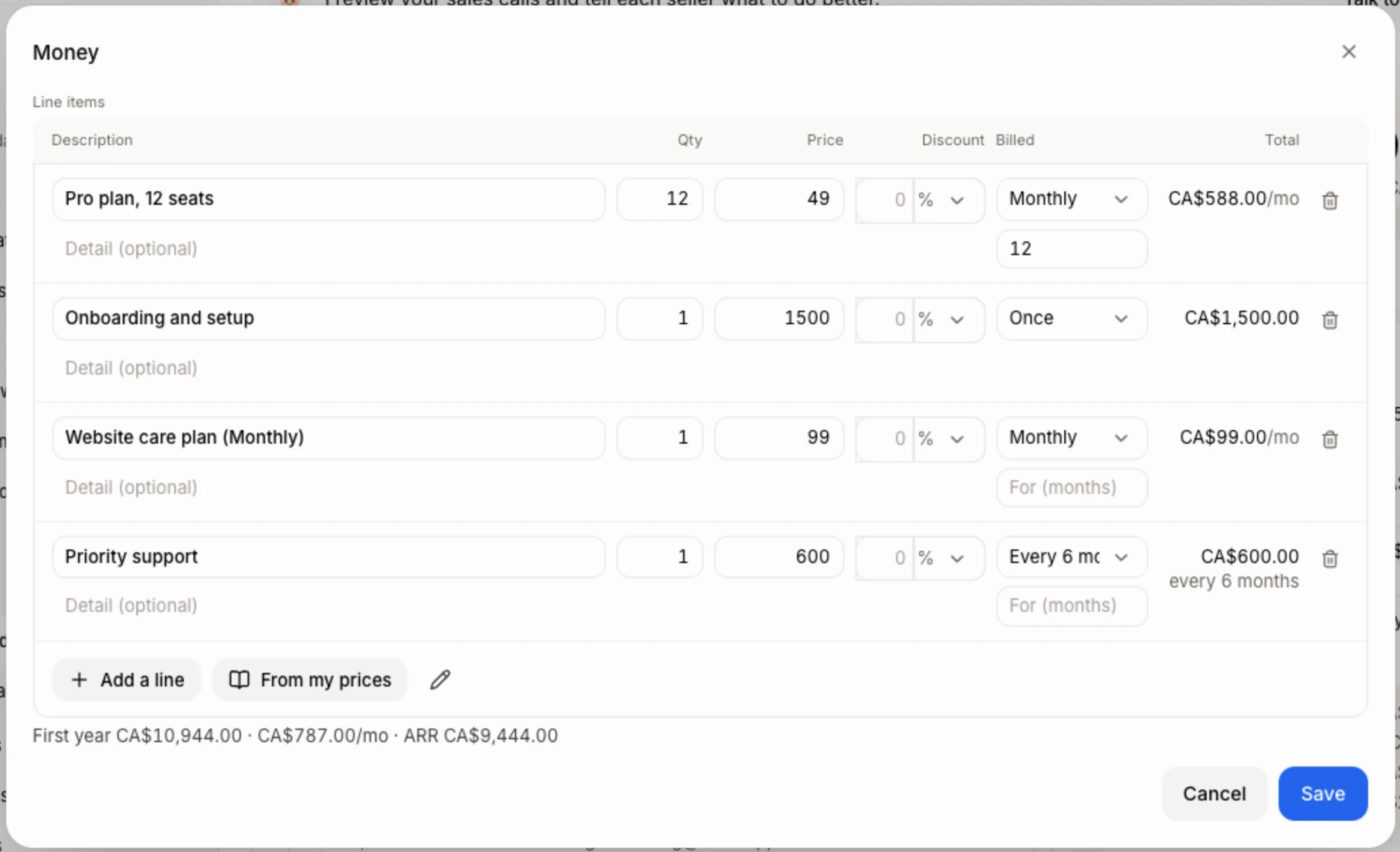
Step 2: Type the discount
On the line, type the number in Discount. Beside it, pick % to take a percent off, or your currency sign (like $) to take an amount off. For example, 10 with % takes 10% off the line; 50 with $ takes $50 off the line (quantity × price), not off each unit. Leave it empty for no discount.
The line's Total changes as you type.
Click: Discount › % or $
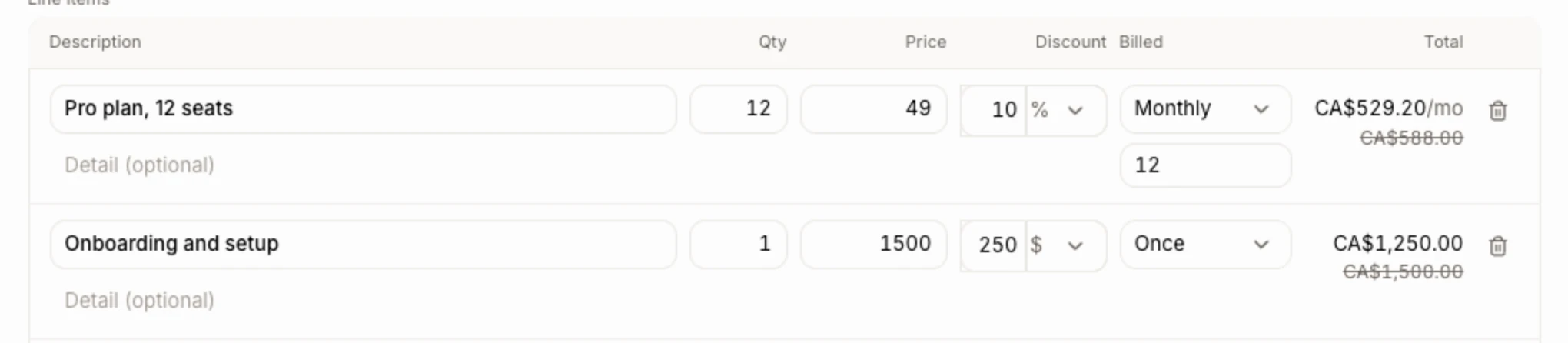
Step 3: Save
Click Save. On a deal you see Deal saved, and the Money card shows the discount under the line, like "10 % off" or "$50.00 off". The quote and the invoice show it on each line, in the PDF and on the page your customer opens.
Click: Save
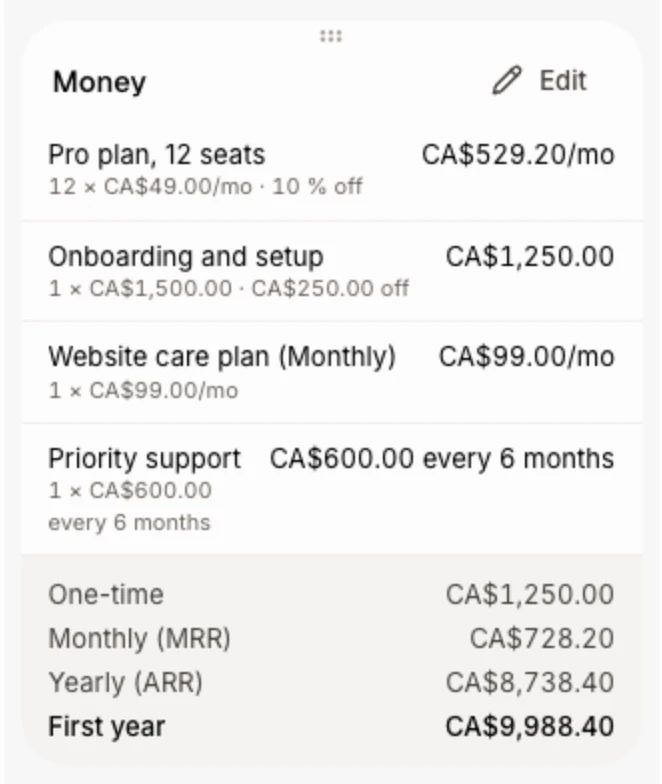
Billed every 6 months
On deals, quotes and your price list, a line's Billed menu has Once, Monthly, Quarterly, Every 6 months and Yearly. A discount on a repeating line comes off each time it's billed, so the MRR and first-year totals count it too. Invoices don't have Billed.
Good to know
An amount off never takes the line below $0.
You can ask Sam too: "give 15% off the setup line on the Acme deal".
If it doesn't work
"Enter a discount from 0 to 100 %, or an amount of 0 or more." Fix the number: a percent can't go over 100, and an amount can't be negative.
"Every line needs a description." A line is missing its description, or its percent is over 100. Fix it, then Save again.
Related
Did this answer your question?