How do I put the chat on another website?
In Front desk, under Install, copy the line and paste it before </body> on any page of your other site.
In Front desk, under Install, click the copy button beside the line under Use it on another website. Then paste that line before </body> on any page of your other website, like WordPress, Wix or your own site. The same chat shows there, with Nora.
Also called: embed, install the chat, script, widget code, code snippet, intégrer le chat, code à coller, autre site
Step 1: Copy the line
In your CRM, click Front desk. In the Install card, find Use it on another website and click the copy button beside the line.
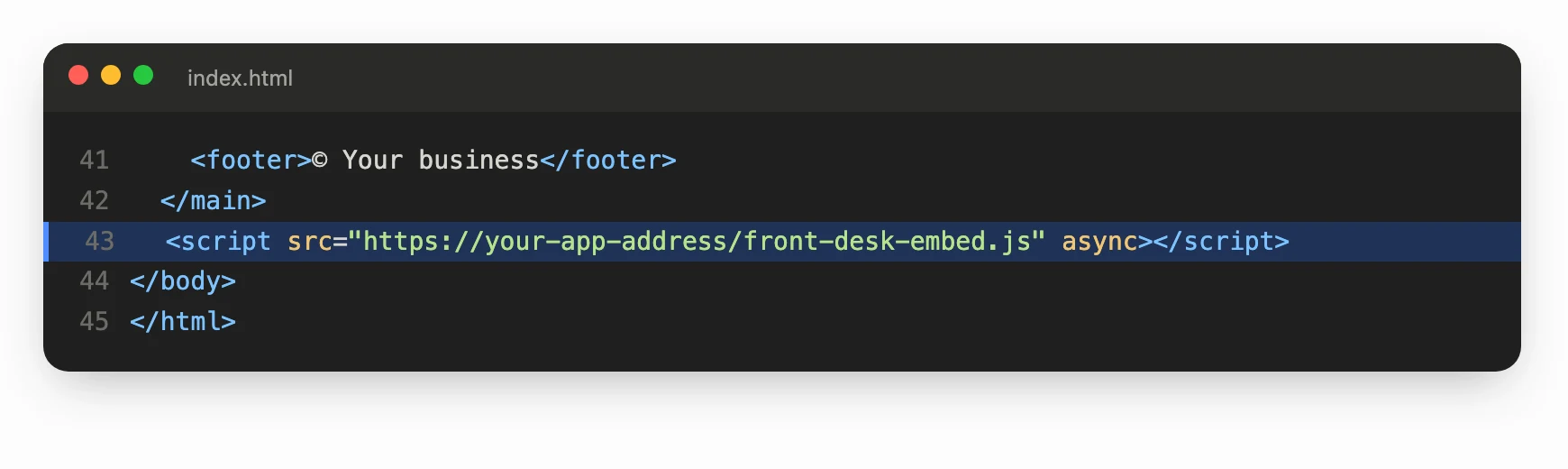
The line looks like this, with your app's address:
<script src="https://your-app-address/front-desk-embed.js" async></script>
Click: Front desk › Settings › Install › copy

Step 2: Paste it on your other website
Open your other website's editor and find where you add code to every page (often called "custom code", "footer code" or "scripts"). Paste the line just before </body>, then save and publish that site.
Step 3: Check it
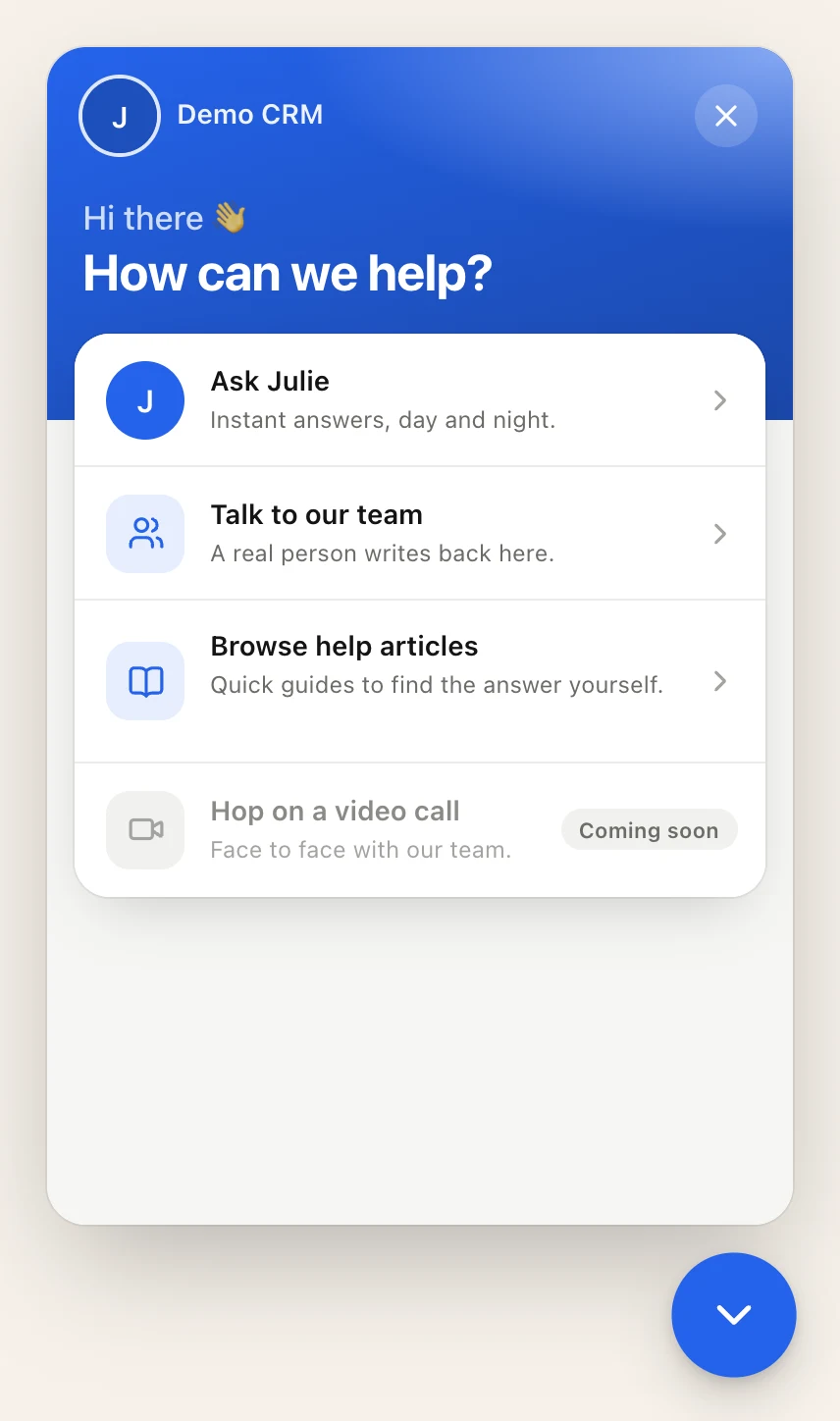
Open your other website. The Chat with us bubble shows at the bottom of the page. Send a test message: it shows in Conversations in your CRM.
Use your own button
To hide the round button and open the chat from a button of your own, add data-launcher="hidden" to the line, and have your button call Alori("open").
Good to know
Someone else runs that website? At the top of Install, under Have your developer do it, type their email and click Send. Alori emails them the line to paste and everything else the card shows.
Chats from both sites land in the same Conversations, with the same settings from Front desk.
People sign in on that website? The chat can know who they are. See Know who's chatting: identify signed-in users
If it doesn't work
The bubble doesn't show. Check that On your website is on in Front desk, and that the line is on the page you opened. Reload the page.
The line went into the page as text. Paste it in the site's code area, not in a text block.