How do I sign in to my team app?
Sign in on Alori with Google, Microsoft or your email. Your team app opens at your business's own address, already signed in.
Everyone signs in on Alori. Go to alori.dev, click Sign in, and choose Continue with Google, Continue with Microsoft or your email and password. Your team app opens at your business's own address, like app.yourname.aloriapp.com, already signed in.
Also called: log in, login, team login, employee login, can't get in, se connecter, connexion, espace équipe, ouvrir une session
Your team app lives at app.yourname.aloriapp.com, under Alori's bar, or at your CRM's own domain when you connect one. Bookmark that address. Opening alori.dev, a link or an old bookmark takes you there too, and Alori asks you to sign in if you aren't yet.
Step 1: Open the Sign in page
On alori.dev, click Sign in, or open your team app's address.
Click: Sign in
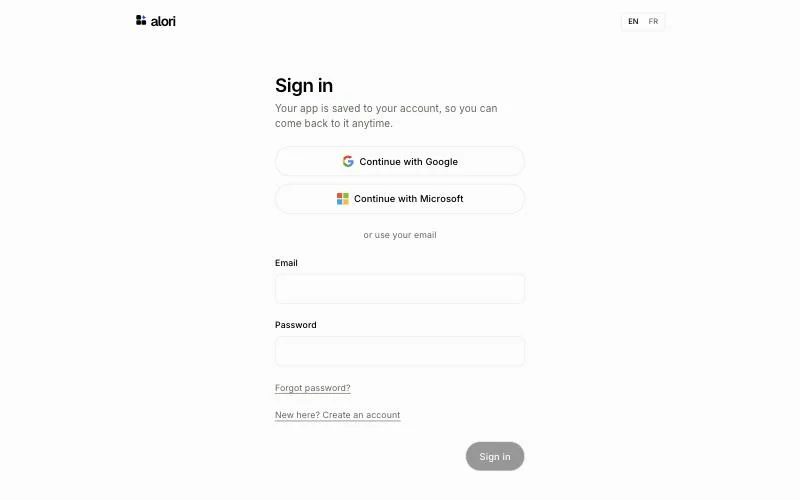
Step 2: Sign in
Click Continue with Google or Continue with Microsoft. Otherwise, type your Email and Password, then click Sign in. Your team app opens at your business's address, with Alori's bar on top. If you came from a link (an email about a customer, a job or a message), it opens on that page.
Click: Continue with Google, Continue with Microsoft, or Email › Password › Sign in

Step 3: Sign out when you're done
Click your name at the top right of Alori's bar, then Sign out.
Click: Your name › Sign out

Good to know
First time in? Open the invitation email from your team and accept it. You then sign in like everyone else.
One sign-in: the same Alori account opens your team app on a computer, on a phone, and at your business's address. Moving there from alori.dev signs you in on its own.
An agency with clients works at its own address,
app.youragency.aloriapp.com(or its own domain), where it switches between its clients.Forgot your password? On the Sign in page, click Forgot password?.
If it doesn't work
"That email and password don't match." Check the email you typed, or click Forgot password?.
"You're not on this team" You're signed in with an account that wasn't invited. Click Sign out, then sign in with the account you were invited with.
"We couldn't sign you in." Click Try again. If it keeps happening, reload the page.