How do I approve booking requests myself?
In the booking link, open Confirmation and reminders and pick I confirm each request. Requests then wait under To confirm in Appointments.
Open the booking link in Booking, open Confirmation and reminders and pick I confirm each request. The time is held, and the customer is only confirmed once you click Confirm. Requests wait under To confirm in Appointments.
Also called: manual approval, approve bookings, booking requests, confirm appointments, accept or decline, approbation, confirmer les demandes, accepter un rendez-vous, refuser
Step 1: Turn on confirmation
In Booking › Links, click the link's name to open it. Click Confirmation and reminders to open it and pick I confirm each request. Click Save. The card now says I confirm each request.
Click: the link › Confirmation and reminders › I confirm each request › Save

Step 2: See what waits
Open Appointments. The number on the tab is how many requests wait. On a computer, the … to confirm button at the top of the other tabs takes you there too. While some wait, the list opens on To confirm; otherwise click To confirm at the top. Each card shows who, when, and what they wrote. Search a customer finds one by name, email or phone.
Click: Booking › Appointments
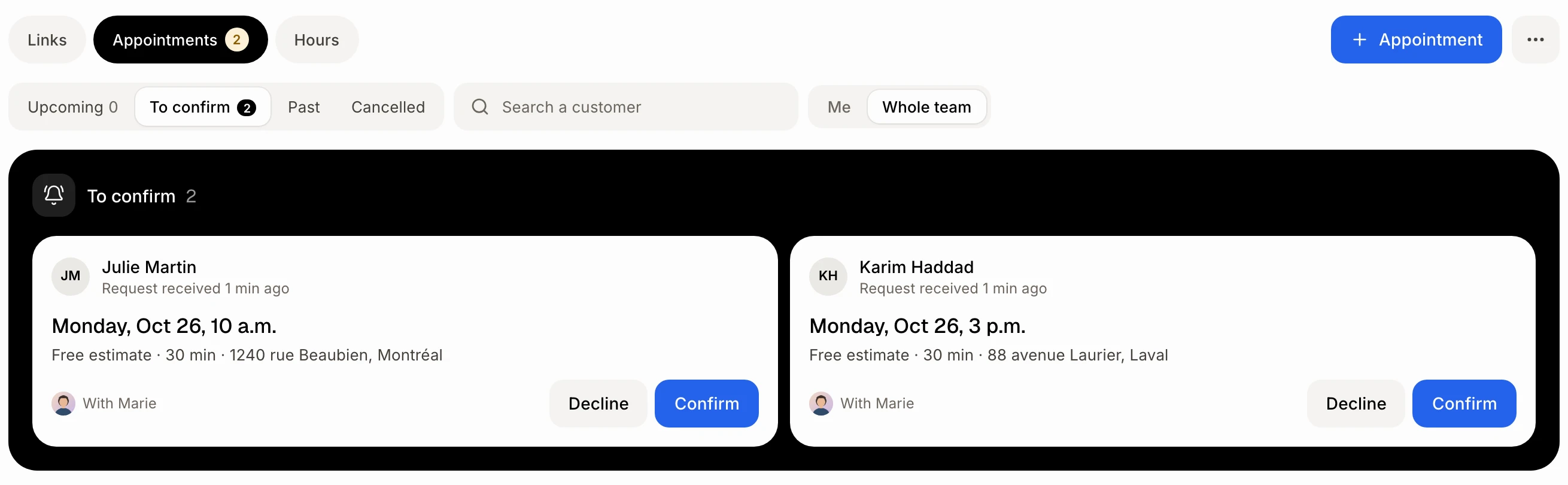
Step 3: Confirm it
Click Confirm. You see "Confirmed. The customer was told." The customer gets the confirmation email, with the Alori video link if there is one.
Click: Confirm
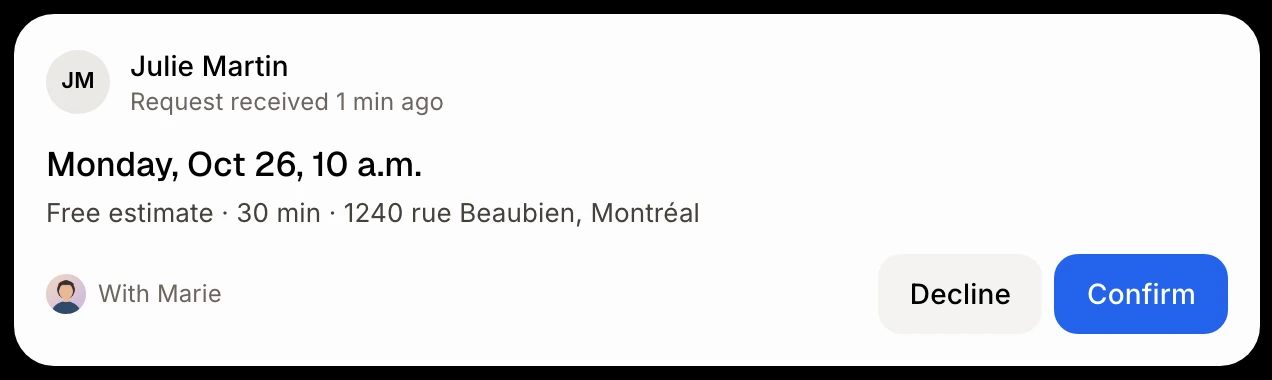
Step 4: Or decline it
Click Decline. Under Why?, pick a reason. Alori writes the message to the customer: you can change every word. Click Decline the request. The email goes out right away.
Click: Decline › a reason › Decline the request
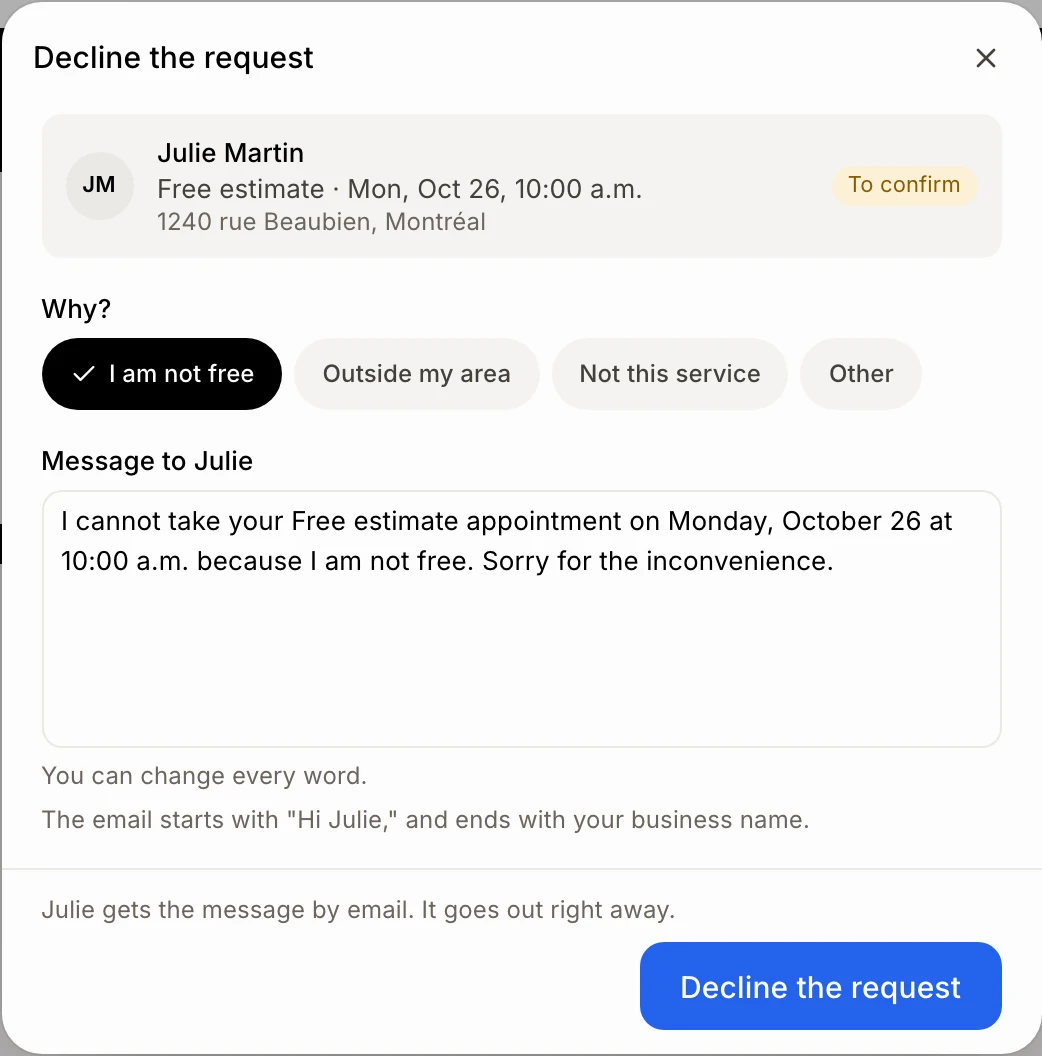
Good to know
Click a request to see it on the side. Move offers it at another free time.
The owner can switch between Me and Whole team.
Ask Alori can answer requests too. It shows you a card to confirm first, since the customer is emailed.
If it doesn't work
"This appointment changed in the meantime." The customer cancelled or moved it. Look at the list again.
No Confirm or Decline buttons. Your role can only view Booking.
The Decline the request button is grey. Pick a reason and keep some words in the message.