How do I contact Alori support?
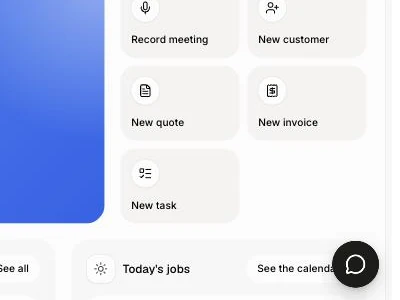
Click the round chat bubble in the bottom right corner. The chat opens: ask Nora for an instant answer, or pick Talk to our team to write to a real person.
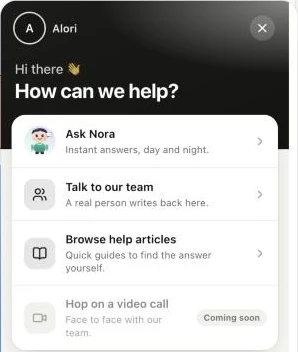
Click the round chat bubble in the bottom right corner of Alori. A chat opens on How can we help?. Pick Ask Nora for an instant answer, day and night, or Talk to our team to write to a real person.
Also called: help, contact us, customer service, talk to a human, live chat, aide, soutien, service à la clientèle, nous joindre
Step 1: Click the chat bubble
In the bottom right corner of any Alori page, click the round black chat bubble. On a phone it sits just above the menu at the bottom. The chat opens on How can we help?. You're signed in, so our team already knows who you are: no need to give your email.
Click: the chat bubble
Step 2: Ask Nora for a quick answer
Click Ask Nora ("Instant answers, day and night."), type your question and send it. Nora, our assistant, answers right away from Alori's help center. When she can't help, she passes the chat to our team.
Click: chat bubble › Ask Nora
Step 3: Or write to our team
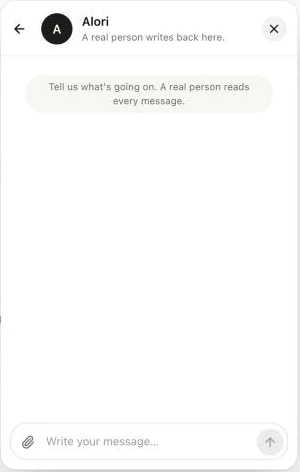
Click Talk to our team ("A real person writes back here."), write your message and send it. A person from the Alori team answers in the same chat: click the chat bubble again to read it. If you closed Alori before we answered, we also send the answer by email.
Click: chat bubble › Talk to our team
Good to know
Read the guides yourself in Alori's help center: crm.alori.dev/help.
Need help with your own customers' chat? See How do I turn on the chat on my website?
If it doesn't work
"Your message didn't go. Try again." Send it again.
"Too many messages right now. Try again in a little while." Wait a few minutes, then send it again.
You don't see the chat bubble. Sign in to your Alori account first.