How do I see what a visitor types before they send it?
Open the chat in Conversations. The visitor's words show up as they type, faded with little dots, before they press Send.
Open a website chat in Conversations. While the visitor types, their words show up in the thread, faded with little moving dots, before they press Send. You can read the question and start your answer right away.
Also called: live typing, typing preview, sneak peek, see messages before they're sent, voir ce que le client écrit, aperçu de la frappe
Step 1: Open the chat
Click Communication › Conversations and open the visitor's chat. Nothing to turn on: live typing works on every website chat.
Click: Communication › Conversations
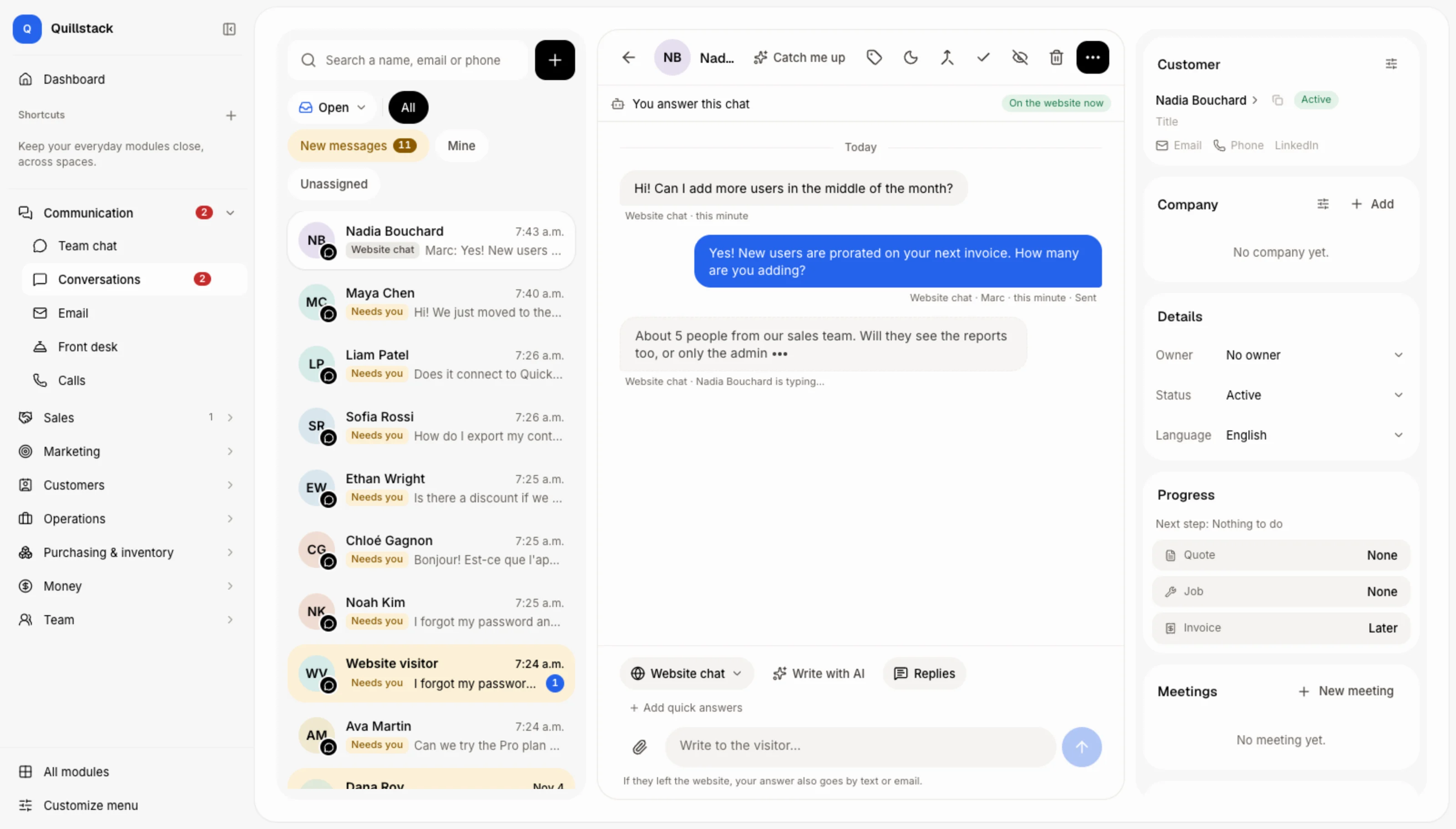
Step 2: Read their words as they type
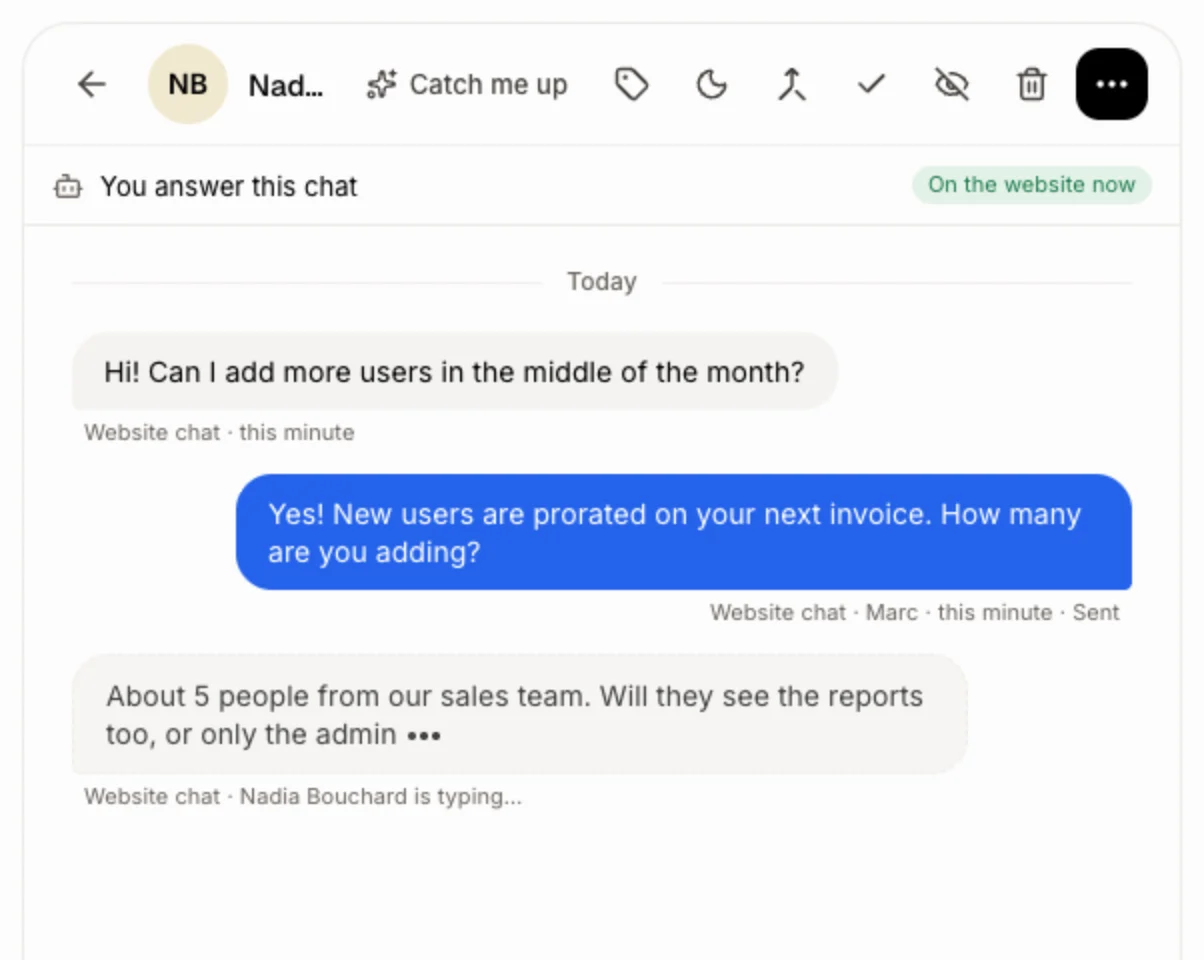
Under the last message, the visitor's next words show in a faded bubble with dots, with Website chat · Nadia Bouchard is typing… under it (their name, or Someone before you name them). It goes away when they send it, erase it, or stop typing for 10 seconds.
Click: Conversations › the chat
Step 3: Answer: they see you typing back
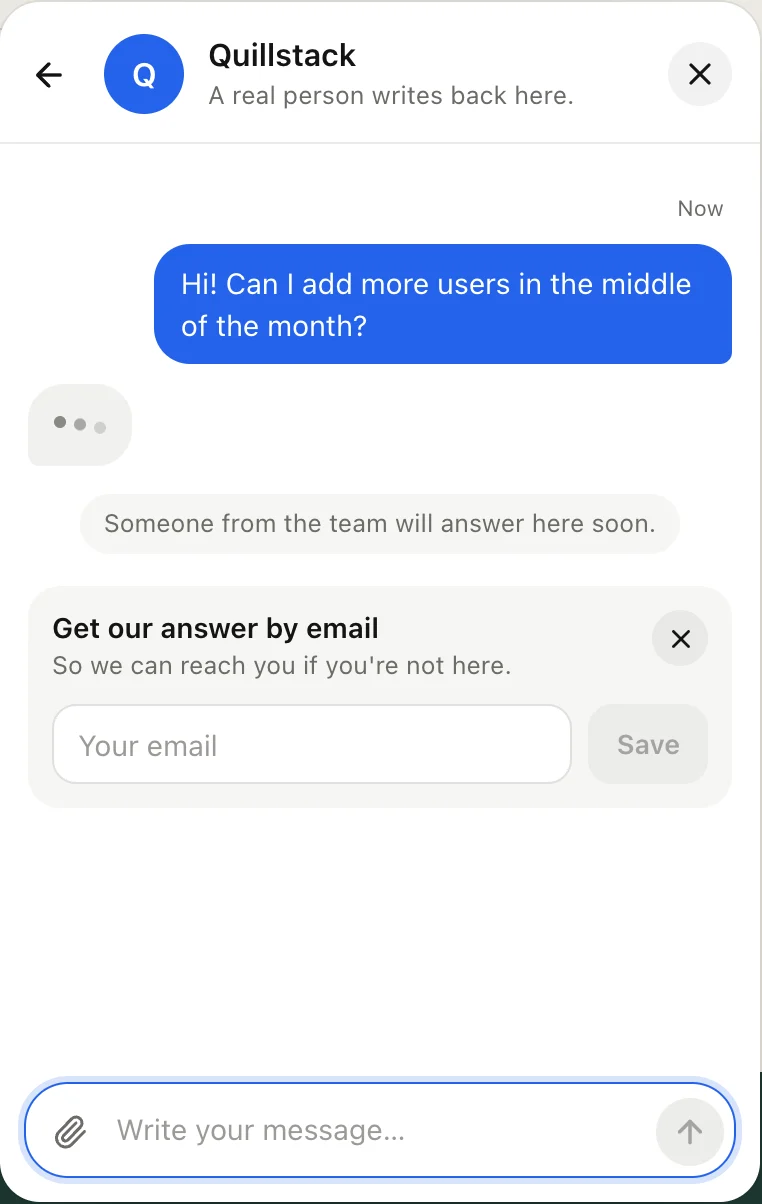
Write your answer and click Send. While you type, the visitor sees dots in the chat on your website, so they know a person is on it.
Click: Write to the visitor… › Send
Good to know
Your teammates' words show up live too, on the right: a chat reply, a text, or an Internal note in the note color. So two people never answer the same chat. You never see your own words twice. Internal notes in progress show only to teammates who can see customers.
If it doesn't work
No words show up. Live typing only shows a chat that's still being written. If the visitor stopped for 10 seconds, the bubble hides until they type again.
It says "Someone is typing…". The visitor isn't named yet. Click Name the customer at the top of the chat.