What does an employee see?
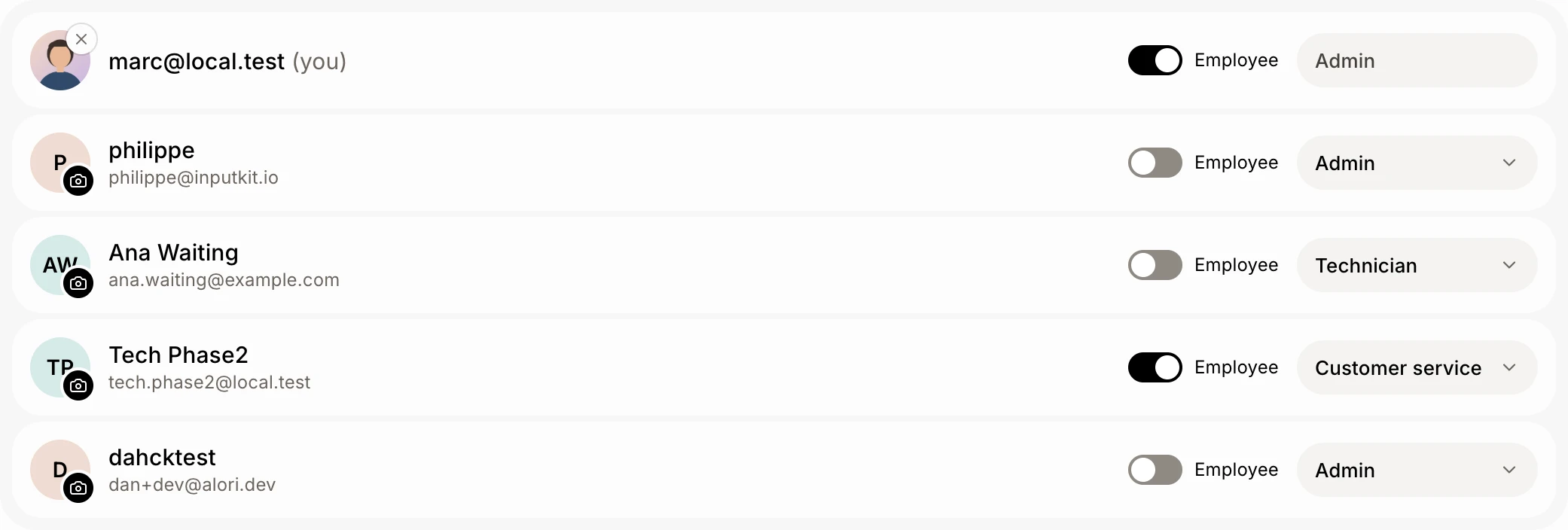
Each teammate has two separate settings in Users. Alori access (their role) decides which modules they open. Employee gives them My space. With No access and Employee on, My space is all they see.
Each teammate has two settings in Users, and they don't depend on each other. Alori access is their role: it decides which modules they open (customers, jobs, invoices…). Employee gives them My space: clocking in and their hours, time off and documents to sign. Someone in customer service can be an employee too: they see their customer-service modules plus My space, nothing else.
Also called: employee role, employee access, no access, limited access, default role, employee switch, rôle employé, accès employé, aucun accès, accès limité, rôle par défaut
Step 1: Turn on Employee
Go to Users › People. Each person has an Employee switch next to their access. Turn it on: Alori links the employee file that has their email, or makes one with their name and email. Turn it off and the file stays in Employees, with all its history; they just lose My space.
Click: Users › People › Employee
Step 2: Pick their Alori access
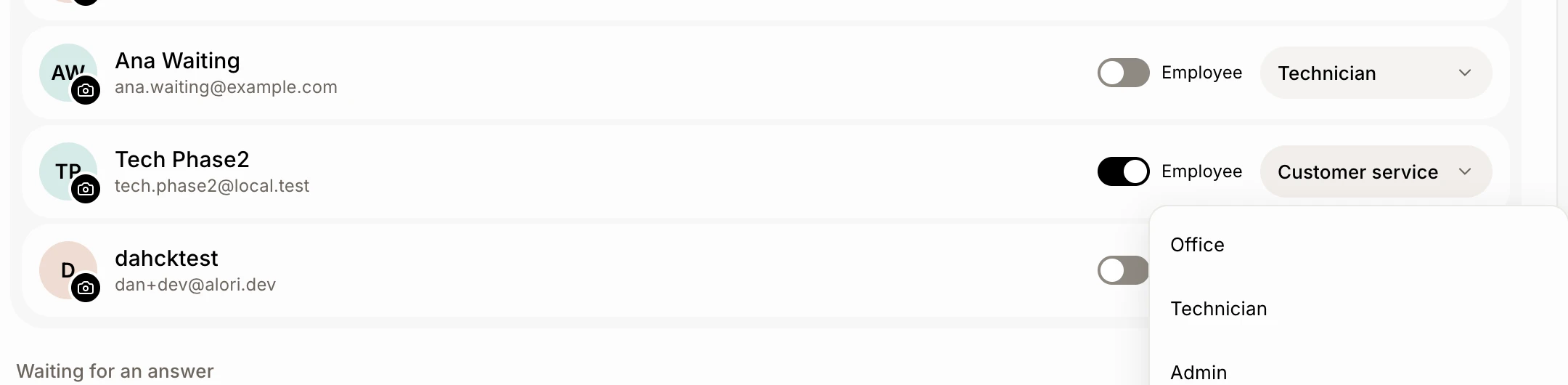
Click the access next to the switch and pick a role. No access opens no module at all: new people get it unless you pick another, and a new role you make starts from it too, with every module set to None. Give Technician, Office or a role you made only if they need more.
Click: Users › People › their access › a role
Step 3: What they see once signed in
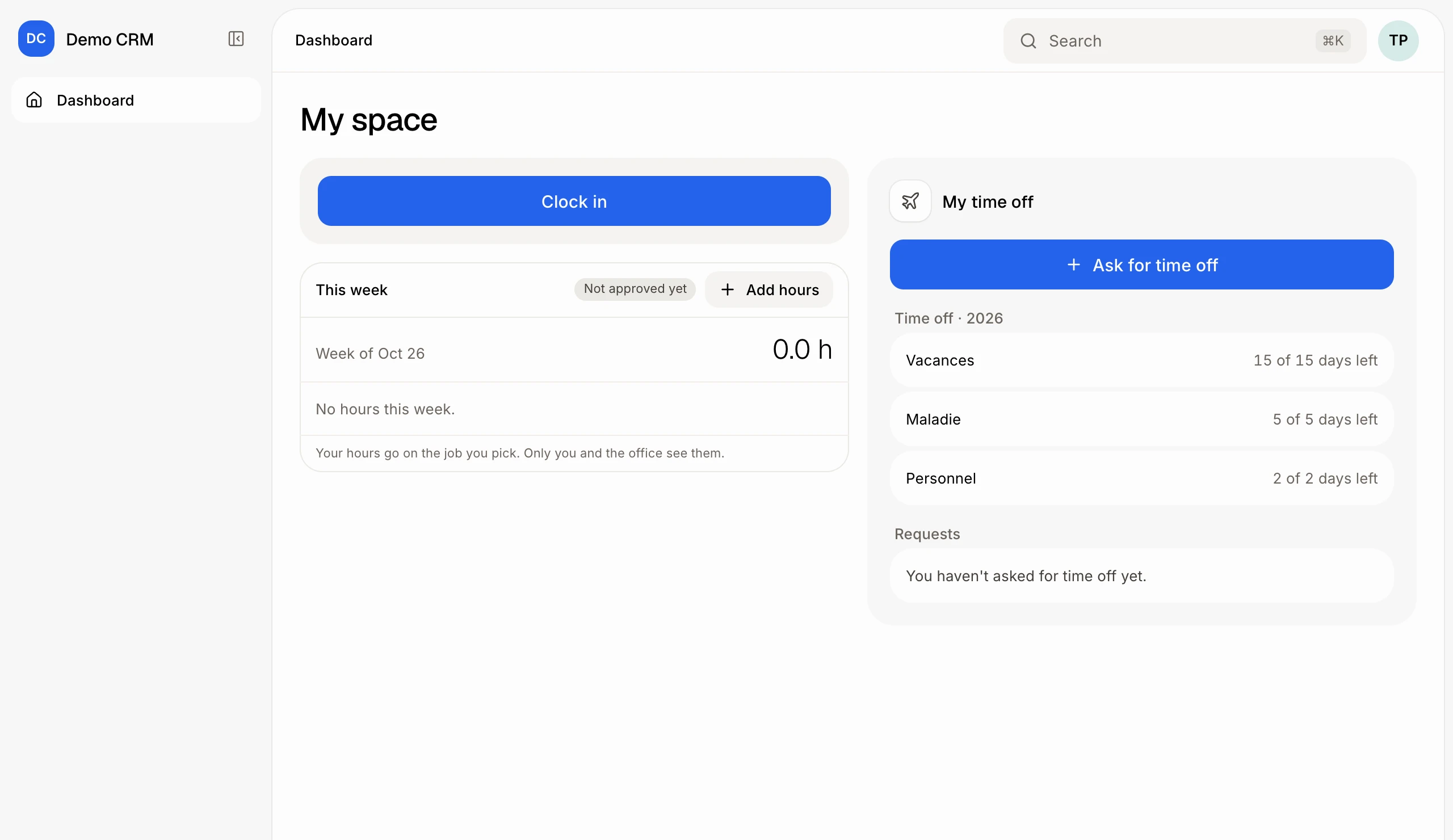
With No access and Employee on, the menu shows only Dashboard, and their Dashboard is My space: Clock in and their hours, To sign, and My time off (Ask for time off, what's left, their requests). Their own details are under their picture at the top right › My account. With a role that opens modules, they see those modules, and My space under Employees.
Good to know
The role called Employee before is now No access. Being an employee is the switch, never the role.
You can change either setting any time in Users; they get the change at once.
A new role opens nothing and deletes nothing until you turn things on. Roles made before keep exactly the access they had.
Deleting a role moves its people to No access.
You can ask Ask Alori: "Make Gui an employee" or "Give Gui the Customer service role."
They don't see pay rates. Their job, supervisor and pay are set by the office.
If it doesn't work
They see "You don't have an employee file yet." Their Employee switch is off. Turn it on in Users.
They see more than they should. Their role opens a module. Check it in Users › Roles.