How do I see my whole team's meetings?
Admins open Meetings and click Team meetings, above the list. Every teammate's meeting shows, with whose it is, and opens with its recording and notes.
If you're an admin, open Meetings and click Team meetings, above the list. Every teammate's meeting shows, private or not, with whose it is on each line. Open one to see its recording, transcript and summary. My meetings brings back your own.
Also called: team meetings, all meetings, everyone's meetings, admin meetings, manager view, réunions de l'équipe, toutes les réunions
Step 1: Click Team meetings
In the side menu, click Meetings. Above the list, click Team meetings. It switches at once, and My meetings switches back just as fast. Pick the days with Today, Upcoming, This week, Last week or Past (every meeting already held, newest first), or a date. Each line shows a still frame of the recording, then the teammate who held the meeting and who it was with.
Click: Meetings › Team meetings
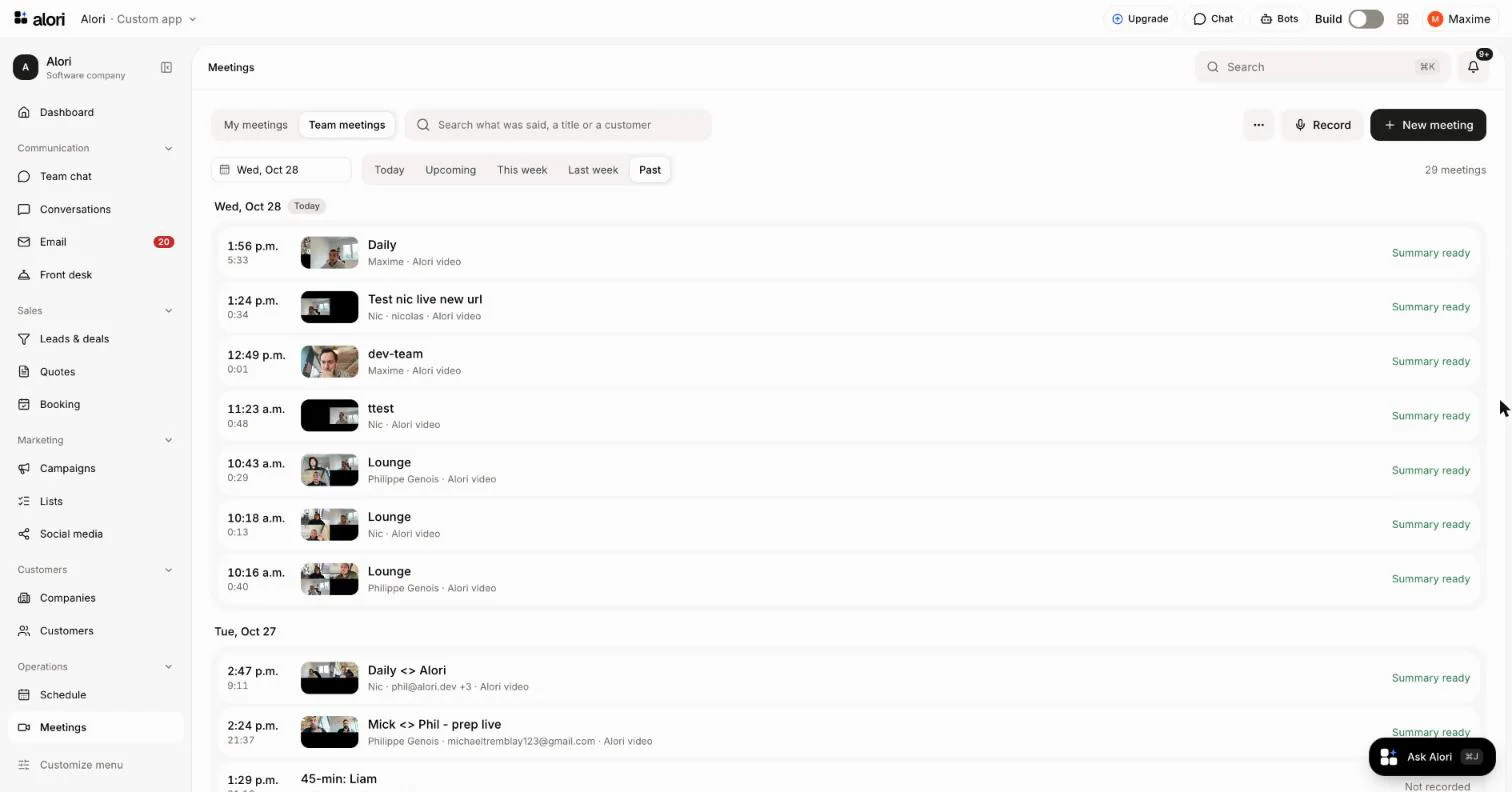
Click a meeting to open it: its recording, transcript, summary and questions are all there. Under its title, the chip says whose it is, like Marc's meeting.
You can also ask Alori: "What did the team's calls cover this week?" or "Find Sam's call with Tremblay."
Good to know
Only admins see Team meetings. Everyone else sees My meetings only: the meetings they held, were invited to, or that were shared with them.
My meetings stays yours, even for an admin: a teammate's private meeting shows only under Team meetings.
Only the teammate who held a meeting can share it or make it private again. An admin reads it but doesn't change who sees it.
Team meetings lists Alori's meetings only. Each person's own calendar events stay theirs, under All meetings in My meetings.
Meetings imported from Fathom, Granola or Claap go to the teammate who recorded them (or to the account owner, when nobody here has the recorder's email), so they show under Team meetings too.
If it doesn't work
There's no Team meetings button: you aren't an admin. An admin can make you one on the Users page.
A teammate's meeting is missing: click Past. It lists every meeting already held, newest first; click Show more to go further back.