How do group bookings and taking turns work?
A group lets several customers book one time. A team link gives each booking to one free person in turn, or books the whole team together.
Open Booking, click New link, then open Who and pick a kind. Several customers together lets more than one customer book the same time. Taking turns shares one link for your team and gives each appointment to one free person. The whole team together books everyone at once.
Also called: round robin, collective booking, team booking, group class, workshop, shared link, rotation, à tour de rôle, réservation de groupe, lien d'équipe, tous ensemble
Step 1: Pick the kind
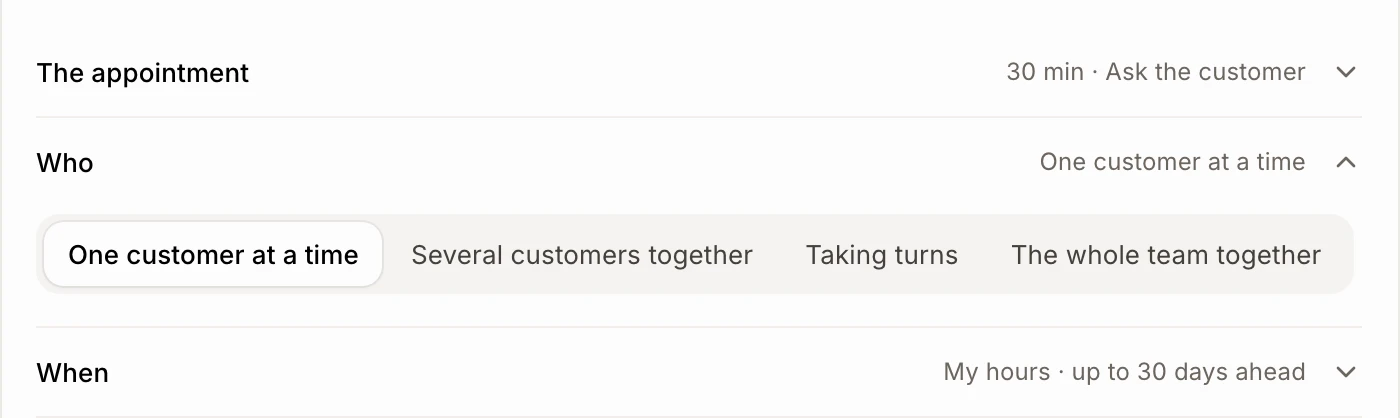
In Booking › Links, click New link. In the editor, click Who to open it, then pick:
One customer at a time: the usual link.
Several customers together: a group, like a workshop.
Taking turns: one link for the team, one person per appointment.
The whole team together: a time only when everyone is free.
Taking turns and The whole team together only show for the owner, once two or more people take appointments.
Click: New link › Who › a kind
Step 2: For a group, set the limit
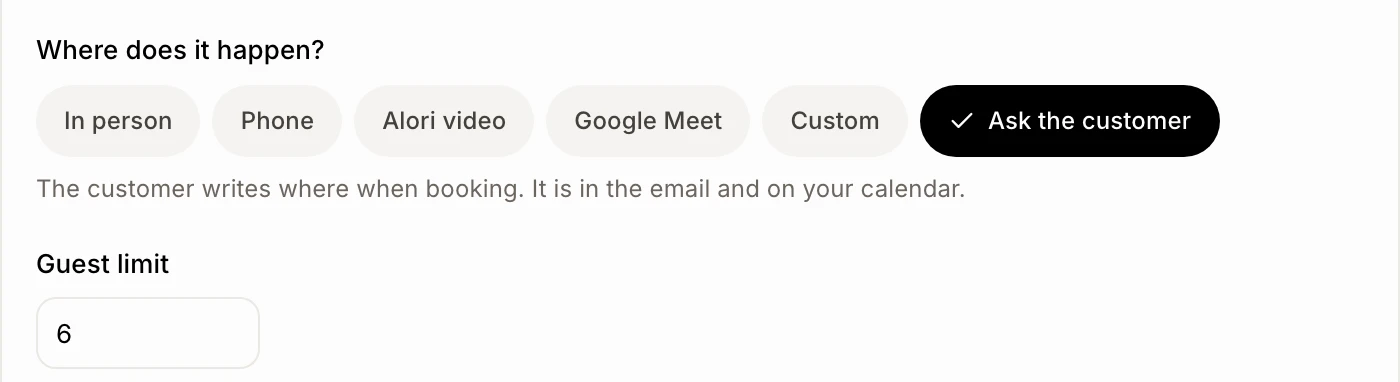
Under The appointment, in Guest limit, type how many customers can book the same time. A group needs at least 2.
Step 3: For a team, pick the people
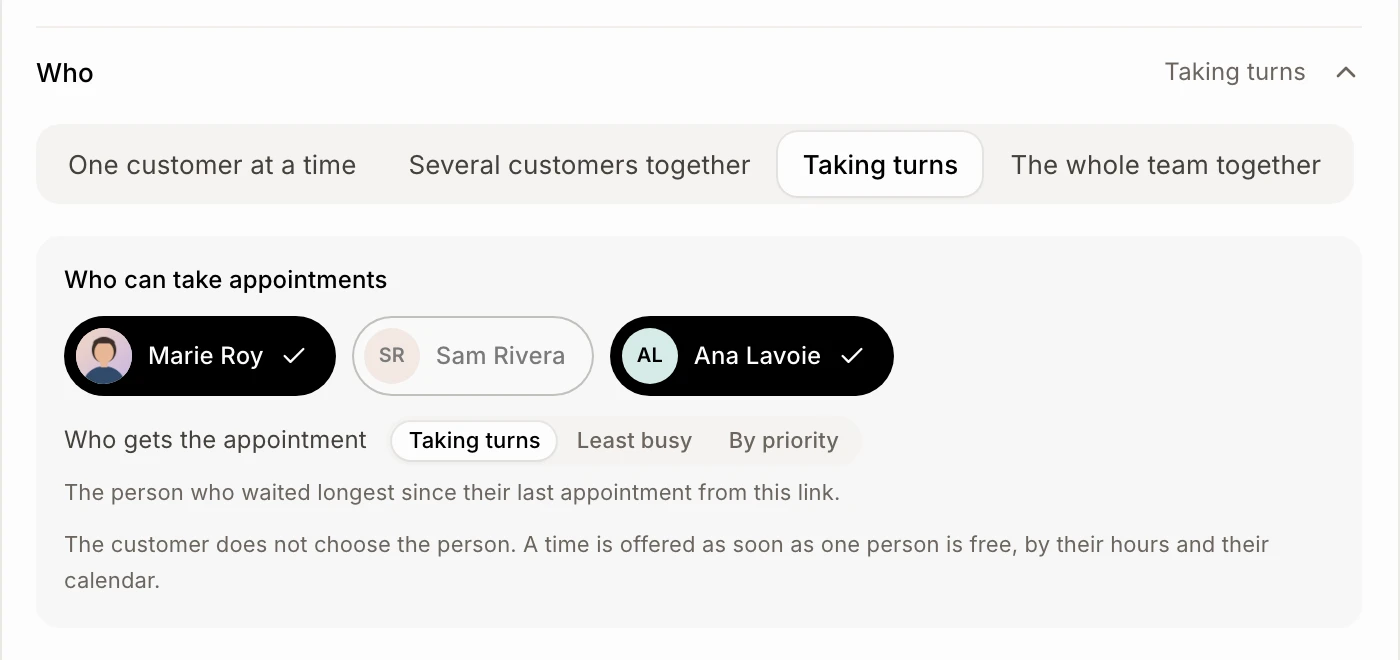
Still under Who, in Who can take appointments (or Who takes part), click each person. Someone who hasn't turned on booking is greyed out. For Taking turns, choose Who gets the appointment:
Taking turns: the person who waited longest since their last appointment from this link.
Least busy: the person with the fewest appointments coming.
By priority: the first free person, in the order you chose them.
Step 4: Create it
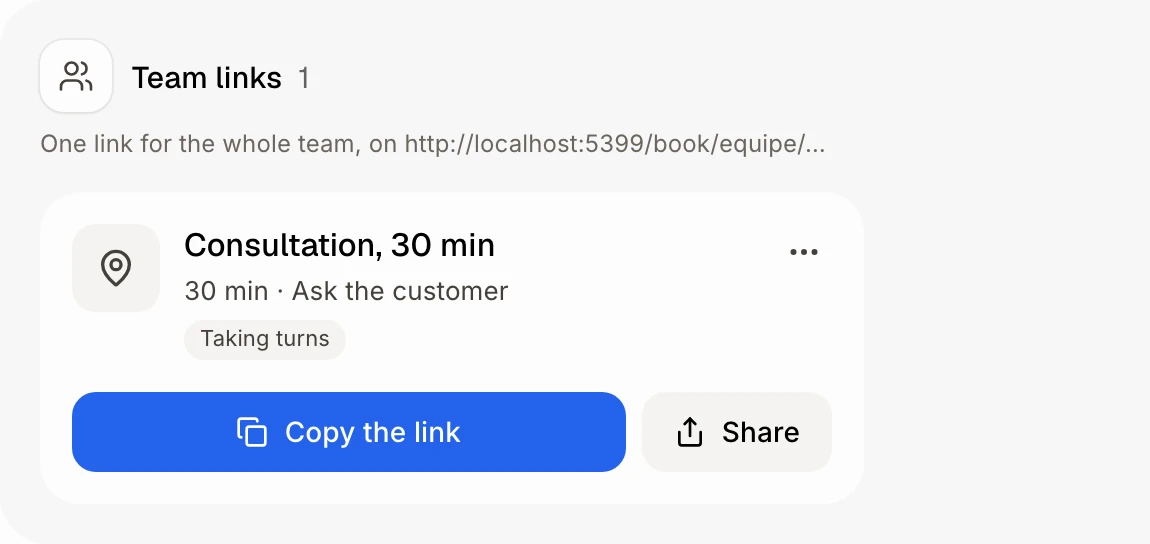
Click Create. Team links show under Team links, with one link for the whole team.
Click: Create
Good to know
With Taking turns, the customer doesn't choose the person. A time shows as soon as one person is free, by their hours and their connected Google or Outlook calendars.
With The whole team together, the appointment blocks everyone's calendar.
A team link uses each person's own hours.
Moving a team appointment keeps the same people.
Once a link is made, its kind stays. Who then only shows for a group or a team link.
If it doesn't work
"Choose the people." Pick at least one person.
"A group needs at least 2 places." Raise the Guest limit.
"Nobody has turned booking on yet. Each person does it from their own Booking page." Ask your teammates to open Booking and click Turn on booking.
"Only the owner changes team links." Ask the owner.