How do I add Alori Meeting to a Google Calendar event?
With the Alori Meeting add-on installed, pick Alori Meeting under Add video conferencing in Google Calendar.
Written by Nicolas Thibault
With the Alori Meeting add-on installed in Google Calendar, open the video conferencing menu and pick Alori Meeting, like you would pick Zoom. The event gets an Alori link, and after the call the recording, the transcript and a summary are waiting in Alori.
Also called: Google Calendar add-on, Alori video, video call link, Zoom alternative, Google Meet alternative, module complémentaire Google Agenda, visioconférence, lien de réunion
Before you start, connect your Google Calendar to Alori with the same Google account: see How do I connect my Google or Outlook calendar?.
Step 1: Install Alori in Google Calendar
Ask the Alori team for help installing the Alori Meeting add-on for the Google account you use in Google Calendar.
Step 2: Pick Alori Meeting on an event
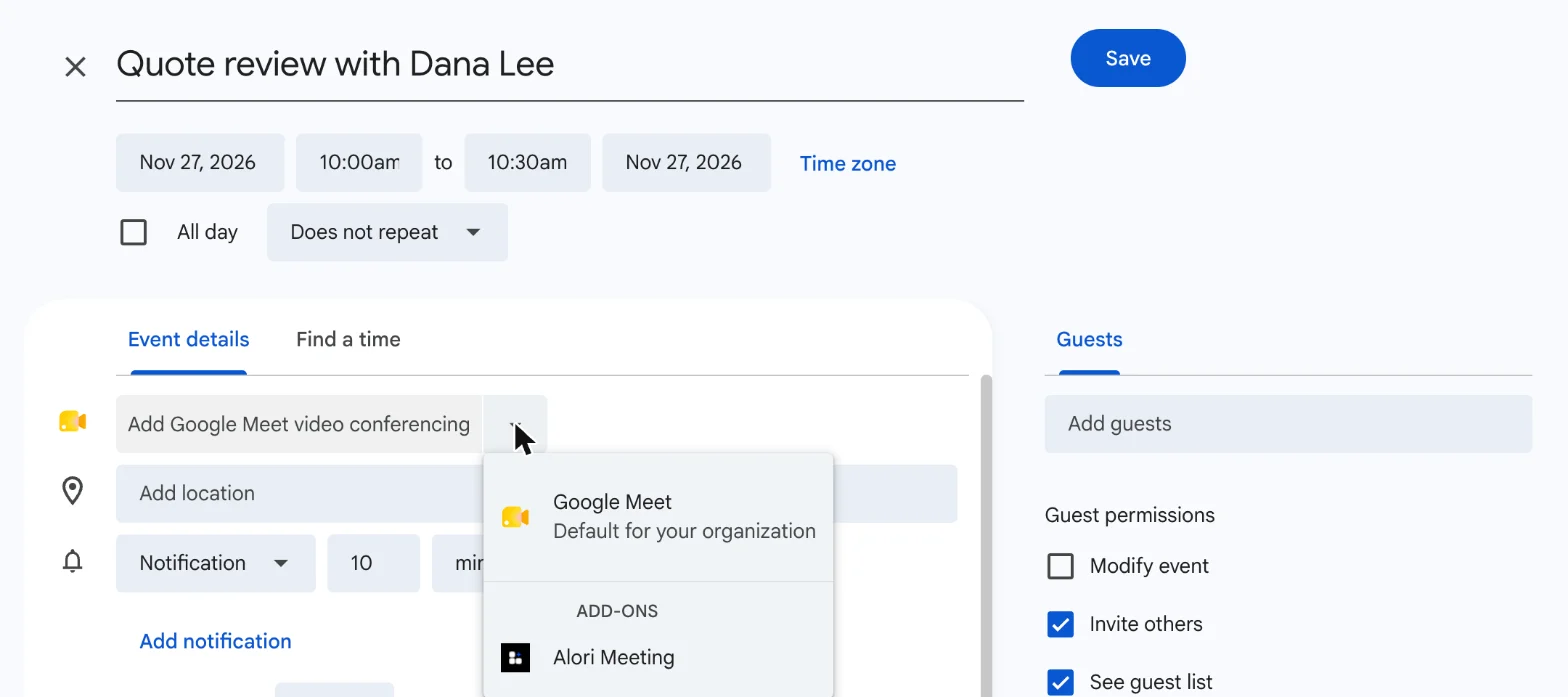
In Google Calendar, create an event or open one to edit it. Click the small arrow next to Add Google Meet video conferencing (or Add video conferencing). Under Add-ons, click Alori Meeting. The first time, Google asks you to allow Alori: follow its steps once.
Click: Add Google Meet video conferencing › Alori Meeting
Step 3: Save the event
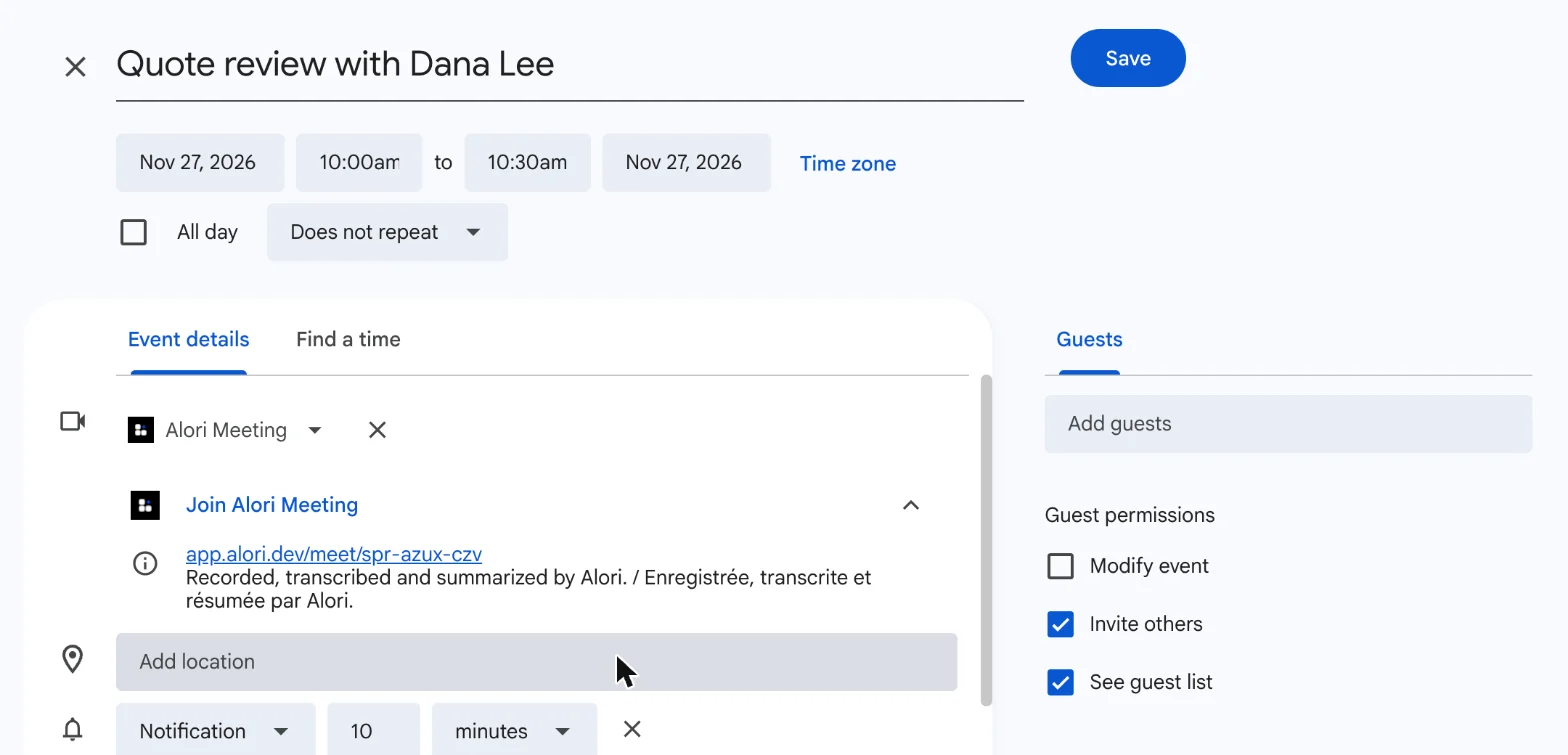
Join Alori Meeting and the meeting link now show on the event, with "Recorded, transcribed and summarized by Alori." Click Save. Your guests get the link in their invitation and join from their browser, without an Alori account.
Click: Save
After the call
The meeting is in your Alori Meetings, with the event's title, time and guests. A meeting added from Google Calendar has Record on. Once the call ends, open it for the recording, the transcript and the summary.
Good to know
Picking Alori Meeting again on the same event keeps the same link.
A repeating event gets one link for the whole series.
Outlook calendars aren't covered.
If it doesn't work
A sign-in button shows instead of the link. Your Google account isn't connected to Alori yet. Click it: Alori opens your Schedule, where you connect Google Calendar. Then pick Alori Meeting again.
Google shows an error instead of the link. Your Alori app isn't ready yet, or Alori didn't answer. Wait a minute, then pick Alori Meeting again.
Alori Meeting isn't in the menu. Alori isn't installed for this Google account. Check the account at the top right of Google Calendar, then ask the Alori team for help installing the add-on.
Related
Did this answer your question?