How do I answer my Google reviews?
Connect Google Business Profile once. Your Google reviews show in Reviews › Google with a reply Alori wrote; press Send and it's on Google.
Connect your Google Business Profile in Alori once. Every Google review then shows in Reviews › Google, the ones to answer first, each with a reply Alori already wrote. Change a word if you want, press Send, and it shows under the review on Google.
Also called: Google My Business, GMB, Google Business Profile, reply to reviews, review management, répondre aux avis, fiche Google, avis Google
Step 1: Connect Google Business Profile
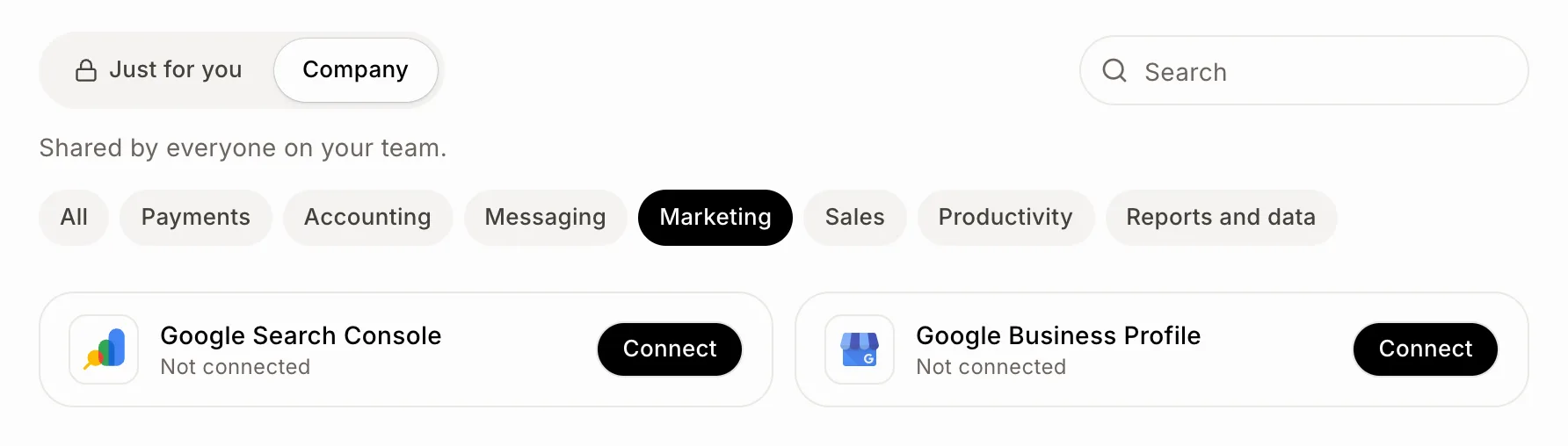
Click the grid menu at the top right, then Connectors. Click Company, then Connect on Google Business Profile, under Marketing. Sign in with the Google account that manages your business and allow Alori. Your CRM opens your reviews by itself; if your Google account manages several businesses, pick the one this app is for, once.
Click: Connectors › Company › Google Business Profile › Connect
Step 2: Answer a review
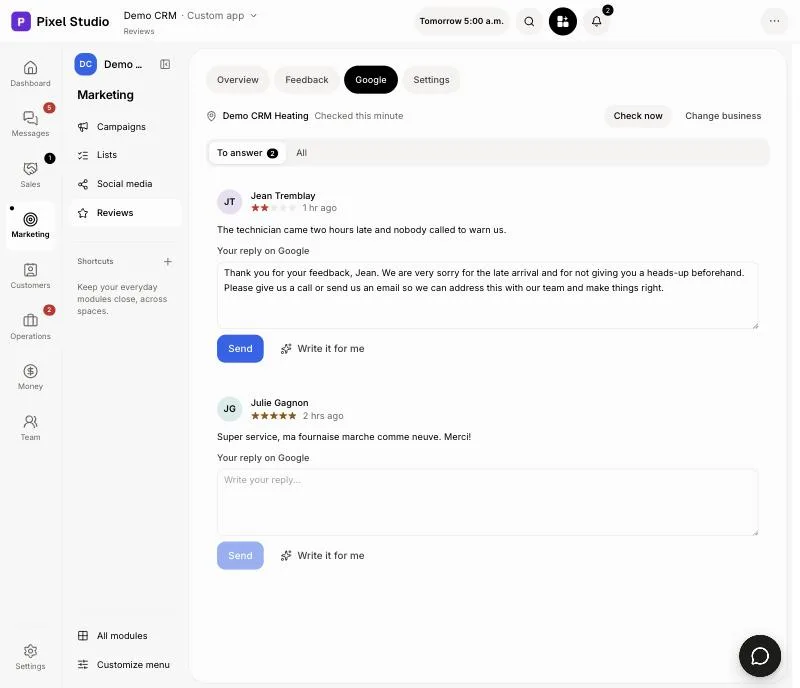
In your CRM, click Reviews, then Google. To answer lists the reviews without a reply, newest first. Each one already has a reply in Your reply on Google, written in the review's language. Read it, change it if you like, then click Send. Click Write it for me to get another one.
Click: Reviews › Google › Send
Change or remove a reply
Click All to see every review. Under a reply you sent, click Edit to change it, or Remove to take it off Google.
Good to know
New reviews come in every 30 minutes; click Check now to look right away. A review of 3 stars or less rings your bell, so you can call the customer the same day. You can also ask Ask Alori or your bot "reply to the latest Google review": you see the reply and say yes before it goes.
If it doesn't work
"Connect your Google Business Profile in Alori to read your Google reviews here and answer them." Google isn't connected, or not for this project. Click Connect Google.
"Google needs you to sign in again." Click Sign in again and allow Alori.
"Google hasn't let Alori read your reviews yet. Try again in a few days." Google is still approving access. Your reviews come in on their own once it does.
"This Google account doesn't manage a business on Google. Connect the account that does." Disconnect Google in Connectors and connect the account that owns your business.
"That reply is too long for Google. Make it shorter." Cut a sentence and click Send again.