How do I filter my items and orders?
Click Filters above the list and pick a supplier, unit, stock, status, place, billing or payment. Clear puts the whole list back.
Click Filters above the list and pick what to keep: the list shows only the rows that match every filter. Clear shows them all again.
Also called: filter, search, find items, supplier filter, unpaid orders, filtrer, filtres, trouver un article
Step 1: Filter the items
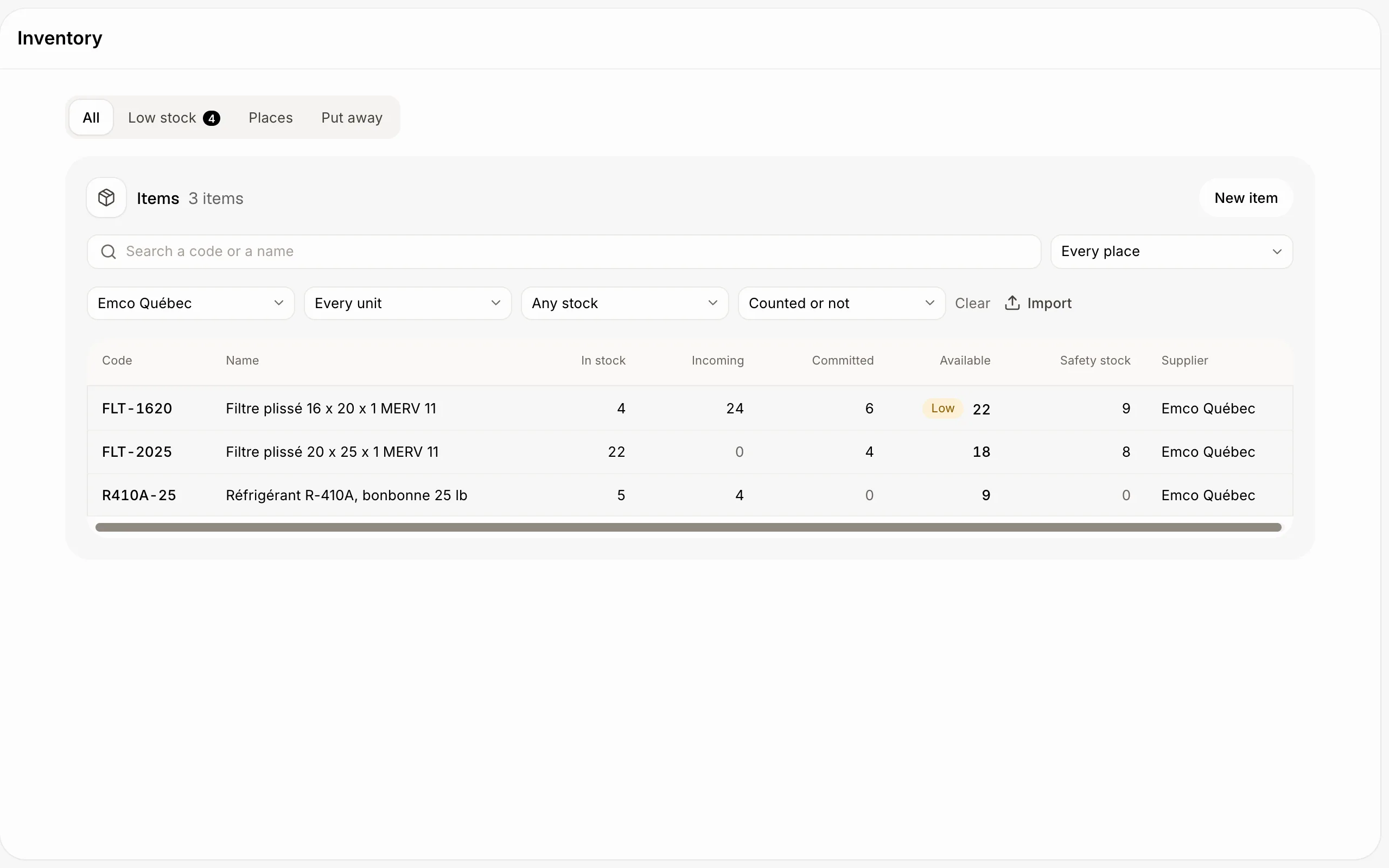
In Inventory, click Filters. Pick a supplier, a unit, a stock (In stock, Out of stock, Below zero) or how it's counted (Counted, Not counted, By lot, By serial number). Search and Every place still work with them.
Click: Inventory › Filters
Step 2: Filter the orders
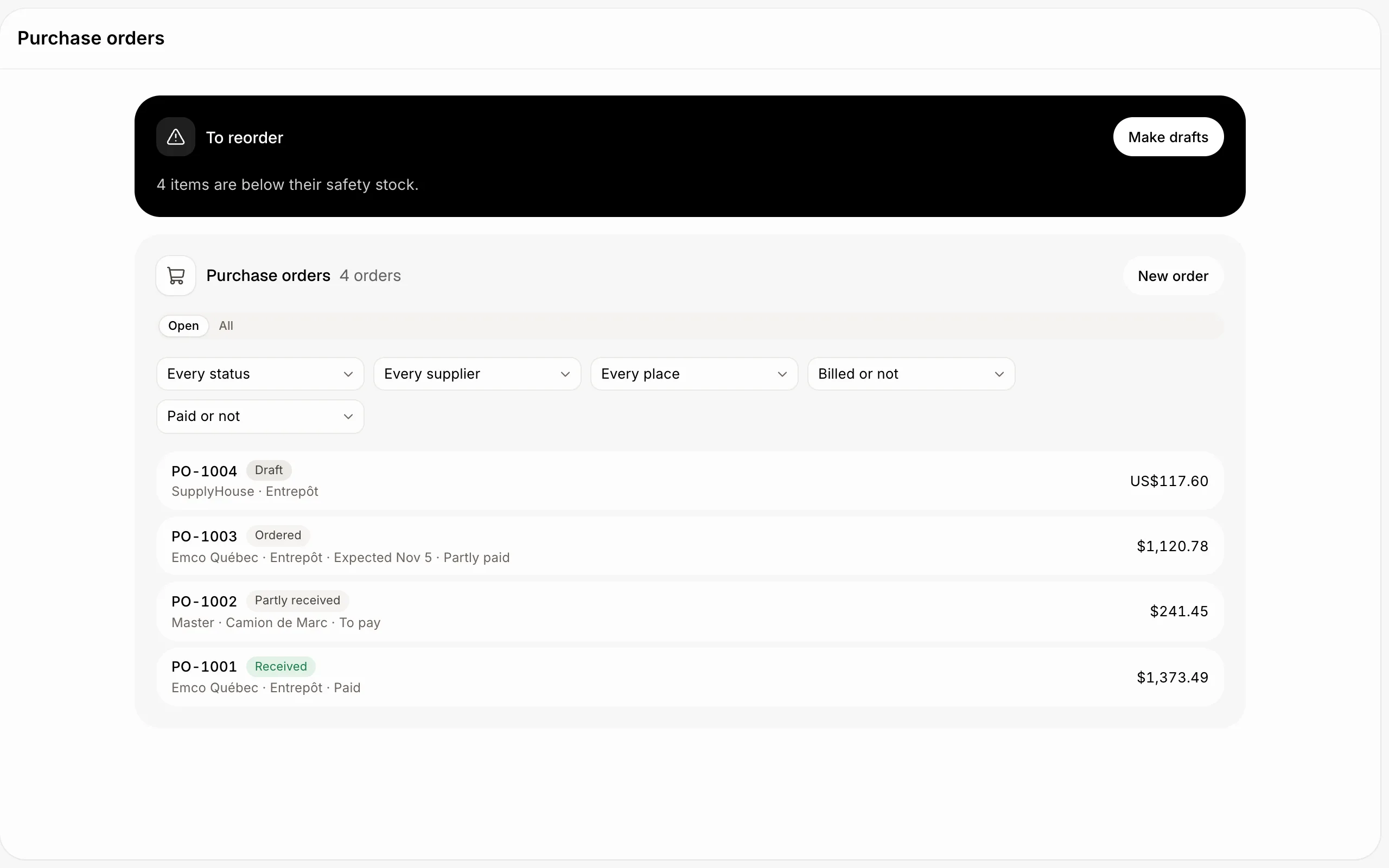
In Purchase orders, filter by status, supplier, place, billing and payment, for example every order still To pay. In Sales orders, by status, customer, place and payment.
Click: Purchase orders › Filters