How do I get coaching on my sales calls?
Turn on Leo, your sales coach, in Bots. He reviews each recorded sales call and sales email, scores it out of 10 and tells each seller what to change.
Turn on Leo, your sales coach, in Bots. Once he's on, he listens to each recorded sales call your team makes (meetings and phone calls) and reads the sales emails they send, scores each one out of 10, and tells the seller what went well, what to change, and the exact words to say next time.
Also called: sales coach, coach de vente, call review, revue d'appel, email review, revue de courriel, Gong, feedback, rétroaction, role-play, axes d'amélioration
Step 1: Turn Leo on
Leo is off until someone turns him on. Turning him on saves sensible settings and opens his Settings tab. You can change things later.
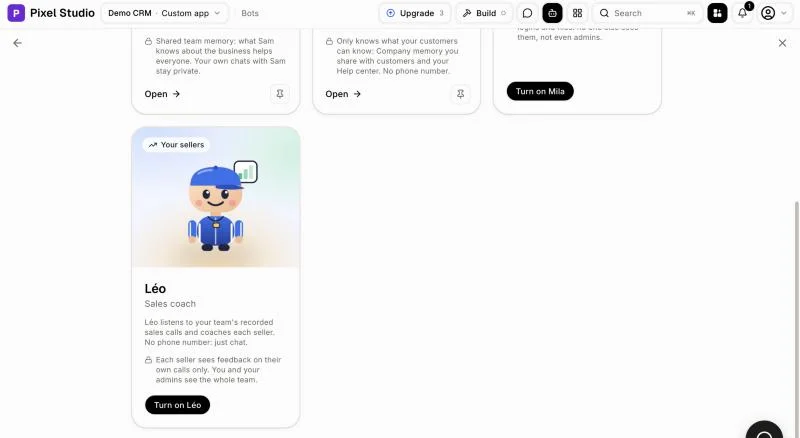
Click: Bots › Turn on Leo
Step 2: Check his settings
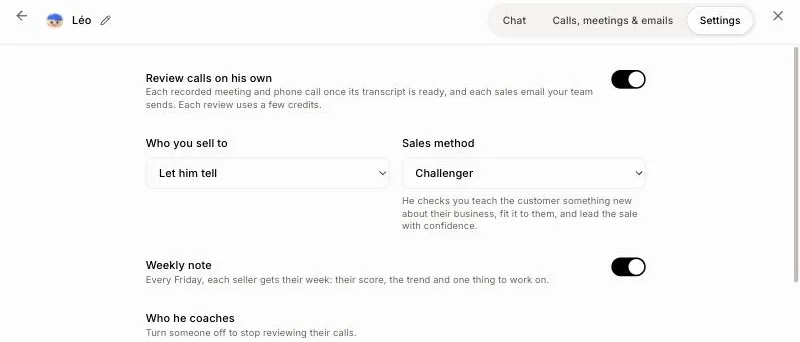
Review calls on his own: each recorded meeting and phone call once its transcript is ready, and each sales email your team sends. Each review uses a few credits.
Who you sell to and Sales method: leave Let him tell and Whatever fits each call, or pick yours (MEDDPICC, BANT, SPIN, Sandler, Challenger).
Weekly note: every Friday, each seller gets their score, the trend and one thing to work on.
Who he coaches: everyone at first. Click a team's name to coach just that team (from Users › Teams), or turn someone off.
How your team sells: your own rules in your words, like "always offer financing". Click Save.
Click: Bots › Leo › Settings
Step 3: Read a review
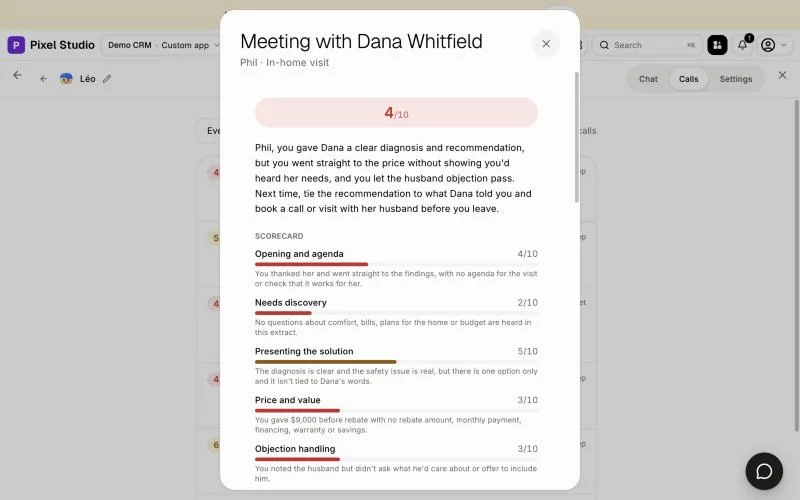
Each review shows the score, how the call went (how much the seller talked, questions asked), a scorecard, what went well, what to change with Say instead, the next step and risks to the sale. The seller also gets a message from Leo.
Click: Bots › Leo › Calls, meetings & emails › a call
Step 4: See your team's sales emails
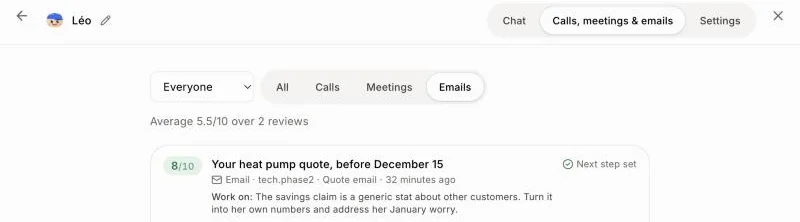
Leo also reads the emails your sellers send to customers from the CRM: cold emails, follow-ups after a call or meeting, and quote emails. Within the hour, each one is scored on a clear reason, made for this customer, the value in their words, one dated next step, and length. Each thing to change shows the exact sentence written and Say instead. Support emails and short thank-yous are skipped.
Click: Bots › Leo › Calls, meetings & emails › Emails
Step 5: Ask Leo how a seller is doing
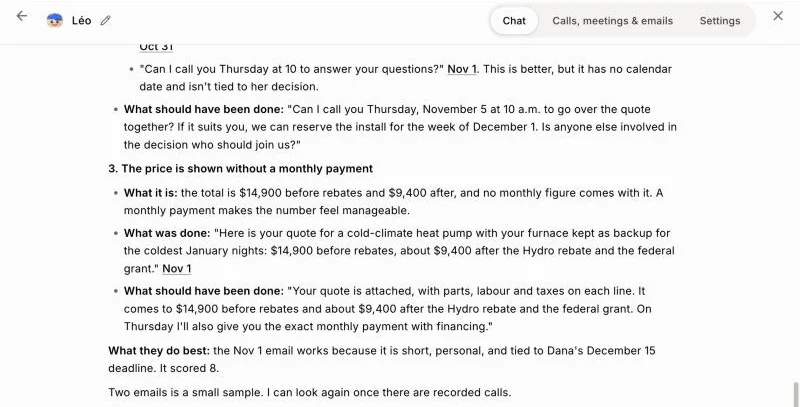
In Chat, ask "What should Julie work on?" or "Julie's calls on October 23". Leo finds the calls and emails himself and answers with the 3 biggest things to improve. For each one: what it is, what was said or written (the exact words, with a link to the call or the email's conversation) and what to say instead.
Sellers can ask "How did my last call go?" or practice a price objection with Leo playing the customer. Each seller only sees their own reviews; you and your admins see the whole team.
Click: Bots › Leo › Chat
If it doesn't work
No reviewed calls yet: the call must be recorded and its transcript ready, and last at least 2 minutes. A call that wasn't a sales conversation (a support call, an internal meeting) gets no review.
An email wasn't reviewed: Leo reviews emails his people sent from a customer's conversation in the last 30 days, with a few sentences of their own. Automatic emails and drafts aren't reviewed.
A call wasn't reviewed: Leo reviews calls of the people he coaches. A recording uploaded by hand isn't reviewed on its own: open the chat and ask Leo to review that meeting.
Imported meetings and calls (Fathom, Granola, Claap, Aircall AI): reviewed on their own when they took place in the last 30 days. Ask Leo in the chat for an older one.
Out of credits. Add credits to keep going.: reviews and chats use credits. Add credits, then ask Leo again.