How do I import my meetings from Fathom or Granola?
In Import data, open Fathom, Granola or Claap, follow the three steps to get your API key, paste it, then click Import meetings.
Open Import data, click Import on Fathom, Granola or Claap, follow the three steps to get your API key, paste it, then click Import meetings. Every meeting comes into Meetings on its date, with its title, guests and transcript (and its video from Fathom or Claap). Alori writes its own summary and next steps for each one.
Also called: Fathom import, Granola import, move from Fathom, move from Granola, note taker, meeting recordings, Fathom API key, Granola API key, Claap import, move from Claap, Claap API key, teammate's meetings, another person's Fathom, importer Fathom, importer Granola, importer Claap, enregistrements de réunions, transcriptions
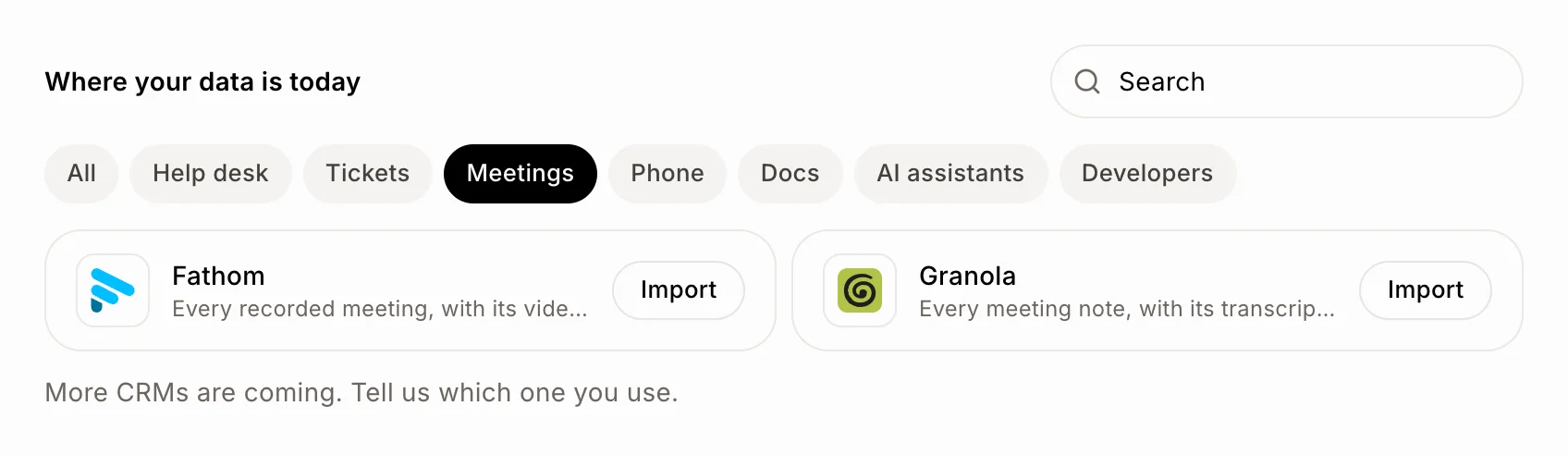
Step 1: Pick Fathom, Granola or Claap
On Import data, find Fathom, Granola or Claap (click Meetings to see just them) and click Import. You can also start from your CRM: on Meetings, click ⋯ › Import from Fathom, Import from Granola or Import from Claap.
Click: Import data › Fathom, Granola or Claap › Import
Step 2: Get your API key and paste it
The page walks you through it in three steps, then you paste the key in API key and click Import meetings.
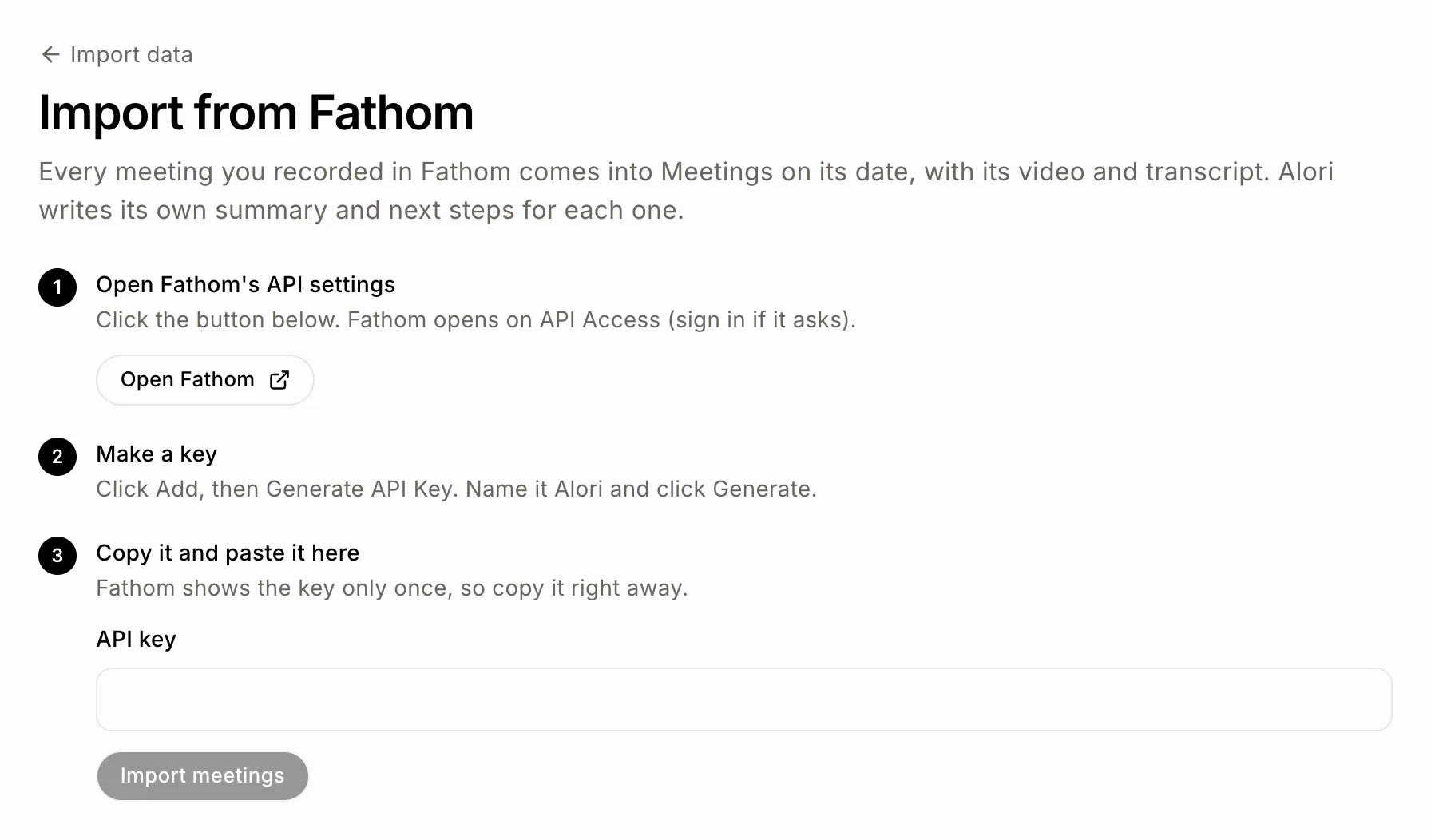
Fathom:
Click Open Fathom API settings. Fathom opens right on API Access (sign in if it asks).
Click Add, then Generate API Key. Name it Alori and click Generate.
Copy the key right away (Fathom shows it only once) and paste it in API key.
Granola:
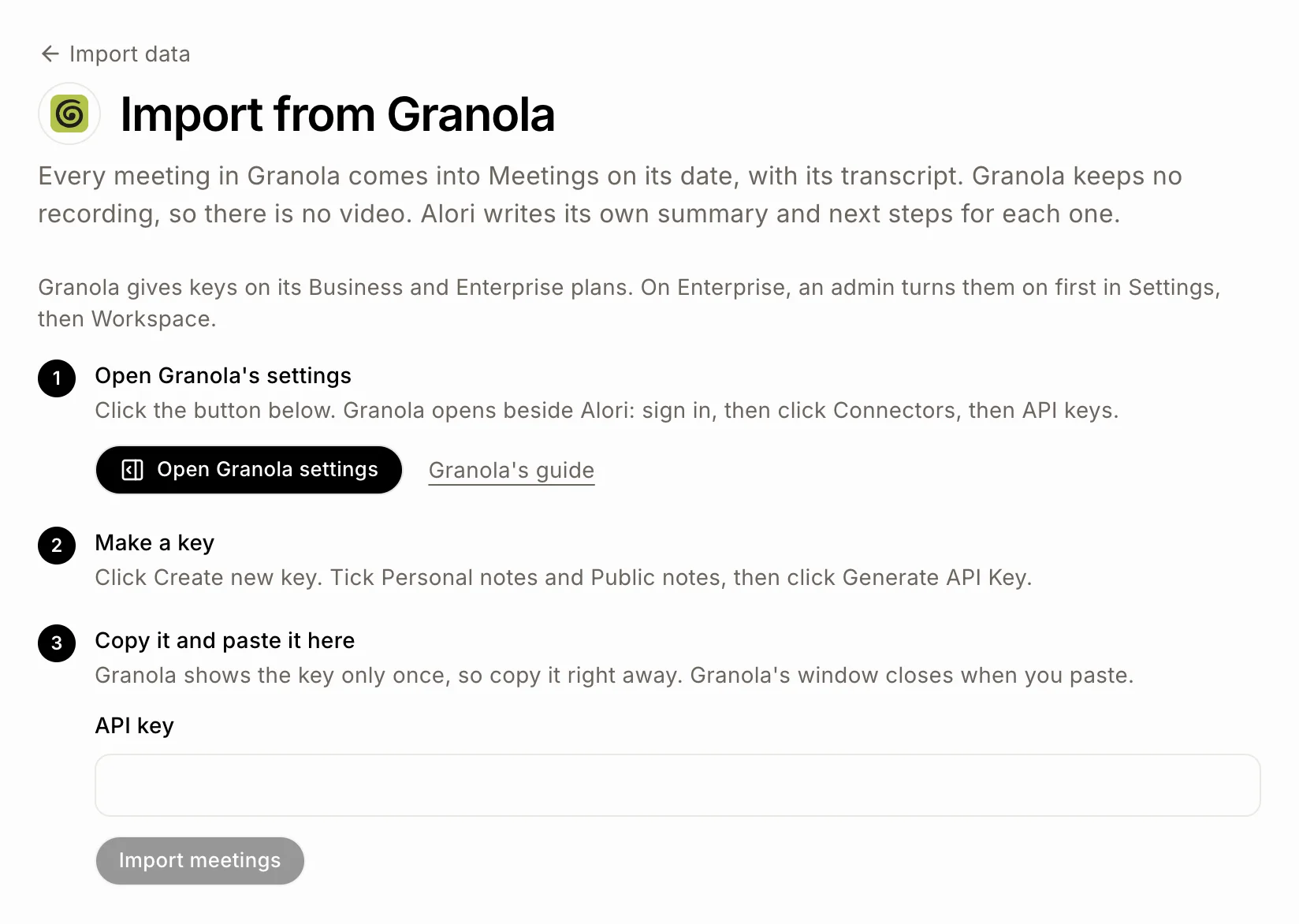
Click Open Granola settings and sign in. Then click Connectors, then API keys. In the Granola app on your computer, it's Settings › Connectors › API keys.
Click Create new key. Tick Personal notes and Public notes, then click Generate API Key.
Copy the key right away (Granola shows it only once) and paste it in API key.
Granola gives keys on its Business and Enterprise plans. On Enterprise, an admin turns them on first in Settings, then Workspace.
Claap:
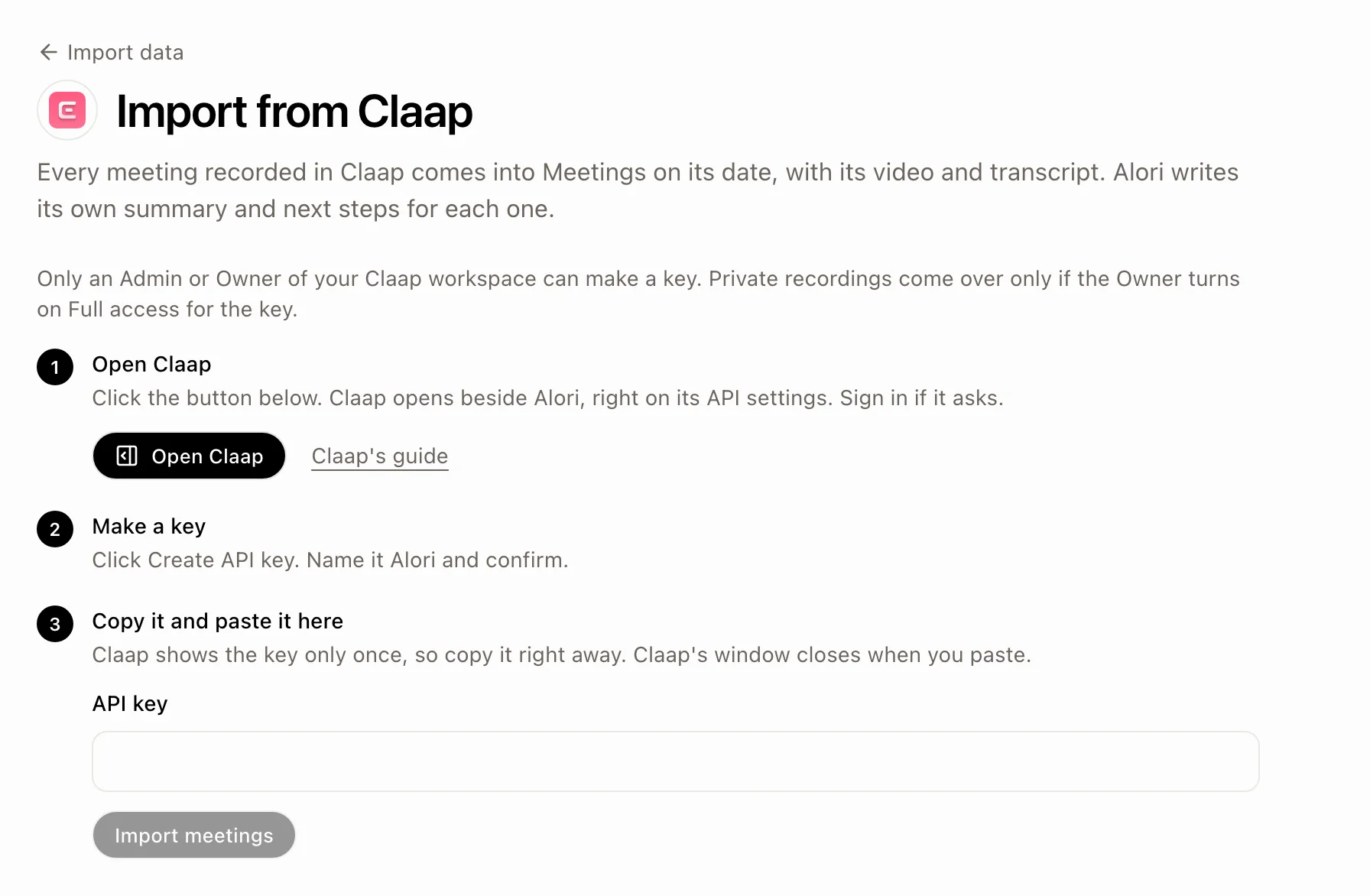
Click Open Claap. Claap opens right on its API settings (sign in if it asks).
Click Create API key. Name it Alori and confirm.
Copy the key right away (Claap shows it only once) and paste it in API key.
Only an Admin or Owner of the Claap workspace can make a key. Private recordings come over only if the Owner turns on Full access for the key.
Click: API key › Import meetings
Step 3: Let it run
The page shows Fathom, Granola or Claap passing meetings to Alori, with Finding your meetings… at first, then how many meetings came over so far in big numbers. Fathom and Claap videos come a little after their meeting: the page counts the ones in so far, and once the meetings are all over it says how many videos are still on their way. You can close the page: the import keeps going, and a bar at the top of every page says it's in progress, with See it to come back.
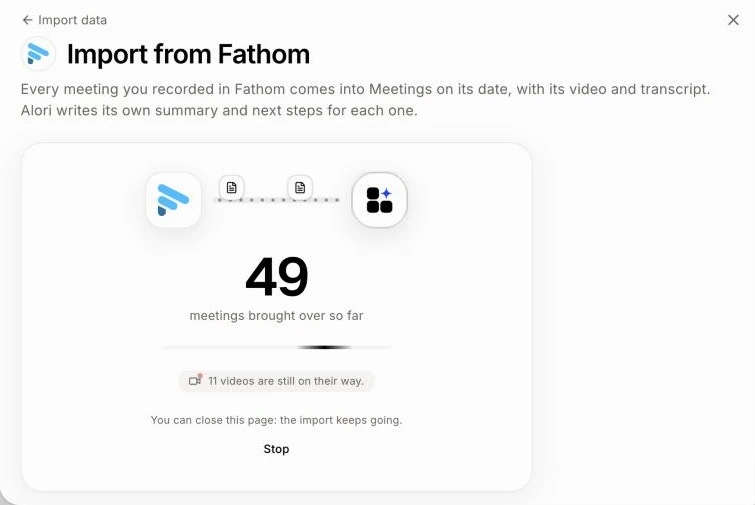
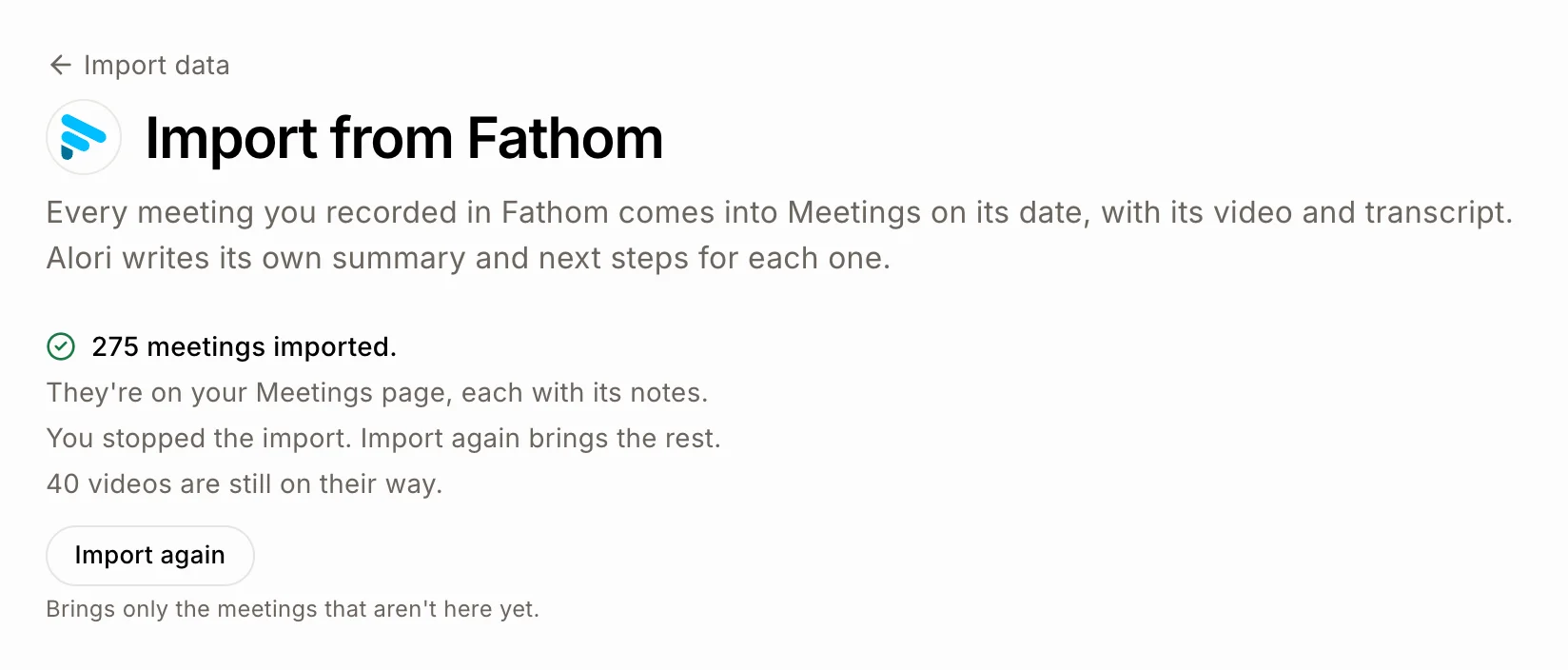
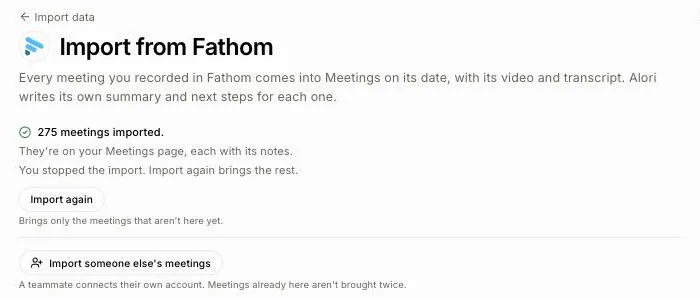
To stop it, click Stop. No new meeting comes over; the ones already here keep their notes, and videos already on their way still come. Click Import again later to bring the rest.
Step 4: Find your meetings
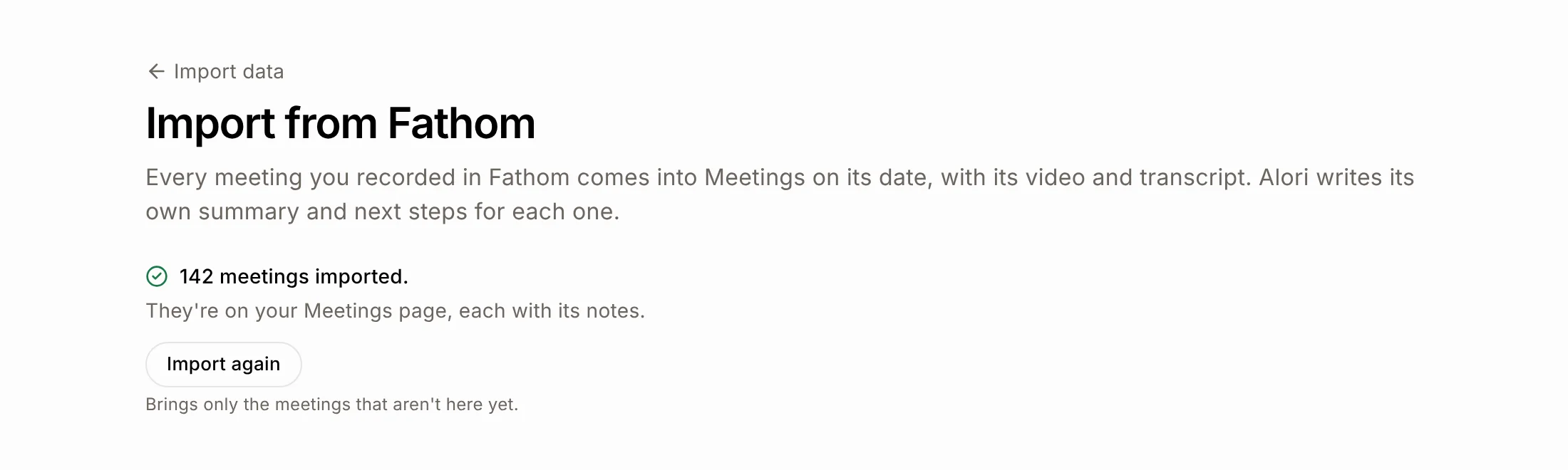
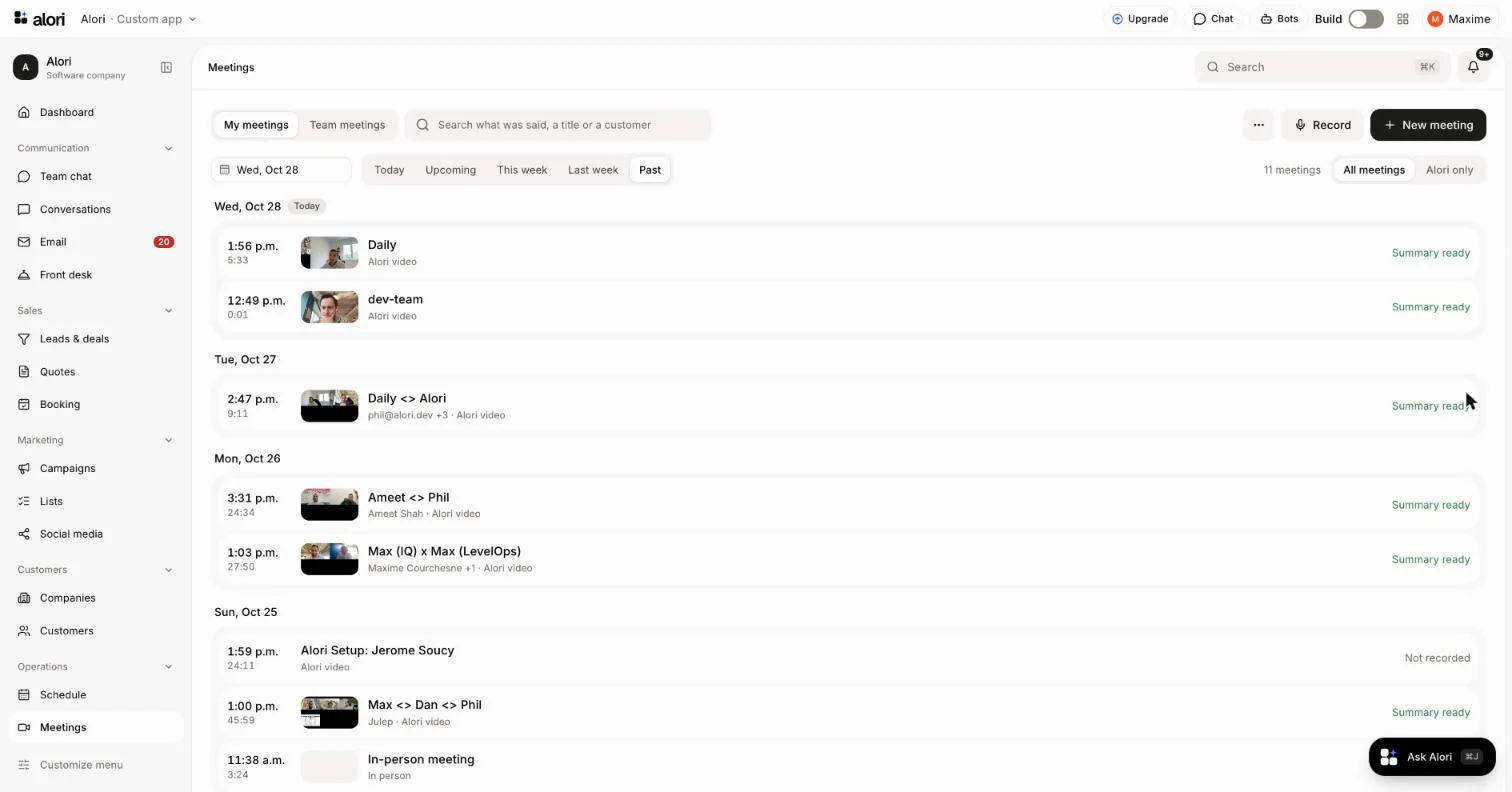
When it's done, the page says how many meetings were imported. On your Meetings page, click Past to see them all, newest first, each with its transcript and Alori's notes. A meeting goes to the teammate who recorded it, matched by email. When nobody here has that email, Who's who under the result asks you who they are, and their meetings come over once you pick. A meeting also goes to the customer whose email was among the guests. Each meeting is private, like one recorded in Alori: the teammate it went to sees it, and so do teammates who were guests. Sharing in Fathom, Granola or Claap doesn't come over; share a meeting from its page.
Click: Meetings › Past
What comes over
Fathom: each recorded meeting's title, date, length, guests, transcript with who said what, and its video, stored with your meetings.
Granola: each note's title, date, guests and transcript. Granola keeps no recording, so there is no video.
Claap: each recording's title, date, length, guests, transcript, and its video. Only recordings your key can see come over: private ones need a Full access key.
Videos: each Fathom or Claap video is stored with your meetings in Alori, so it keeps playing after you leave.
Alori's notes: Alori reads each transcript and writes its own summary and next steps, like for a meeting recorded in Alori. The summary from Fathom, Granola or Claap isn't copied. Notes use credits like a recorded meeting's, and a video is stored like one.
Import again
Click Import again to bring meetings you recorded since. It brings only the meetings that aren't here yet, so nothing comes twice. While it goes, the page counts the meetings it has checked, with a bar against the ones already here, and says how many new meetings came over. A meeting already here that went to the wrong person moves to the teammate who recorded it, and the page counts those too. Since it only checks meetings it already has, Import again is quick: a few minutes for hundreds of meetings.
Bring a teammate's meetings
An API key only brings the meetings of the person who made it. To bring a teammate's meetings too, click Import someone else's meetings under the result, and have your teammate make their own key and paste it (or connect their own Fathom). Their import starts at once. Meetings already here are skipped, so nothing comes twice. Do it once per teammate, one after the other.
Click: Import someone else's meetings › paste their API key › Import meetings
If it doesn't work
"That key didn't work. Copy it again and paste it here." Copy the whole key again from Fathom, Granola or Claap.
"This key stopped working. Paste a new one." Make a new key and paste it.
"You're out of credits. Add credits, then click Try again." Add credits, then click Try again.
"Your app needs its latest update first. Publish it once, then click Try again." Publish your app, then click Try again.
"The import stopped. Click Try again: meetings already here stay as they are." Click Try again.
"N meetings couldn't come over." Those meetings were tried three times. Click Import again later to try them again.
A meeting with no words (still being transcribed in Fathom) is left for the next import.
Your imported meetings aren't on Meetings? Click Past: Today, This week and Last week show only those days. If you're an admin, a meeting a teammate recorded is under Team meetings.
No API keys in Granola's Settings? Your Granola plan doesn't give keys: Business and Enterprise do.