How do I see only the meetings, notes or calls of a customer, deal or company?
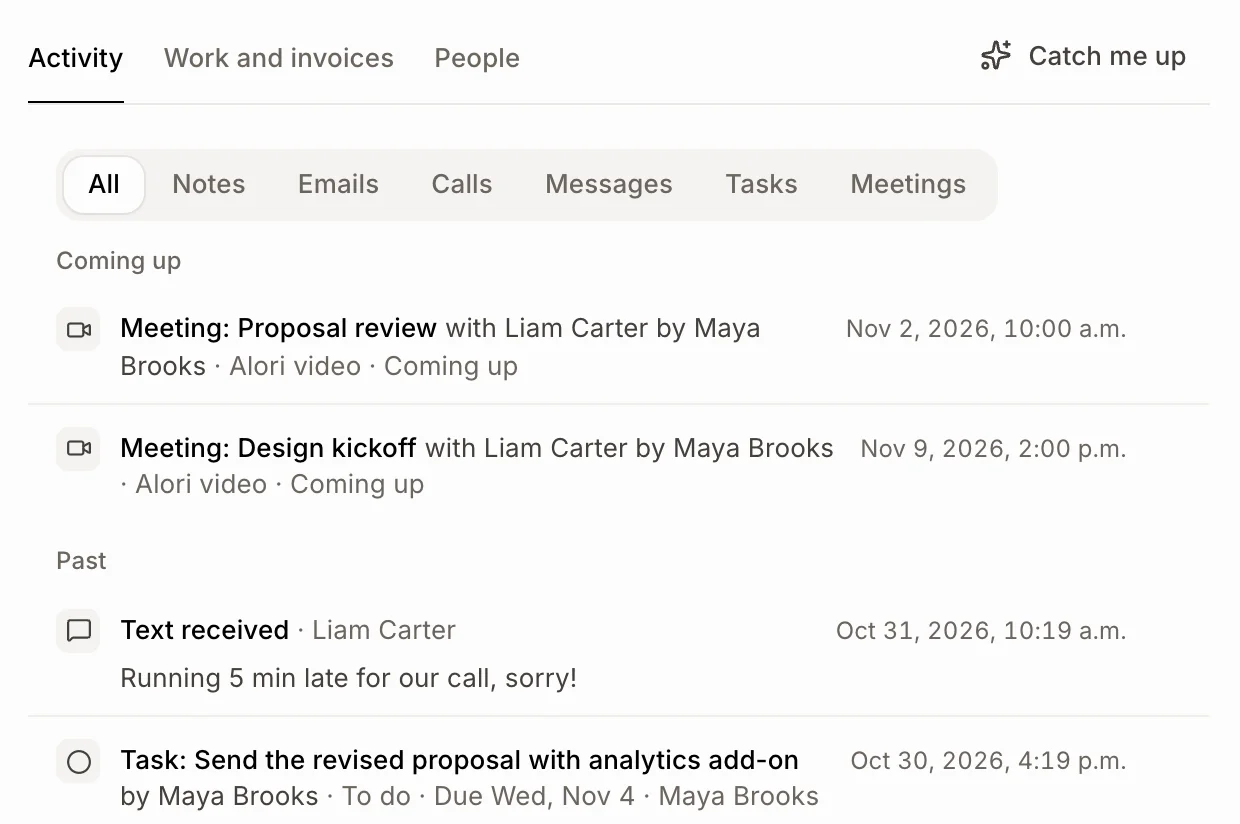
In the Activity, click Meetings, Notes, Emails, Calls or another filter above the list. Meetings still to come show first, under Coming up.
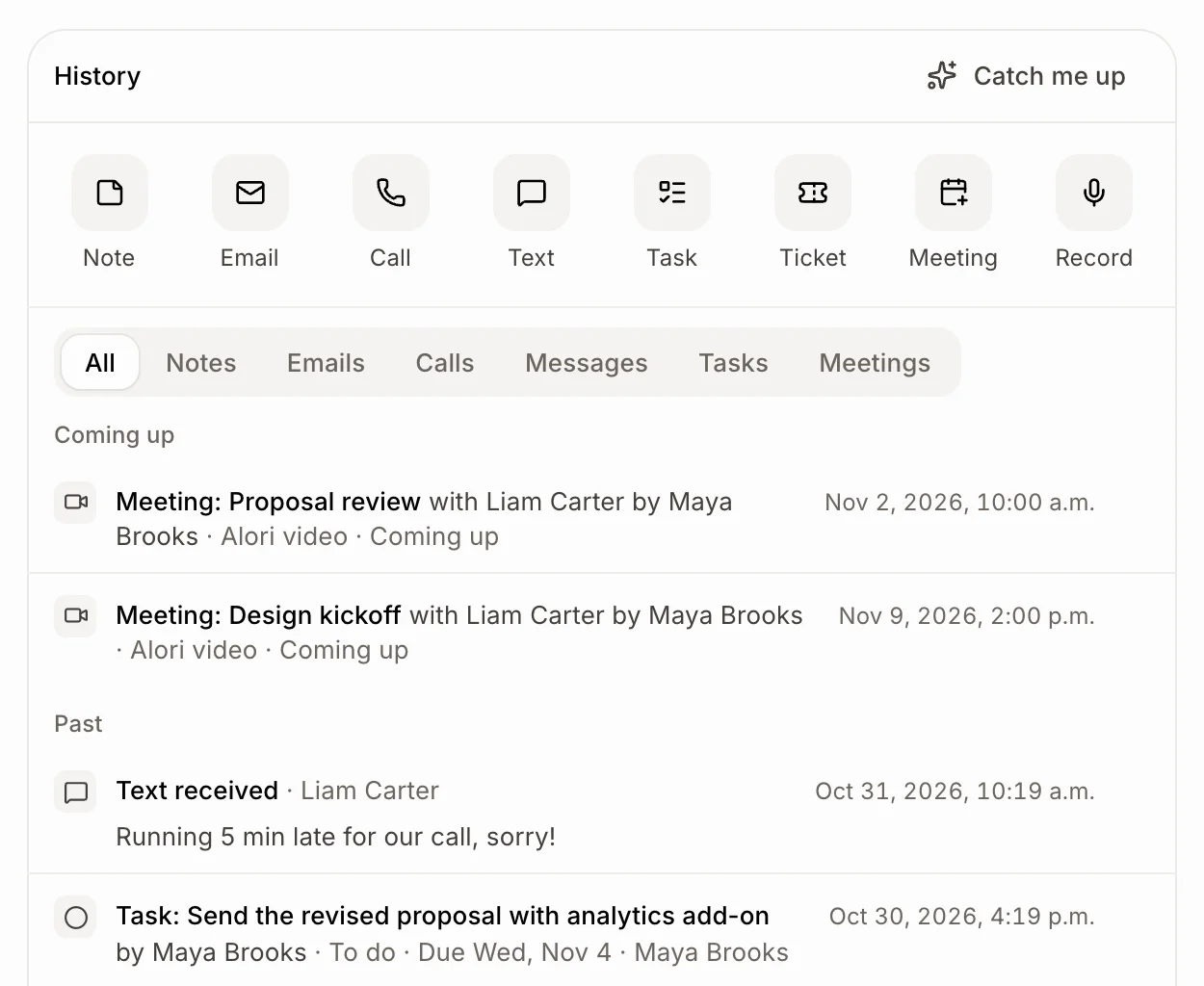
Open the customer, deal or company. Above its activity, click Meetings (or Notes, Emails, Calls, Messages, Tasks, Tickets) to see only that. All shows everything again. Meetings still to come sit at the top, under Coming up, the soonest first.
Also called: activity filter, history filter, meetings tab, upcoming meetings, past meetings, scheduled meetings, all activities, filtrer l'activité, réunions à venir, réunions passées, historique
Step 1: Open the activity
Open Customers and click the customer, then the Activity tab. On a deal, the activity is the History card. On a company, it is the Activity tab.
Click: Customers › the customer › Activity
Step 2: Pick what to see
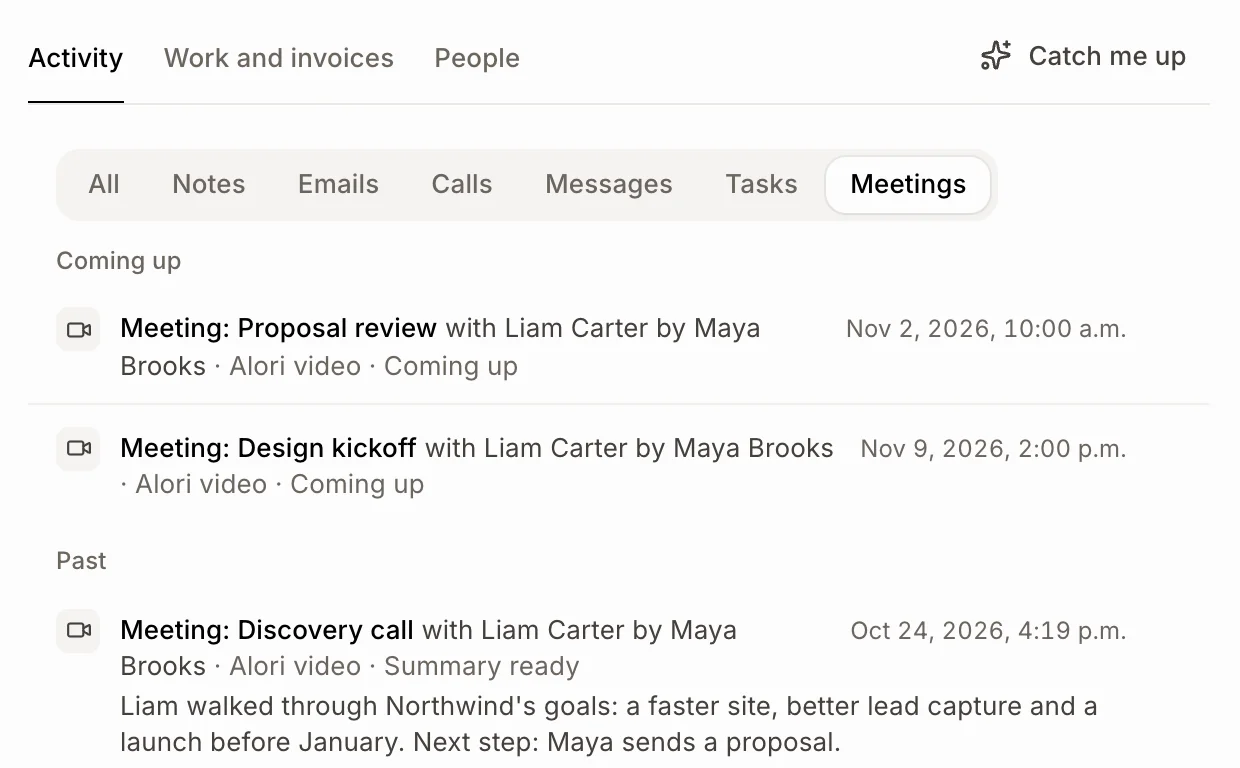
Click Meetings to see every meeting with them: the ones coming up first (the next one on top), then the past ones, newest first. A meeting happening now shows under Coming up and says Live. Click a meeting to open it; a calendar event opens its video link, or its day on the calendar.
Click Notes, Emails, Calls, Messages, Tasks or Tickets the same way. Click All to see everything again.
Click: Meetings
Step 3: Do the same on a deal or a company
Deals and companies have the same buttons above their history, and they work the same way. A deal shows the meetings made for it and the ones with its people; a company shows the meetings with anyone who works there.
Click: Leads & deals › the deal › Meetings
Good to know
Only the kinds a record has show as buttons. Meetings is always there, even before the first one.
Meetings include Alori video meetings, recorded meetings, bookings, and events from a connected Google Calendar or Alori's calendar that they are invited to (matched by their email).
Messages means texts, website chats and Facebook or Instagram messages.
Jobs, quotes, invoices and campaigns show under All.
The filter goes back to All when you leave the page.
If it doesn't work
"No meetings yet." Nothing is planned or held with them. A calendar event only shows here when their email is on the customer and they are invited.
A meeting is missing. Check that the customer's email is the one on the invite.
No Tasks or Tickets button. They have none yet, or your role can't see tasks or tickets.