How do I see where I rank on Google and have Zoe fix it?
Open Marketing › SEO and turn on tracking. You see where you stand on Google and what to do next; click Ask Zoe to do it and she fixes your site.
Open Marketing › SEO in your CRM and turn on tracking. Each week Alori checks where you show up on Google, tells you in one sentence where you stand, and lists what to do next. Click Ask Zoe to do it and Zoe, your marketing specialist, makes the fix on your website. You approve every change before it goes live.
Also called: SEO, Google ranking, search ranking, keywords, Semrush, Ahrefs, référencement, classement Google, mots-clés
Step 1: Turn on SEO tracking
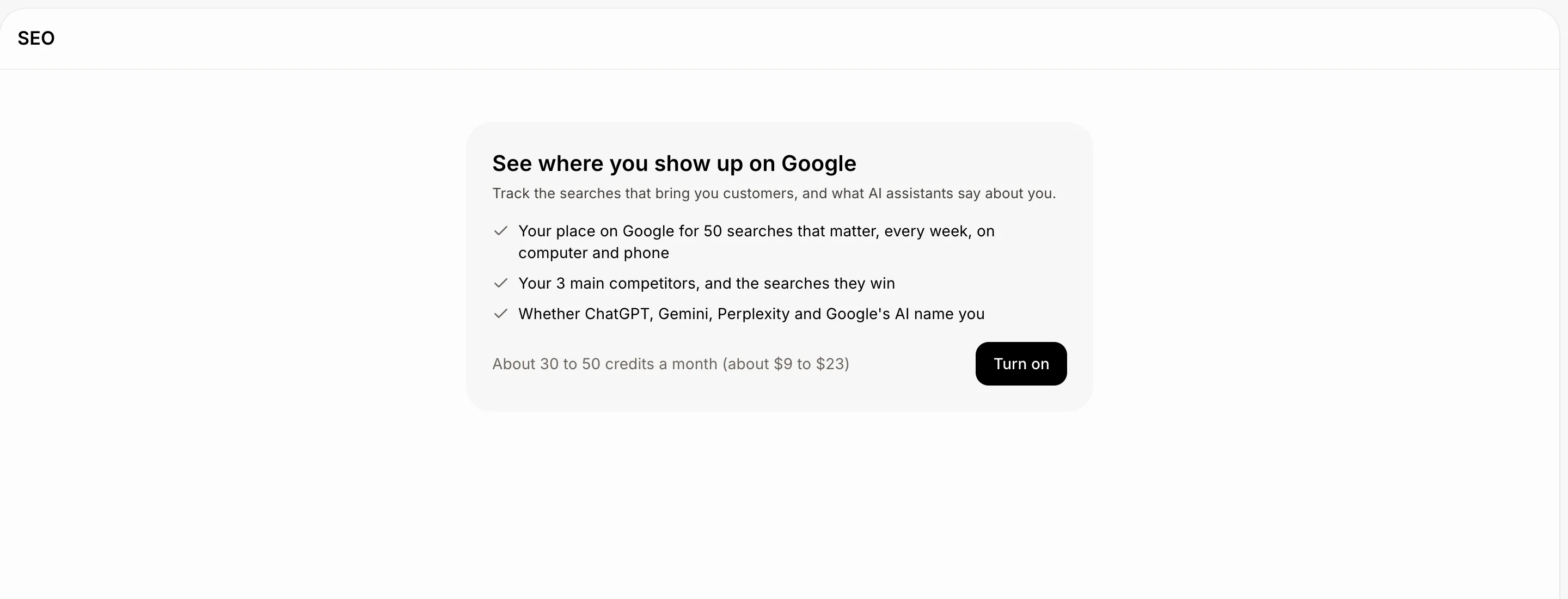
In your CRM, open Marketing › SEO. The card shows what you get: your place on Google for 50 searches that matter, your 3 main competitors, and whether ChatGPT, Gemini, Perplexity and Google's AI name you. It also shows the price, about 30 to 50 credits a month. Click Turn on. Your first results come within a week.
Only an owner or admin can turn tracking on or off.
Click: Marketing › SEO › Turn on
Step 2: See where you stand
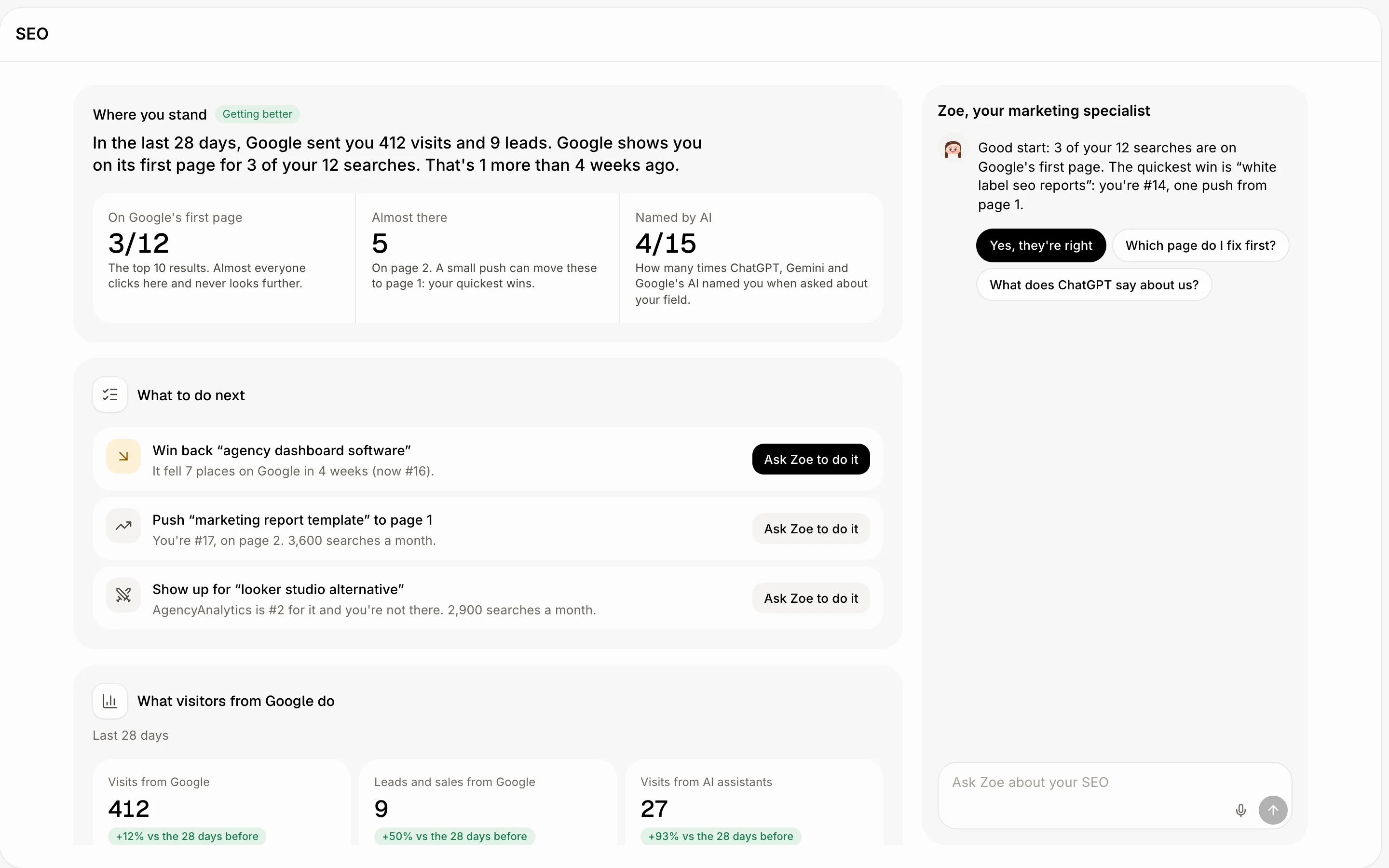
Where you stand sums it up in one sentence: how many of your searches are on Google's first page, and how that changed in 4 weeks. Under it, Almost there counts the searches on page 2, your quickest wins, and Named by AI shows how often AI assistants name you.
What to do next lists the most useful fixes first, like a search that dropped or one that's almost on page 1.
Step 3: Ask Zoe to do it
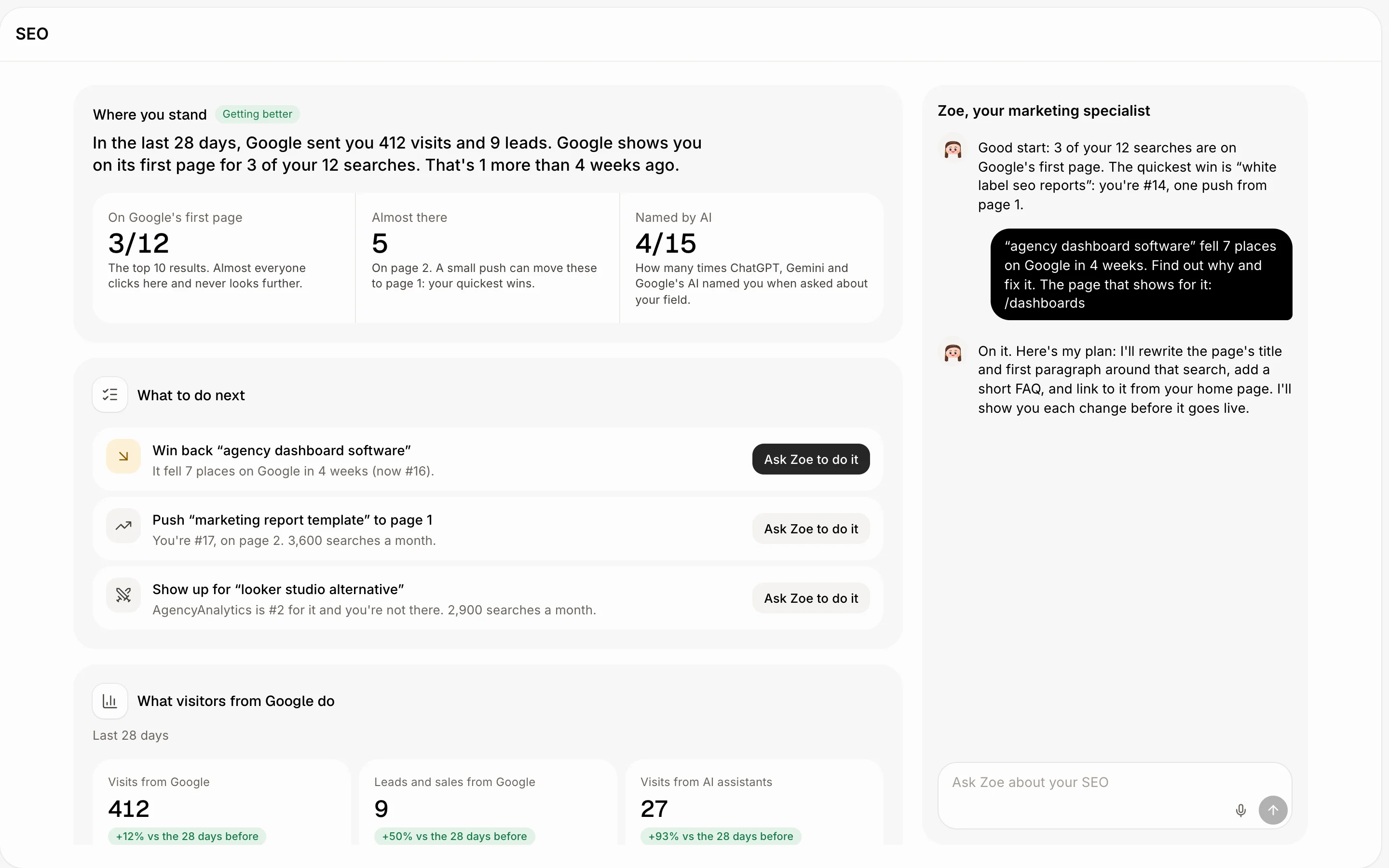
Click Ask Zoe to do it beside a fix. Zoe answers on the right with her plan. You can also ask her anything in Ask Zoe about your SEO, like "Which page do I fix first?".
Click: What to do next › Ask Zoe to do it
Step 4: Let Zoe change your website
The first time, Zoe's card shows her monthly price: click Turn on Zoe. If your website's code is on GitHub, click Connect GitHub, then Add it on GitHub to give her your website's repository. A website made in Alori needs nothing more.
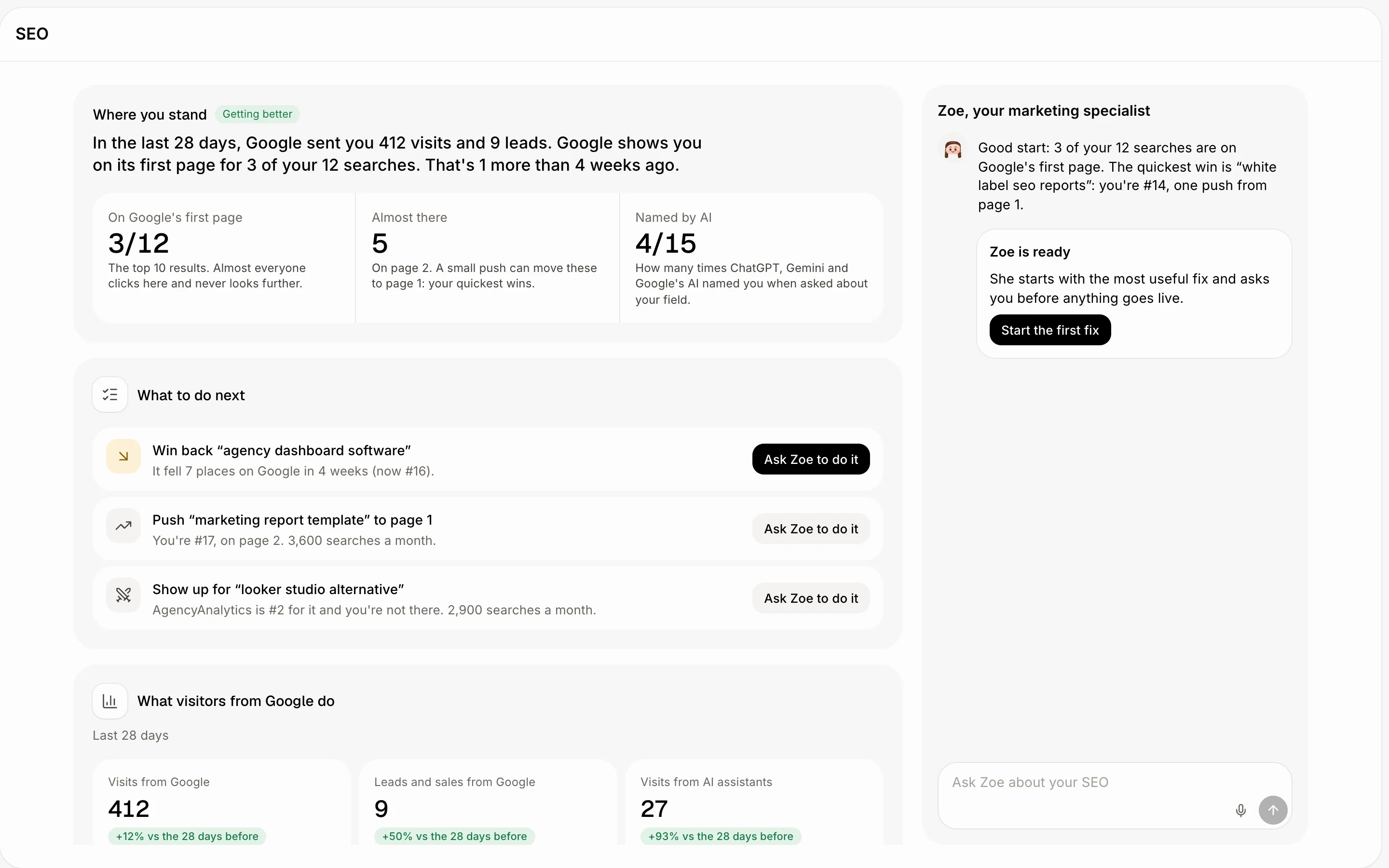
When Zoe is ready shows, click Start the first fix. Zoe sends each change to her chat in Alori with the words Now and New side by side. Click Preview to see it on a computer or a phone, then Publish (or Merge for a GitHub website). Click Not this to leave the page as it was.
Click: Turn on Zoe › Start the first fix › Preview › Publish
If it doesn't work
"Only an owner or admin can turn SEO tracking on or off." Ask the account owner to click Turn on.
"Only an owner or admin can turn Zoe on." Same: the owner or an admin turns her on.
"SEO tracking is coming soon to your account." Tracking isn't open on your account yet.
"You're out of credits." Add credits, then ask Zoe again.
"GitHub won't merge it. Open the pull request to see why." Click Open the pull request and read GitHub's message.
"The preview isn't ready yet." Wait about 2 minutes, then click Preview again.
Related
Did this answer your question?