How do I talk to my bots in Team chat?
Sam and Leo each have a private chat with you in Team chat, and answer when you write @Sam or @Leo in a channel. Mila only talks to you in private.
Your bots are in Team chat, under your direct messages: Sam, your business manager, Leo, your sales coach, once he's on, and Mila, your personal assistant, if you have her. Write to one of them like you would to a teammate. In a channel, write @Sam or @Leo and they answer in the thread of your message, for the whole channel to see.
Also called: bot, AI, assistant, business manager, sales coach, chat with Sam, mention the bot, robot, adjointe, coach de vente, clavardage d'équipe
Step 1: Write to a bot in private
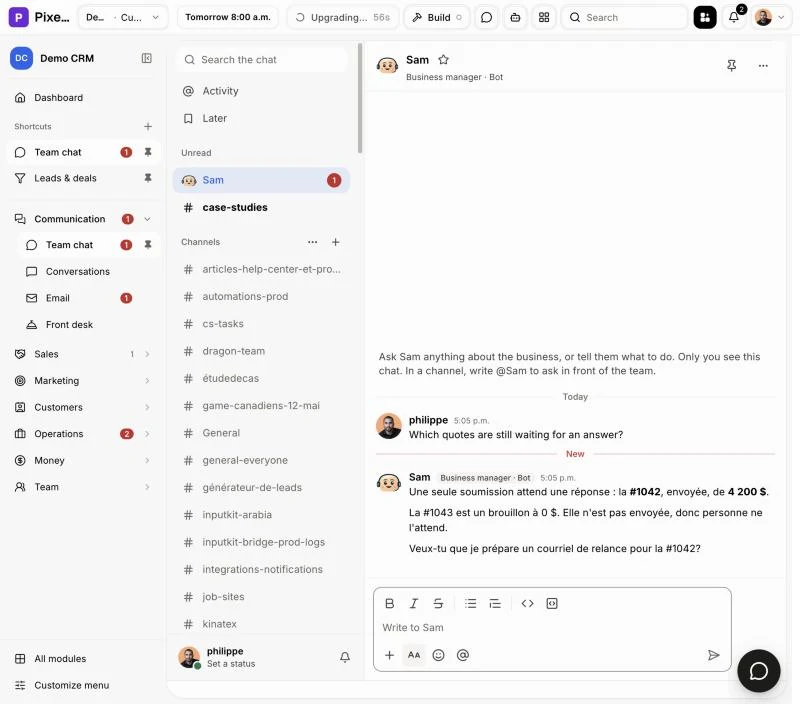
Open Team chat. Your bots are in your direct messages, with their faces and a small label under their names, like Business manager · Bot. Click one and ask in your own words: "Which quotes are still waiting for an answer?" You see "Sam is typing…" while the answer comes. Only you see this chat.
Click: Team chat › Sam › write your question
Step 2: Ask Sam or Leo in a channel
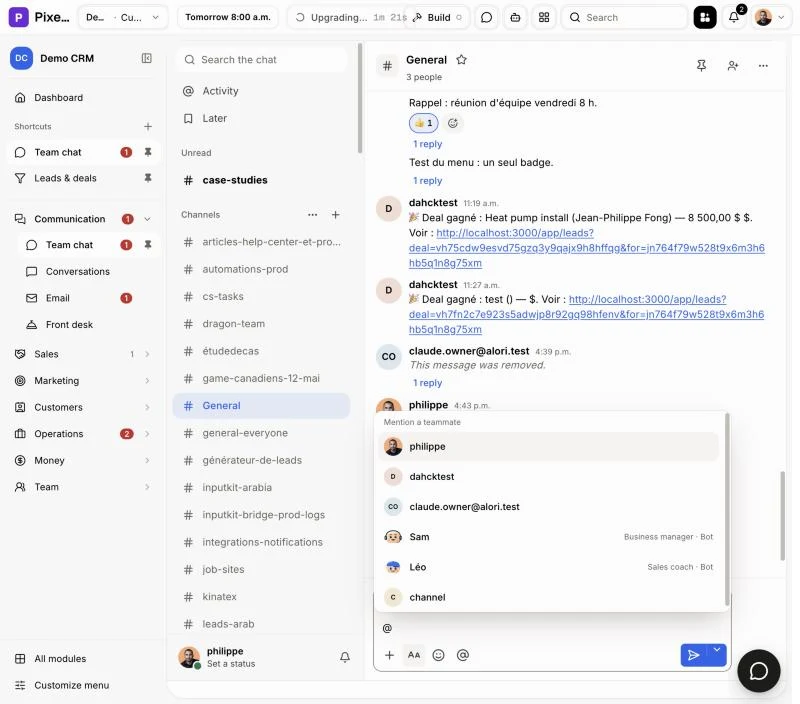
In any channel, type @ and pick Sam or Leo from the list (they show Business manager · Bot and Sales coach · Bot beside their names), then write your question. The answer comes in the thread under your message, so the team sees it. Here they only use what the whole team is allowed to know.
Click: a channel › @ › Sam › Send
Step 3: Talk to Mila in private
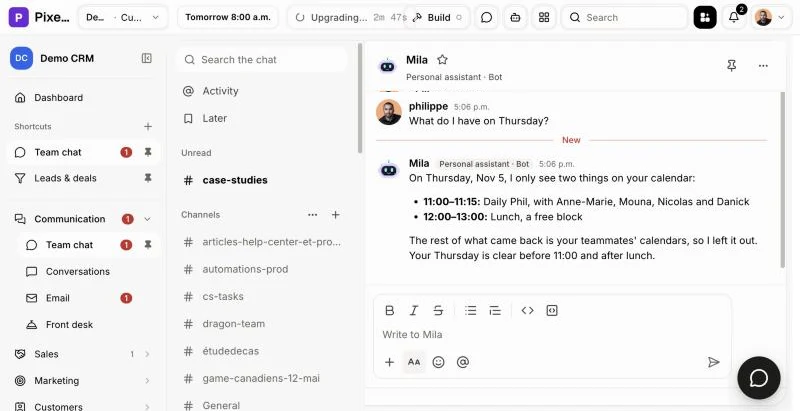
Mila is your own assistant, so she never answers in a channel. Open Mila in your direct messages and ask her anything or hand her a task. She answers there, like in her chat on Alori.
Click: Team chat › Mila › write to her
Good to know
It's the same conversation as everywhere else: what you tell Sam here, he remembers when you text him or write on Alori.
A bot does things with your rights in the app: it can't see or change more than you can.
Leo shows up once an admin turns him on. Mila shows up for you once she's on for you.
If it doesn't work
"I don't know you yet": you just joined the team. Write again in a minute.
"I'm turned off for you": Leo or Mila is off. Ask an admin to turn them on in Alori.
"I can't answer right now": try again in a moment.
No bot in your direct messages: close Team chat and open it again. Guests from outside your team don't get the bots.