How do I set ticket priorities and response time targets (SLA)?
Choose a ticket's priority and set the time your team aims to reply and solve it.
Written by Philippe Genois
Find Ticket targets (SLA).
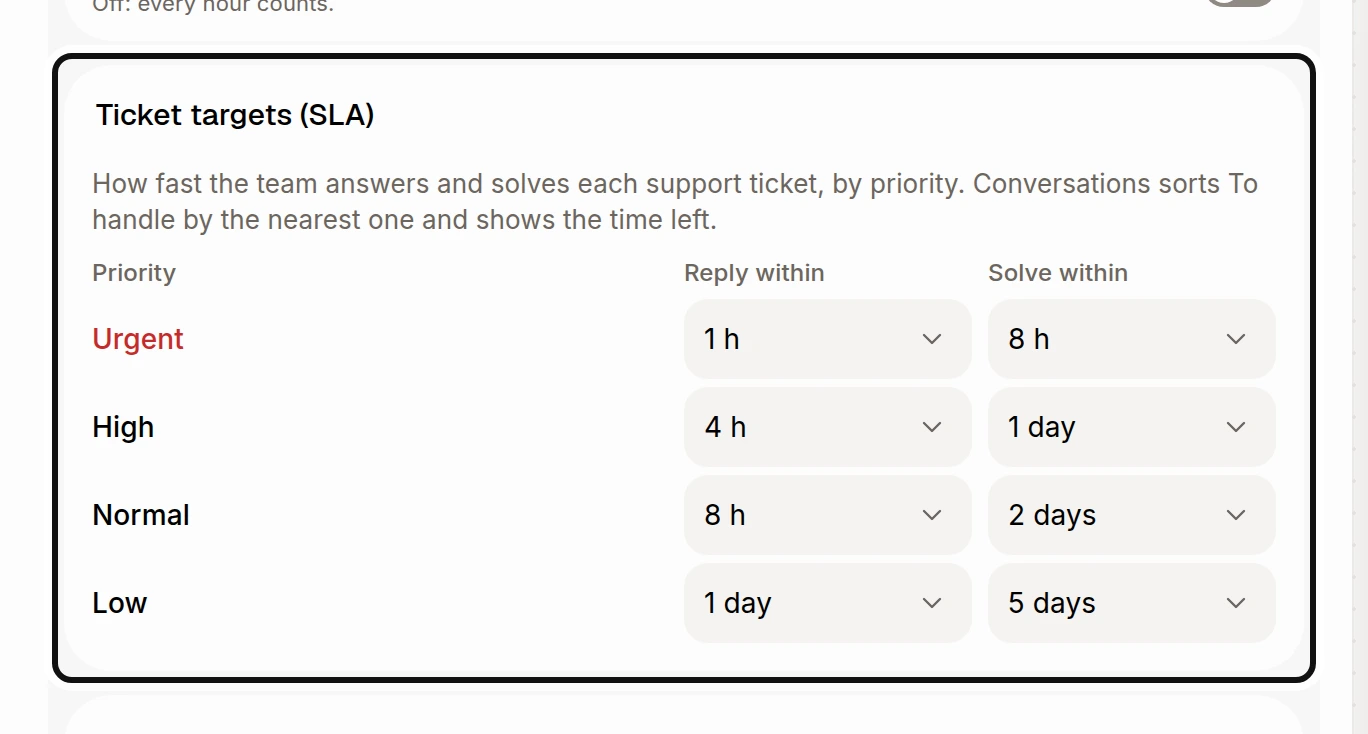
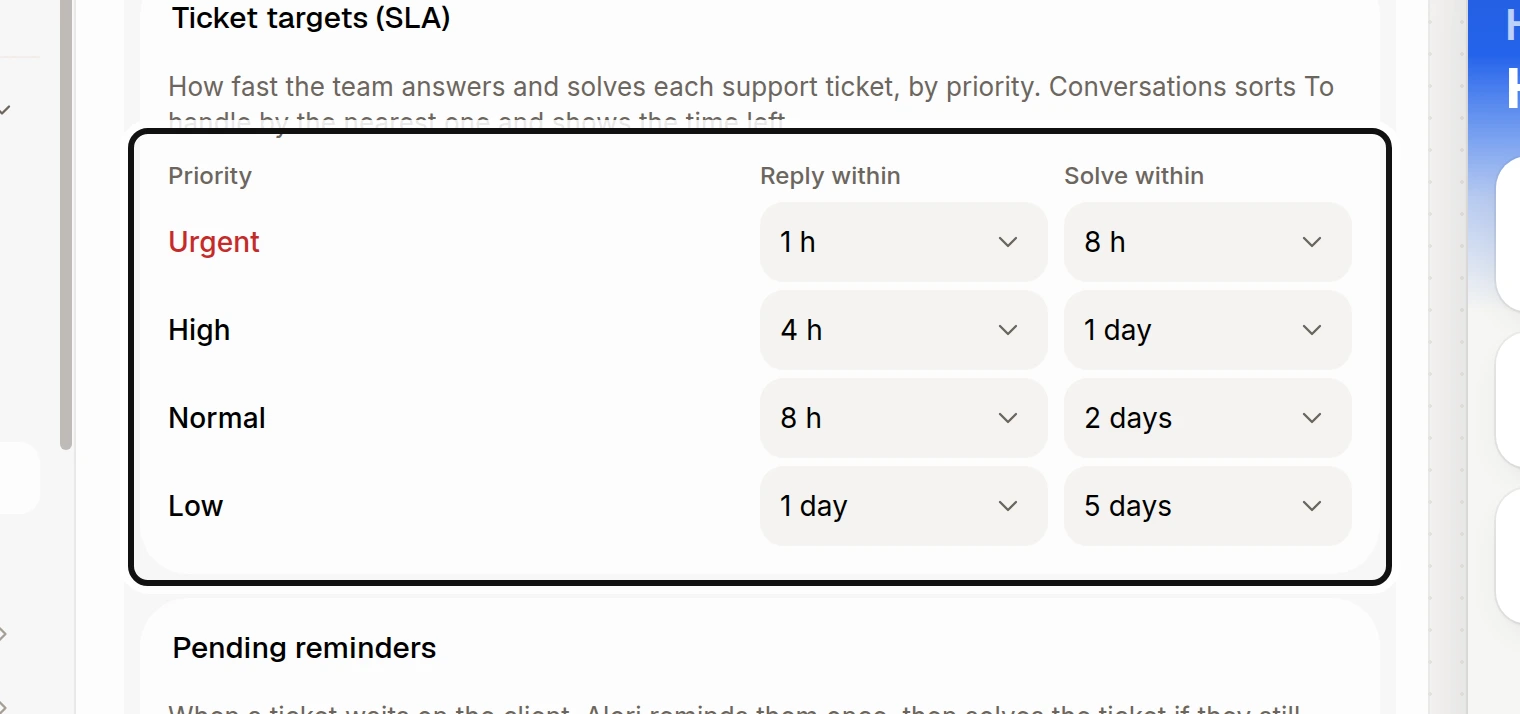
For each priority, choose a Reply within and a Solve within time. Choose No target if you don't want one. Each change saves automatically.
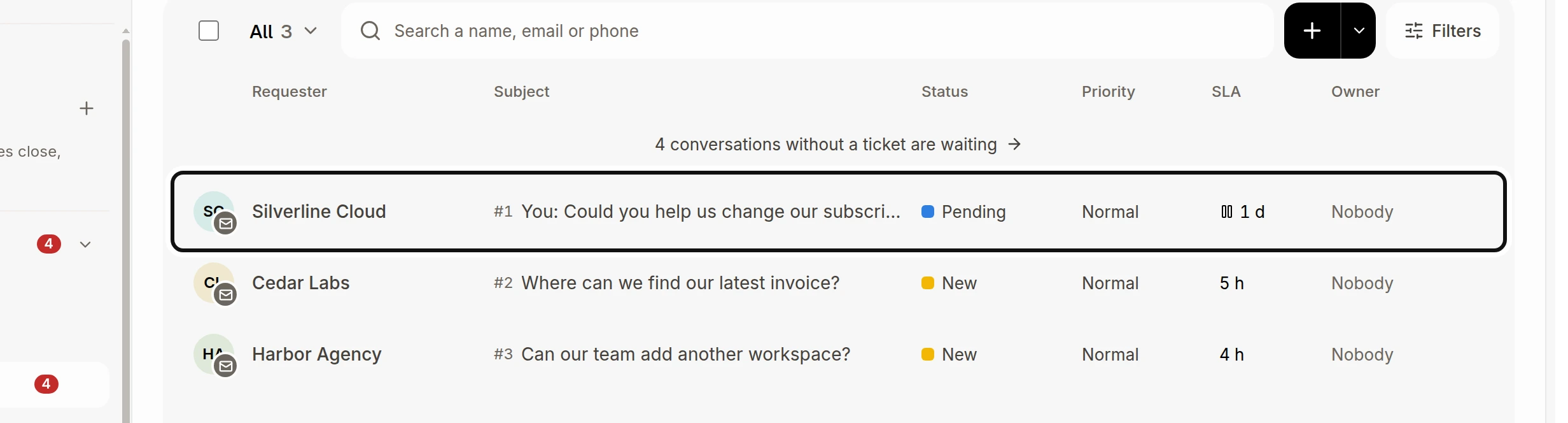
Select a ticket in the Tickets view.
In its Ticket card, choose Urgent, High, Normal or Low under Priority. The ticket uses the targets for that priority.
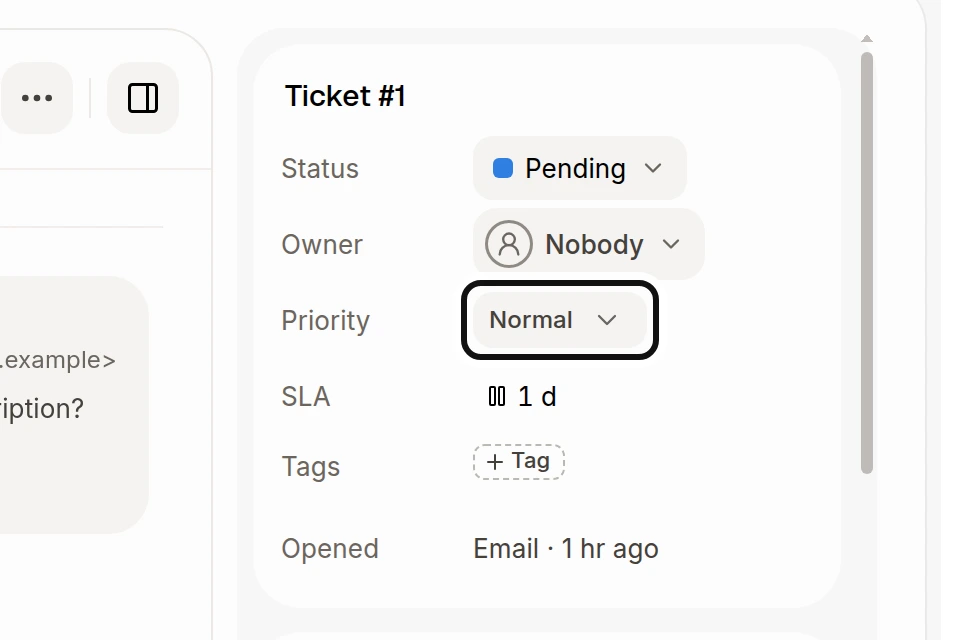
Check the SLA badge for the time left. It shows the nearer reply or solve target; a missed target shows as late.
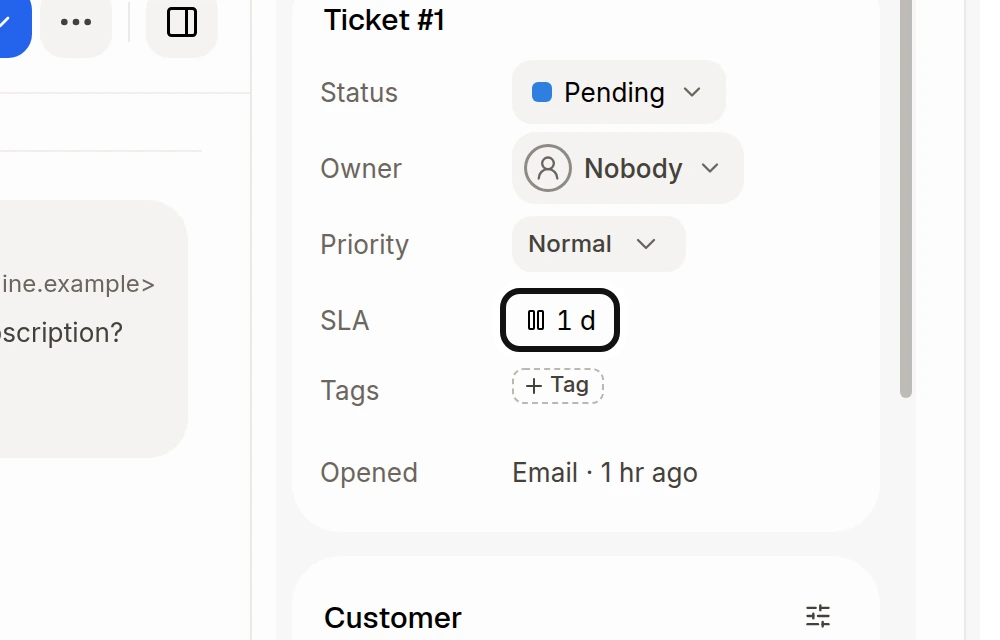
The reply clock starts when a customer is waiting for an answer. The solve clock counts time while the team is working on the ticket and pauses while waiting on the customer, on hold or solved.
Did this answer your question?