How do I sync with QuickBooks Online?
Connect QuickBooks Online in Connectors, then click Manage and turn on Sync with QuickBooks. Customers and invoices then sync both ways.
Connect QuickBooks Online once on the Connectors page, in the Company tab. Then click Manage and turn on Sync with QuickBooks. Your customers, companies and invoices then stay the same in both places.
Also called: QuickBooks, QBO, accounting, bookkeeping, sync invoices, comptabilité, synchroniser QuickBooks, synchro
Step 1: Connect QuickBooks Online
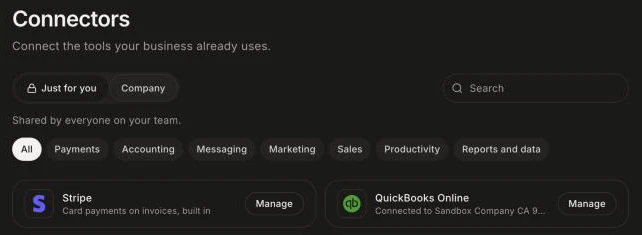
Click the grid menu at the top right, then Connectors. Click the Company tab, then Connect on QuickBooks Online. Sign in to QuickBooks, pick your company and allow Alori. Back in Alori, the card says "Connected to" and your company's name.
You can also type "connect QuickBooks" in the chat and click Connect on the card.
Click: Connectors › Company › QuickBooks Online › Connect
Step 2: Turn on the sync
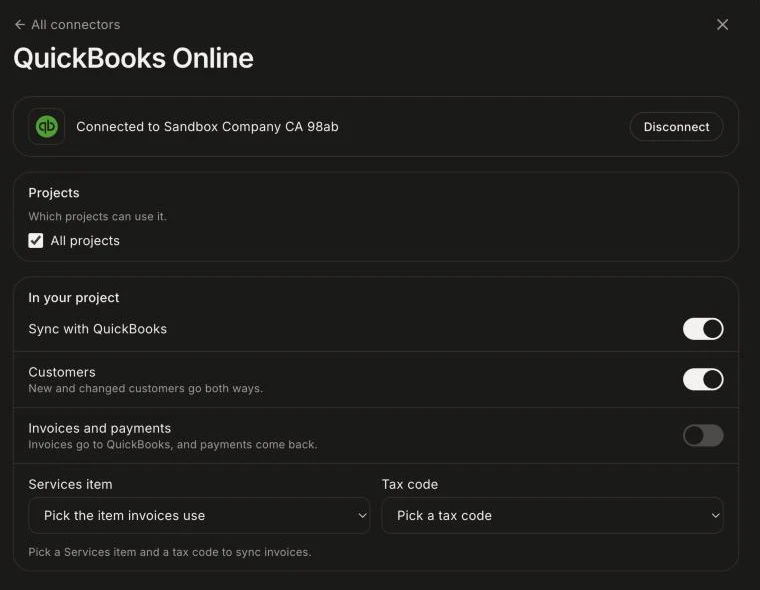
Click Manage on QuickBooks Online. If you connected from the chat, click Choose on the card to go straight there. Under In your project, turn on Sync with QuickBooks. Customers start syncing at once.
Customers: matched by email, then by name. New records come over both ways.
Invoices and payments: each invoice goes over as one Services line. Pick a Services item and a Tax code from your QuickBooks lists first, then turn it on.
Each change saves at once.
Click: Connectors › QuickBooks Online › Manage › Sync with QuickBooks
Good to know
The sync runs every 10 minutes, and right away when something changes in QuickBooks.
If a record changed in both places, the latest change wins.
Paid status always comes from QuickBooks. Mark invoices paid there.
If several projects use QuickBooks, you see "These projects write to the same QuickBooks company." To pick which projects can use it, click Connectors › Manage › Projects.
If it doesn't work
"Pick a Services item and a tax code to sync invoices." Pick both, then turn on Invoices and payments.
"Another project also writes to this QuickBooks company." Two projects send records to one company. If that's not what you want, untick one under Projects in Connectors.
QuickBooks shows "Needs reconnect" in Connectors. See What do I do when a connector says "Needs reconnect"?