How do tickets close and archive by themselves?
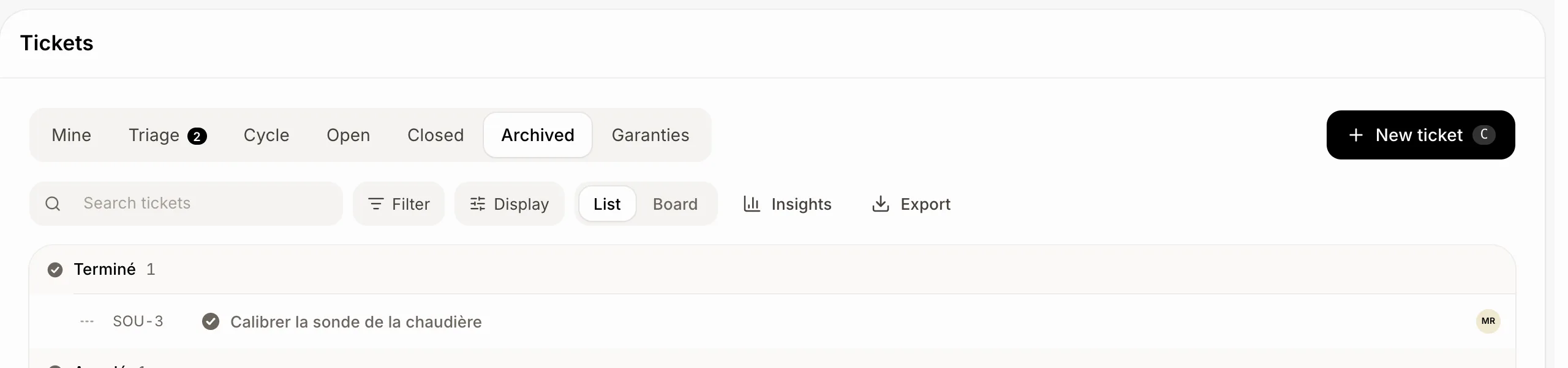
In Settings › Tickets, a team can close tickets nobody touched for months, and archives closed tickets after 6 months. Archived tickets are under Closed › See archived tickets; any change brings one back.
Alori keeps the ticket lists tidy, like Linear: tickets nobody touched for months can close by themselves, and old closed tickets get archived.
Also called: auto-close, auto-archive, archive, stale tickets, old tickets, cleanup, fermeture automatique, archiver, vieux billets
Step 1: Choose when tickets close and archive
Click Settings › Tickets. For the team, under Close untouched tickets, pick how long a ticket not started yet can sit untouched before it goes to Cancelled: Never (the default) or 1 mo to 12 mo. Under Archive closed tickets, pick how long a closed ticket stays in the lists: 6 mo unless you change it.
Click: Settings › Tickets › Close untouched tickets

Step 2: Find archived tickets
Archived tickets leave every tab, a customer's page and a project's page. Open Tickets › Closed and click See archived tickets at the bottom. Search still finds them too.
Click: Tickets › Closed › See archived tickets
Step 3: Bring one back
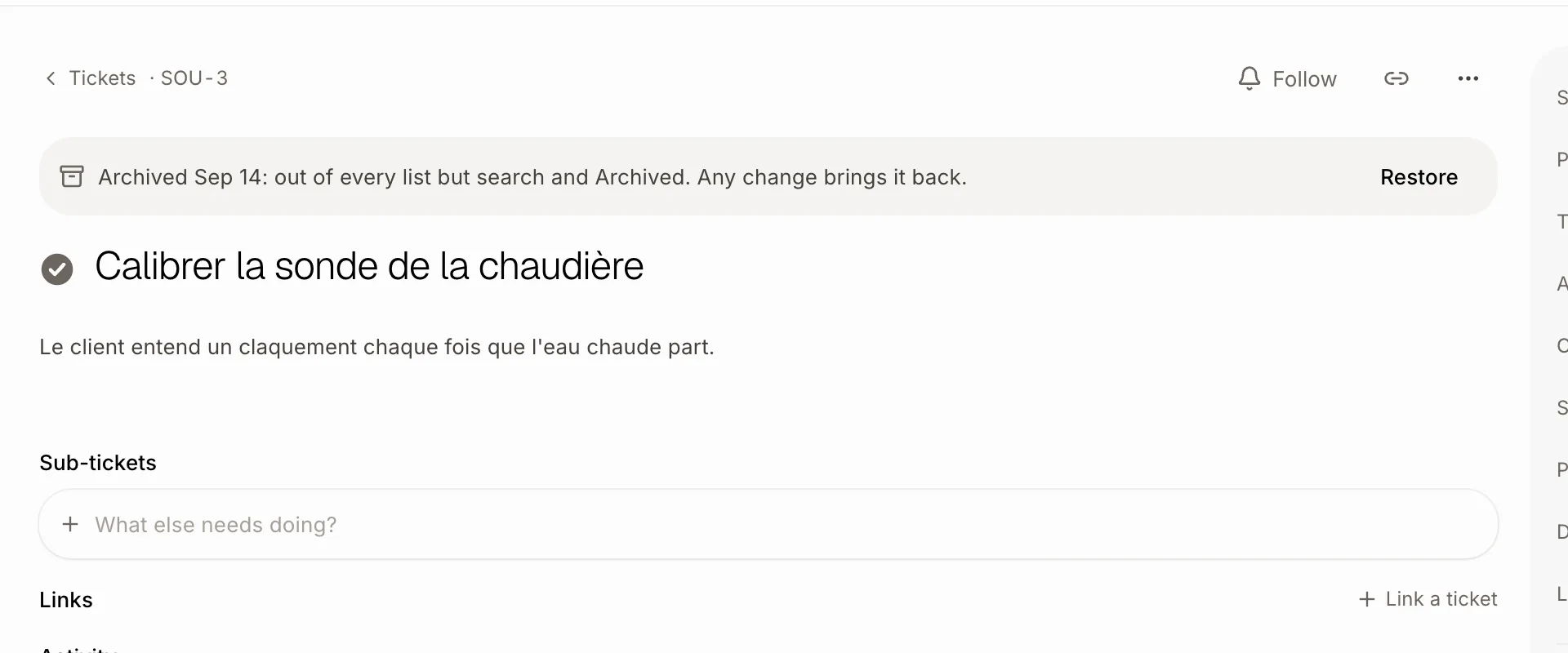
Open an archived ticket: it says when it was archived. Click Restore, or just change it or comment on it: any change brings it back to the lists.
Good to know
A ticket never closes by itself while it's in a running cycle or an open project, has a due day to come, waits on a response time, or has open sub-tickets. Started tickets never close by themselves.
Its followers hear that it closed; the customer gets no email. Its activity says why.
A ticket is archived once it's closed and nobody touched it for the whole time, with its parent and sub-tickets closed too. Archiving tells no one.
Alori does this once a night.
Changing these needs the right to change settings.
You can ask Ask Sam: "close Support tickets nobody touched in 3 months" or "bring SUP-12 back from the archive".