How do I make a sales order, ship it and invoice it?
In Sales orders, click New order (or Make sales order on an accepted quote), then Ship when it goes out and Invoice to bill it.
Go to Sales orders › New order, pick the customer and what they ordered, and click Create. The items are set aside as Committed. Click Ship when they go out, then Invoice to bill what shipped.
Also called: customer order, order, backorder, shipping, commande client, commande, expédition, livraison, facturer une commande
Step 1: Make the order
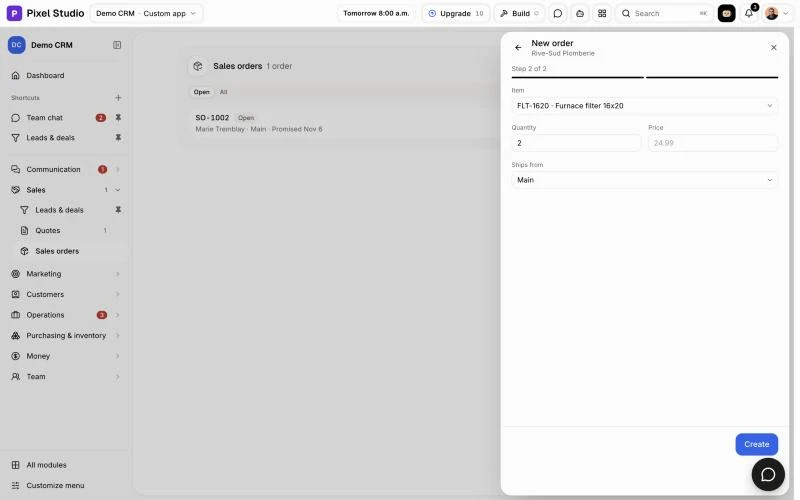
Click Sales orders in the menu, then New order. Pick the customer (type to search). On the next step, pick the Item and type the Quantity. The Price is the item's sale price unless you type another. Pick where it Ships from if you have several places. Click Create, then Add a line on its page for more items.
From an accepted quote, click Make sales order on the quote instead: the order takes its customer and lines. A line that names an item's code or exact name becomes that item, as long as the item isn't put away.
Click: Sales orders › New order › Create
Step 2: Check the order
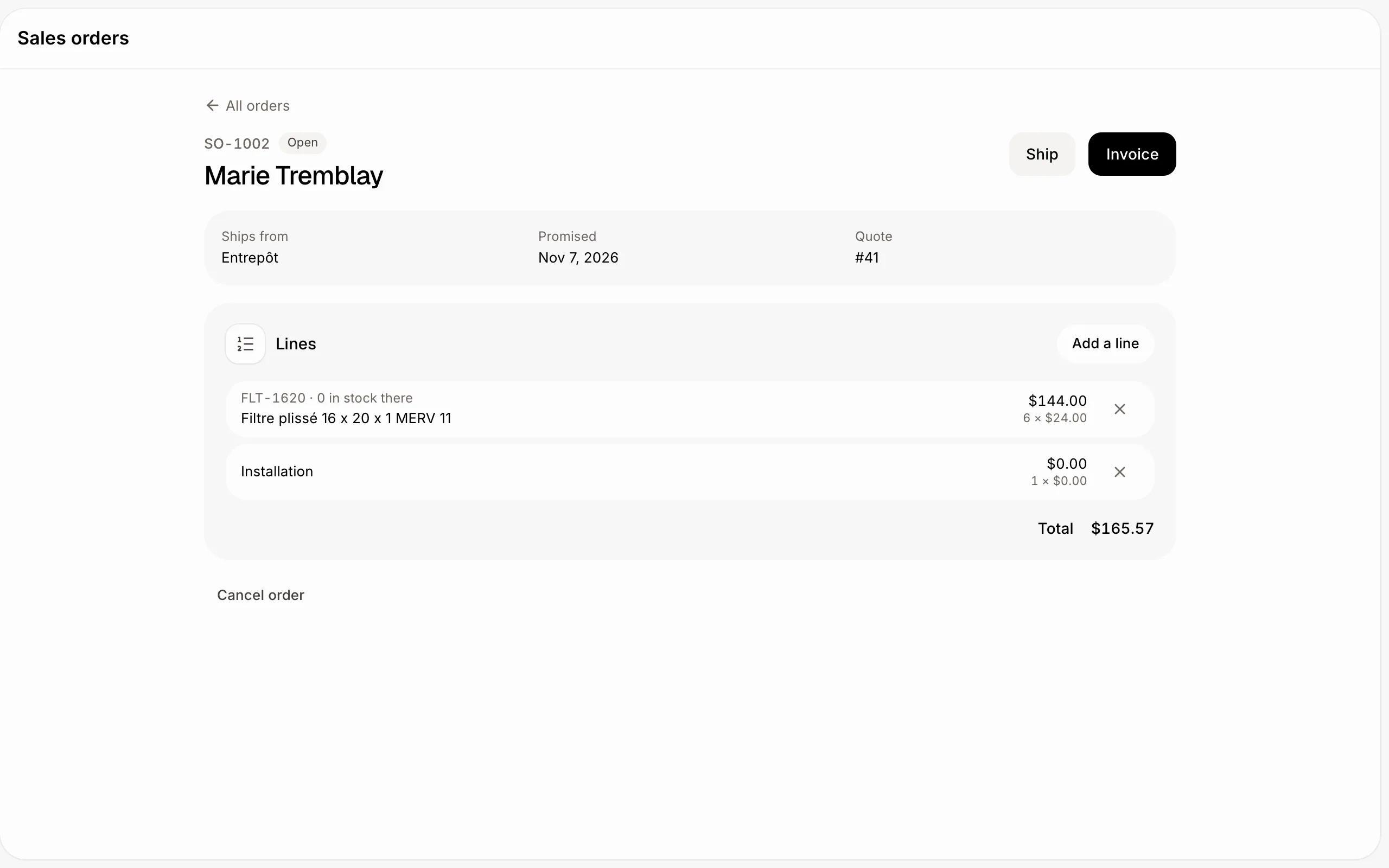
The order's page shows its customer, where it ships from, each line with how many are in stock there, and the total with taxes. Its stocked items count as Committed at that place until they ship. You can add or remove lines until something ships.
Click: Sales orders › the order
Step 3: Ship it, then invoice it
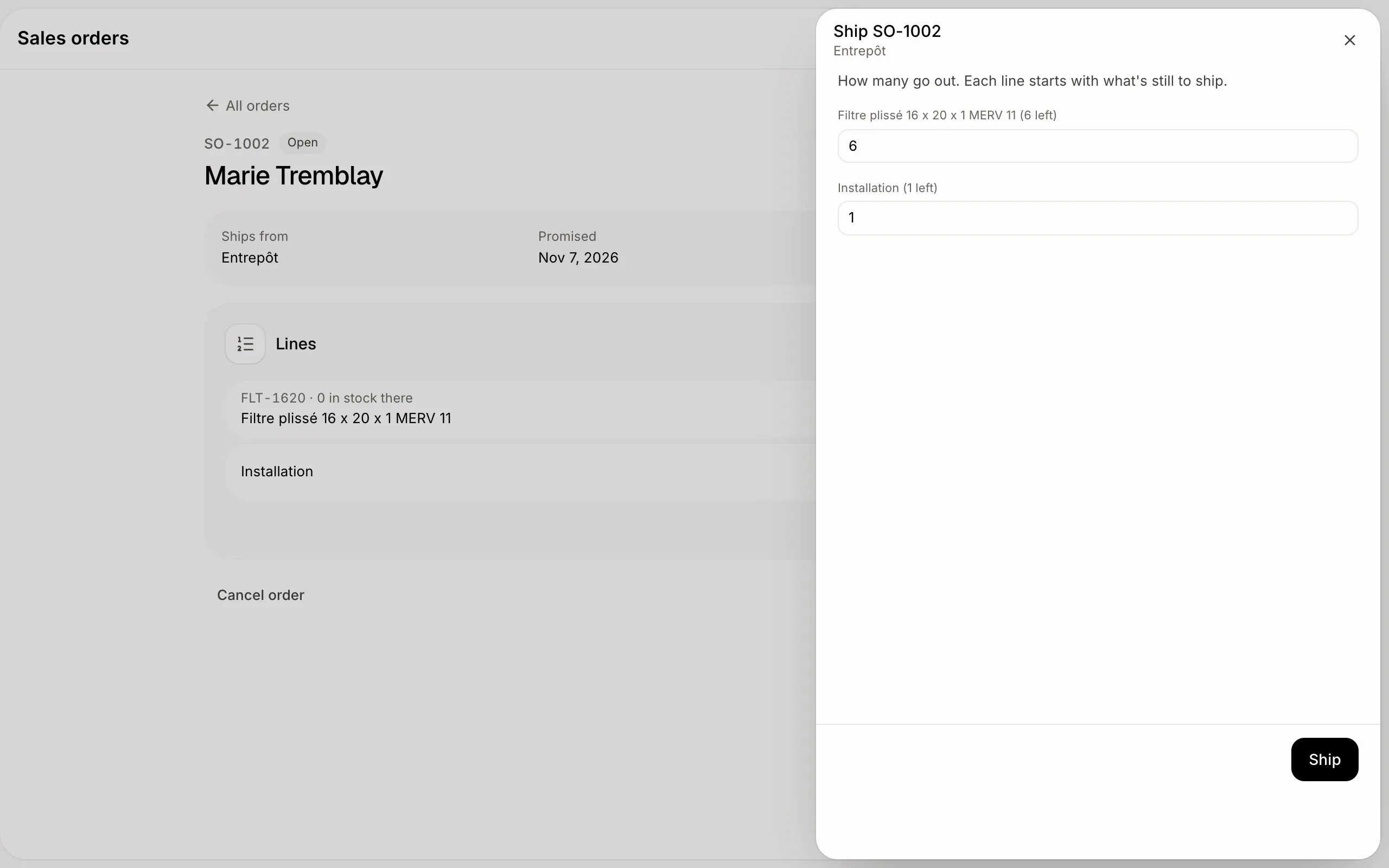
Click Ship. Each line starts with what's still to ship; change a number for a partial shipment, then click Ship. The items leave stock at that place.
Click Invoice to make an invoice of what shipped. If nothing shipped yet, Invoice ships everything first, so your stock matches what you billed. The invoice opens, ready to send like any other.
Click: Sales orders › the order › Ship › Invoice
If it doesn't work
"This order can't change anymore." It was shipped, invoiced or cancelled.
"Everything shipped. Invoice it instead." A fully shipped order can't be cancelled: the goods are gone. Click Invoice to bill it.
"Add a line first." An order needs at least one line.
"This quote has no line to order." The quote has only a total, or only repeating lines.
Can't remove a customer. A customer with sales orders stays, like one with invoices.