How do I post a project update?
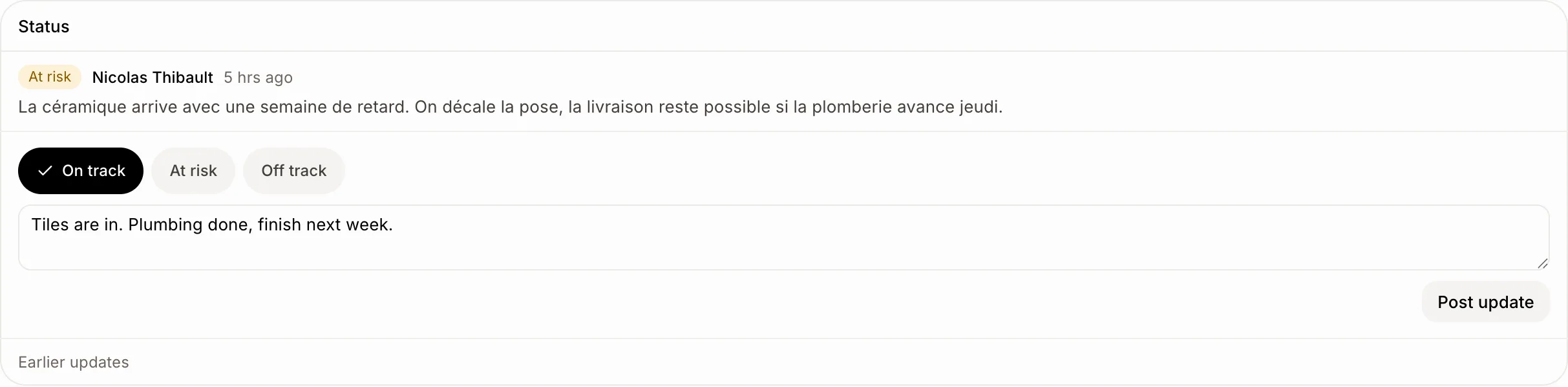
Open the project, pick On track, At risk or Off track under Status, say how it's going, and click Post update. The lead and the project's team are told.
A project update says how a project is going: On track, At risk or Off track, with a few words. Its lead and its team get a notification, and the project wears that health in the list.
Also called: status update, project health, weekly update, report on a project, mise à jour de projet, état du projet, santé du projet
Step 1: Post the update
Open Tasks › Projects and click the project. Under Status, pick how it's going, write what's done, what's next and what's blocking, then click Post update. The words are optional: picking the health alone is an update too.
Click: Tasks › Projects › a project › Post update
Step 2: See every project's health
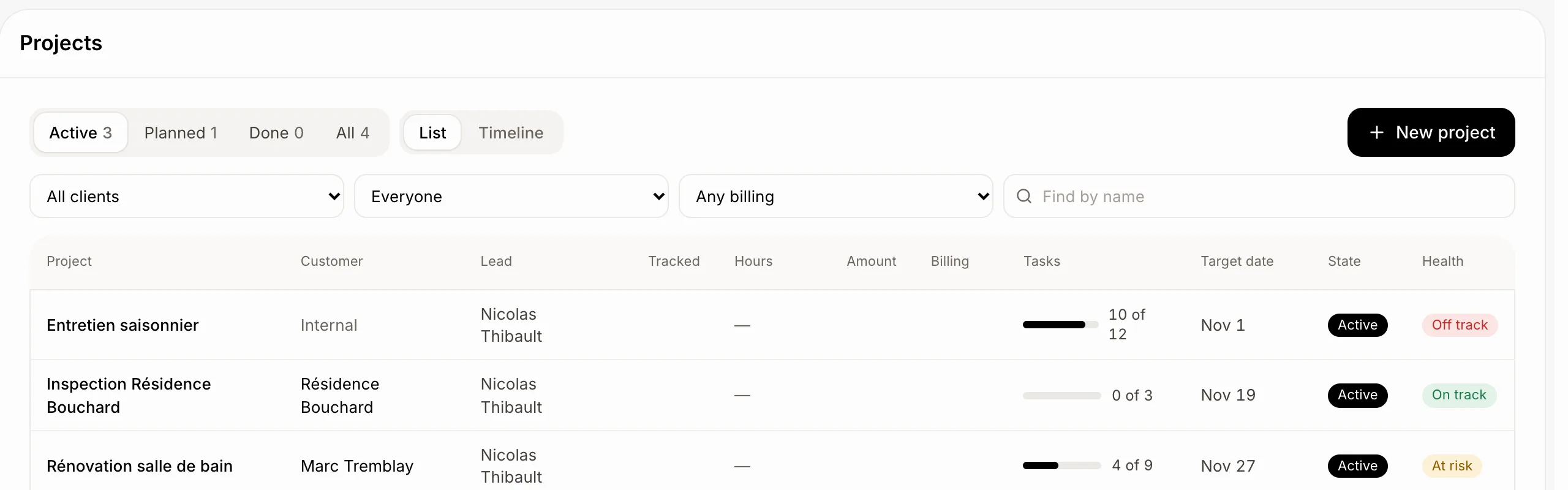
The Projects list has a Health column. Click its head to sort it: off track first.
Good to know
The latest update shows first. Older ones are under Earlier updates.
The health also colours the project's bar in the timeline. See How do I see my projects on a timeline?
You can remove your own update with the bin (the owner can remove any). The project then takes the health of the update before it.
You never get a notification for your own update. Turn these off in Settings › Notifications.
You can ask Ask Sam: "post an update on the Benali renovation: at risk, the tiles are a week late".
If it doesn't work
Your teammates weren't told. Only the project's lead and the people on its team are. Set them on the project's page.