How do I see who to call from sales activity?
See recent customer activity and call while it is fresh.
Find people who recently showed interest, then call them from Activity.
Find the line for the activity you want to follow up on. You can use its Call button when a phone number is available.
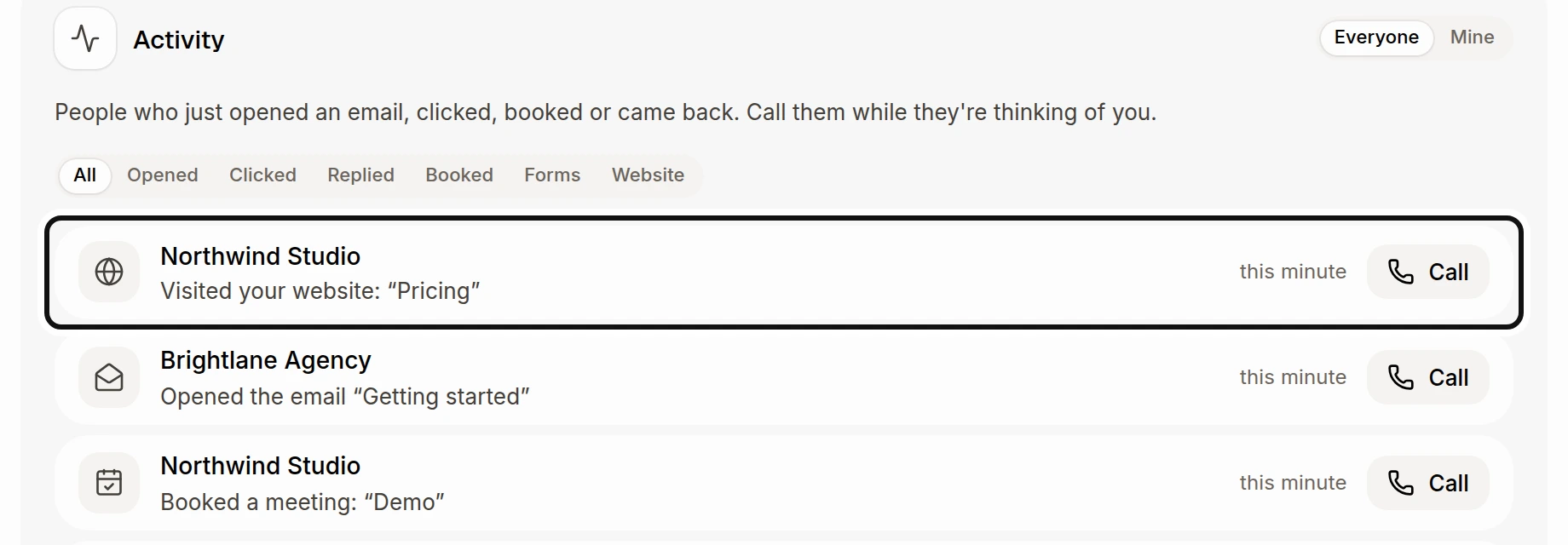
The newest activity comes first: email opens and clicks, replies, booked meetings, form answers and known people returning to your website. Choose Mine to see your people and emails you sent, or Everyone to see everyone you can access. Choose Opened, Clicked, Replied, Booked, Forms or Website to narrow the list.
Call appears when the customer has a phone number. To see opens of your own emails, turn on the prompt See who opens the emails you send, if it appears. It applies to your next emails.
Did this answer your question?