How do I send form answers with the API?
Copy the form's ID from its API block, make an Import key, then POST answers to /v1/forms/{id}/submissions. Each one lands like a website answer.
Your own software (your website's server, an app, a script) can send answers to one of your forms and read them back. Copy the form's ID from its API block, make an API key, then send the answers. Each one lands like someone filling in the form on your website.
Also called: form API, submit form, form submissions, webhook, developer, REST API, API des formulaires, envoyer un formulaire, réponses du formulaire
Step 1: Copy the form's ID
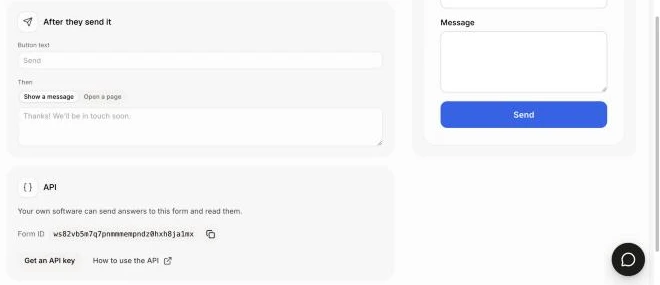
Open Marketing › Forms and click your form. Scroll down to API and click the copy button next to Form ID.
Click: Forms › your form › API › Form ID
Step 2: Get an API key
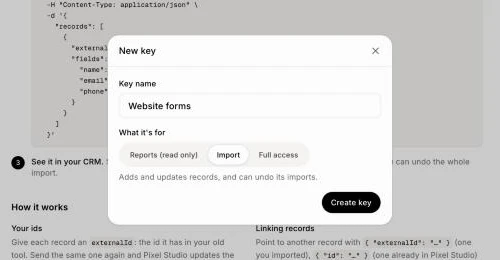
In the same block, click Get an API key. On the Data API page, click New key, type a Key name, pick Import and click Create key. Click Copy. You can show it again later from your list of keys. To also read answers, pick Full access instead.
Click: Get an API key › New key › Import › Create key › Copy
Step 3: Send the answers
Give the key and the form's ID to your developer. They send each answer like this (use your Base URL from the Data API page):
curl -X POST https://api.alori.dev/v1/forms/FORM_ID/submissions \
  -H "Authorization: Bearer YOUR_KEY" \
  -H "Content-Type: application/json" \
  -H "Idempotency-Key: a-unique-id-per-answer" \
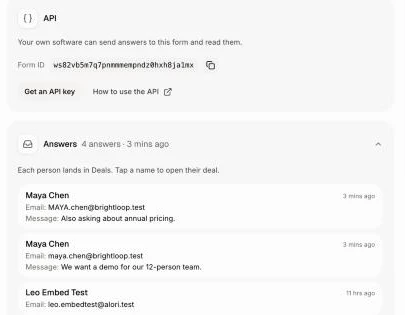
-d '{"answers": {"Name": "Maya Chen", "Email": "maya@brightloop.com", "Message": "We want a demo."}}'Name each question by its label (Email) or its key (email). A checkbox takes true. The answer shows under Answers on the form right away, with a deal for the person. The Idempotency-Key makes a retry safe: the same answer sent twice counts once.
Good to know
The person is found by email or phone, so the same person twice never makes a copy. A new person gets a new deal; someone with an open deal gets a note on it.
Your team is told as for any answer. Send
"notify": falseto skip it.Add
"pageUrl"to say which page it came from. It fills hidden questions that read the address, likeutm_source.To read answers:
GET /v1/formslists your forms and their questions, andGET /v1/forms/FORM_ID/submissionslists answers, newest first, a page at a time: sendnextCursorback ascursorfor the next page. These need a Reports or Full access key.Each key can make 1,000 requests a minute.
If it doesn't work
required: a required question has no answer.error.detailsnames it infield.unknownQuestion: a question name isn't on this form.error.detailslists the form's questions.contactRequired: send an email or a phone.formNotFound: check the Form ID."This key can't do that": a Reports key only reads. Make an Import or Full access key to send answers.
Related
Did this answer your question?