How does the Alori API work?
Make a key in Connectors › API. Your software reads and changes your records at api.alori.dev/v1, with safe retries, pages and clear errors.
Written by Philippe Genois
The Alori API lets your own software read and change your CRM: customers, deals, companies, quotes, jobs, invoices, tasks, the competitors in your SEO report and more. Make a key on the Data API page, then send requests to https://api.alori.dev/v1 with the key.
Also called: REST API, developer API, API key, integration, endpoint, webhook, API REST, clé API, intégration, développeur
Step 1: Open the Data API page
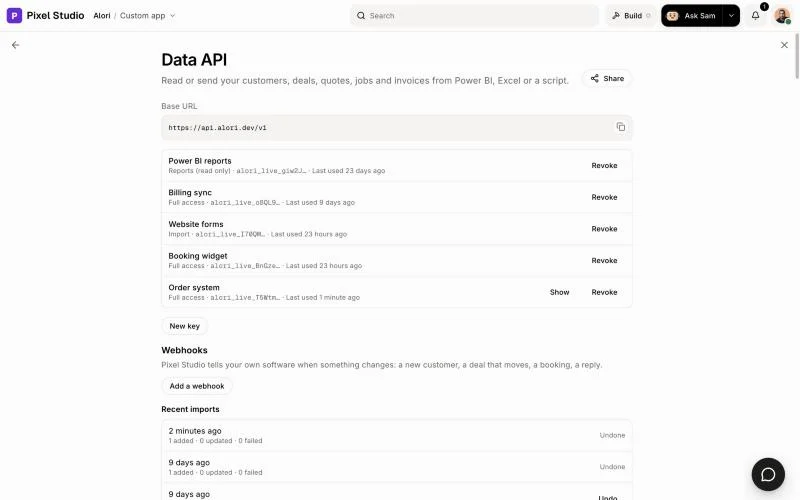
Open Connectors from the grid menu at the top right and click the API card. The Data API page shows your Base URL, your keys, your webhooks and a guide with your app's real fields.
Click: Connectors › API
Step 2: Make a key
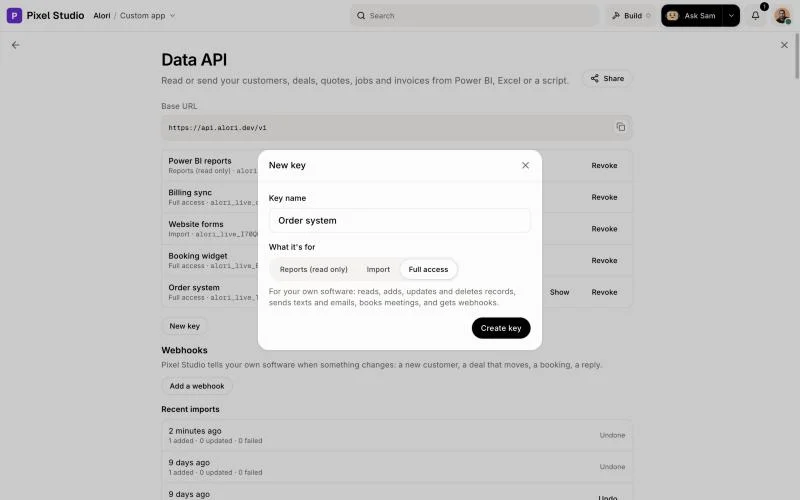
Click New key, type a Key name, and pick what it's for: Reports (read only) only reads, Import adds and updates records, and Full access also deletes, sends texts and emails, books meetings and gets webhooks. Click Create key, then Copy. You can show it again later from your list of keys.
Click: New key › Full access › Create key › Copy
Step 3: Send your first request
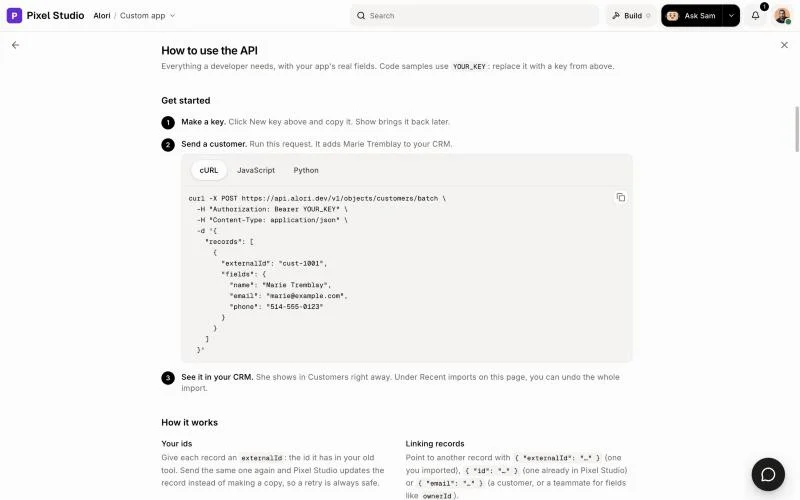
Send the key in the Authorization header: Authorization: Bearer <your key>. The guide How to use the API on the same page has code samples in cURL, JavaScript and Python, with your app's fields.
Click: How to use the API
How answers look
One thing comes back as
{ "data": { … } }. A list comes back as{ "data": [ … ], "nextCursor": "…" }.Every object has its own
id.Dates and times are ISO text, like
"2026-11-18T14:03:00.000Z". You can send them as ISO text or milliseconds.A delete answers
204with no body.
Reading long lists
Add limit (up to 500) to choose the page size. When nextCursor isn't null, send it back as cursor to get the next page. The last page has nextCursor: null. A filtered page can be short, even empty, and still have a nextCursor: keep going until it's null.
Safe retries
Add an Idempotency-Key header (any unique text, like a UUID) to a request that creates, changes or deletes something. If the connection drops and you send the same request again with the same key within 24 hours, Alori answers with the first result instead of doing it twice, so a customer never gets the same text twice.
Limits
Each key can make 1,000 requests a minute, and up to 1,000 at once after a pause. One request reads or sends up to 500 records. The RateLimit-Remaining header says how many requests are left.
If it doesn't work
Every error comes back as { "error": { "code", "message", "requestId" } }. Send us the requestId and we can find that exact request.
"Missing, revoked or unknown API key." Check the
Authorizationheader, or make a new key."This key can't do that…" The key's type doesn't allow it. Make a Full access key.
"Too many requests. Wait a moment and try again." Wait the seconds in
Retry-After, then send it again."This Idempotency-Key was already used for a different request." Use a new key for each new request.
Related
Did this answer your question?