How do I share an email with my team?
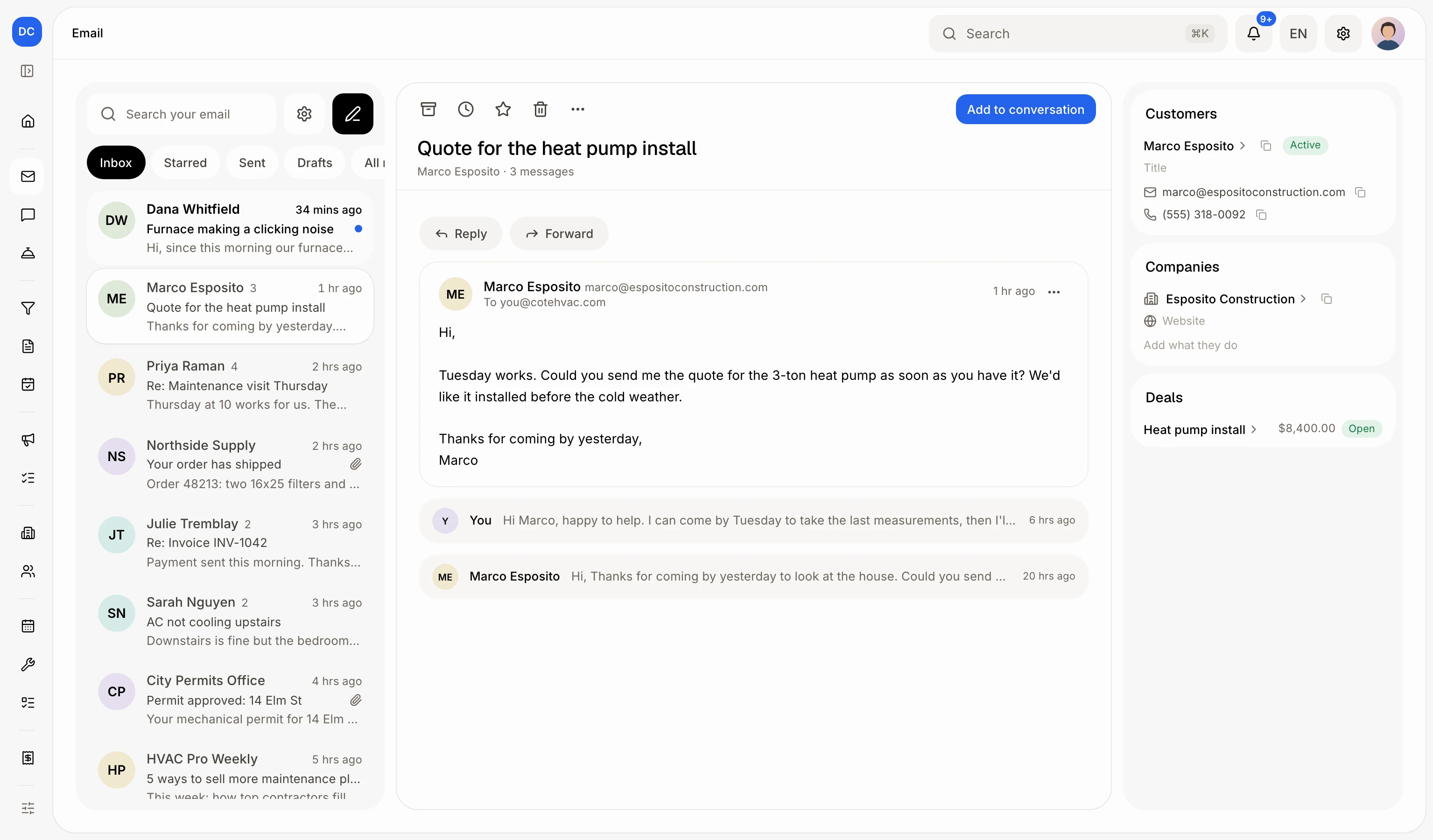
Open the email on your Email page and click Add to conversation. Your team sees the thread in Conversations, and later replies follow it.
Your Email page is private. To share an email, open it and click Add to conversation. Your team then sees the whole thread in Conversations, and later replies follow it there.
Also called: share email, add to CRM, move email to conversation, show my team, partager un courriel, ajouter à la conversation, ajouter au CRM
Step 1: Open the email
Click Email in the left menu, then click the email you want to share.
Click: Email › the email
Step 2: Add it to a conversation
Click Add to conversation. You see Added to…'s conversation. Clicked by mistake? Click Undo in that message.
Click: Add to conversation

Step 3: Open the conversation
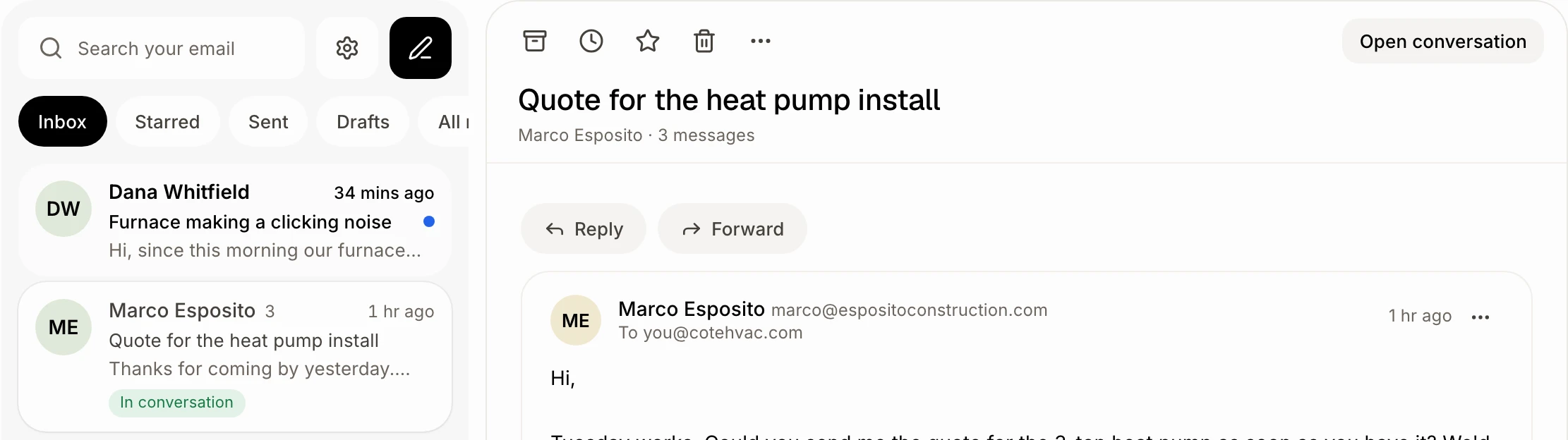
The email now shows In conversation in your list. Click Open conversation to see it the way your team does.
Click: Open conversation
Step 4: Share them automatically (optional)
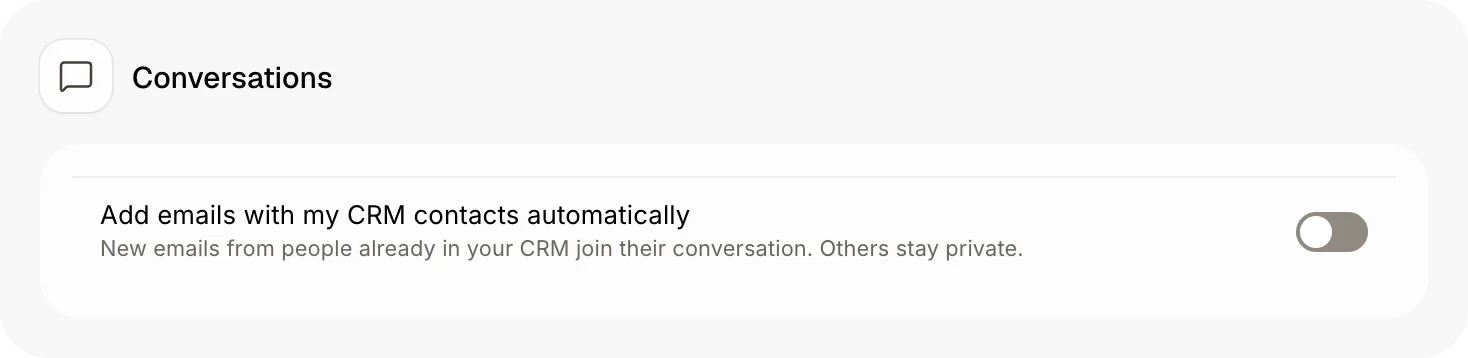
On your Email page, click the gear (Email settings) beside the search. Under Conversations, turn on Add emails with my CRM contacts automatically. New emails from people already in your CRM then join their conversation. Others stay private.
Click: Email › Email settings › Add emails with my CRM contacts automatically
Good to know
The thread goes on the record of the person it's with. When no one has that address, Alori makes a new contact.
The files attached to the emails come along: documents (PDF, Word, Excel, text, Markdown) and photos.
Under each email, you see who wrote it: the person who sent it to you, or the teammate who answered. With several people on a thread, you know who said what. A reply that was still in your Gmail drafts when you added the thread shows Draft, not sent; one you sent shows Sent.
Emails you don't add stay only in your mailbox.
Emails you send to customers from Conversations are always shared, and so are their replies.
You can ask Ask Alori "add Dana's email to her conversation".
If it doesn't work
"This email is only between you and yourself: there's no one to add." It has no one else on it, so there's nothing to share.
"You can't add emails to Conversations. Ask the owner." Your role can't change conversations. Ask the owner.
"Your email didn't load." Try again in a moment.