How do I change line items, billing or discounts on many deals at once?
In Leads & deals, click Ask Sam and say what every deal should have. Sam tells you which deals first, then changes them all. Undo puts them back.
Ask Sam. Say which deals and what their lines should be, like "put the Pro plan at $99 a month, 10% off, on every open deal in Onboarding". Sam tells you which deals he'll change and waits for your yes, then changes them all at once. One Undo puts every deal back.
Also called: bulk edit, mass update, update many deals, line items, products, billing, discount, MRR, modifier plusieurs deals, mise à jour en masse, articles, rabais, facturation
Step 1: Open Ask Sam on your deals
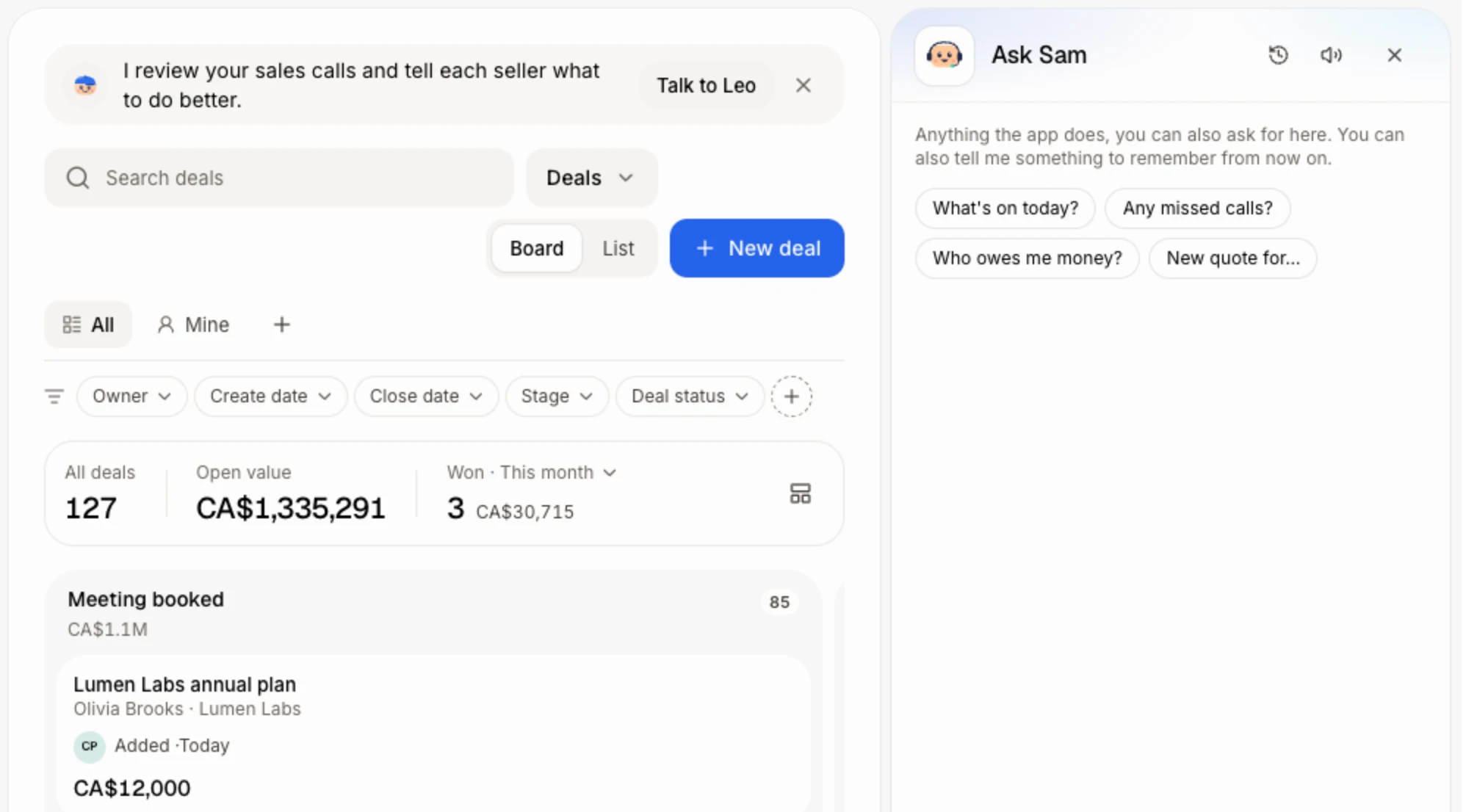
Open Leads & deals. Click Ask Sam at the top of the page, or press ⌘J (Ctrl J on Windows).
Click: Leads & deals › Ask Sam
Step 2: Say what the deals should have
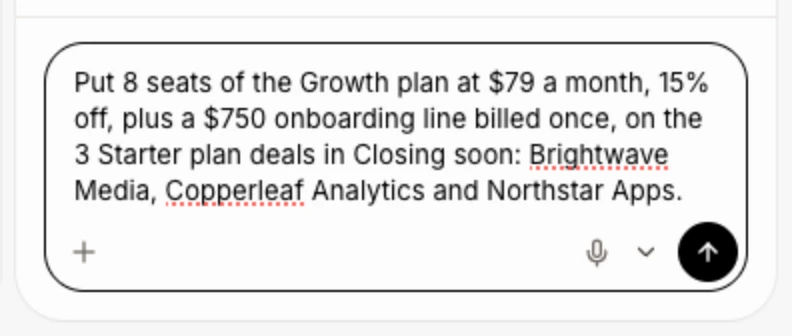
Name the deals the way you'd find them: a stage, a pipeline, an owner, a company, or their names. Then say each line: what it is, how many, the price, how often it's Billed (once, monthly, quarterly, every 6 months, yearly) and any discount, in percent or in money. Send it.
Each deal gets the whole list of lines you describe, in place of the lines it had. To keep a deal's other lines, say so, like "add a $500 setup line and keep what's there".
Click: type what you want › Send
Step 3: Say yes
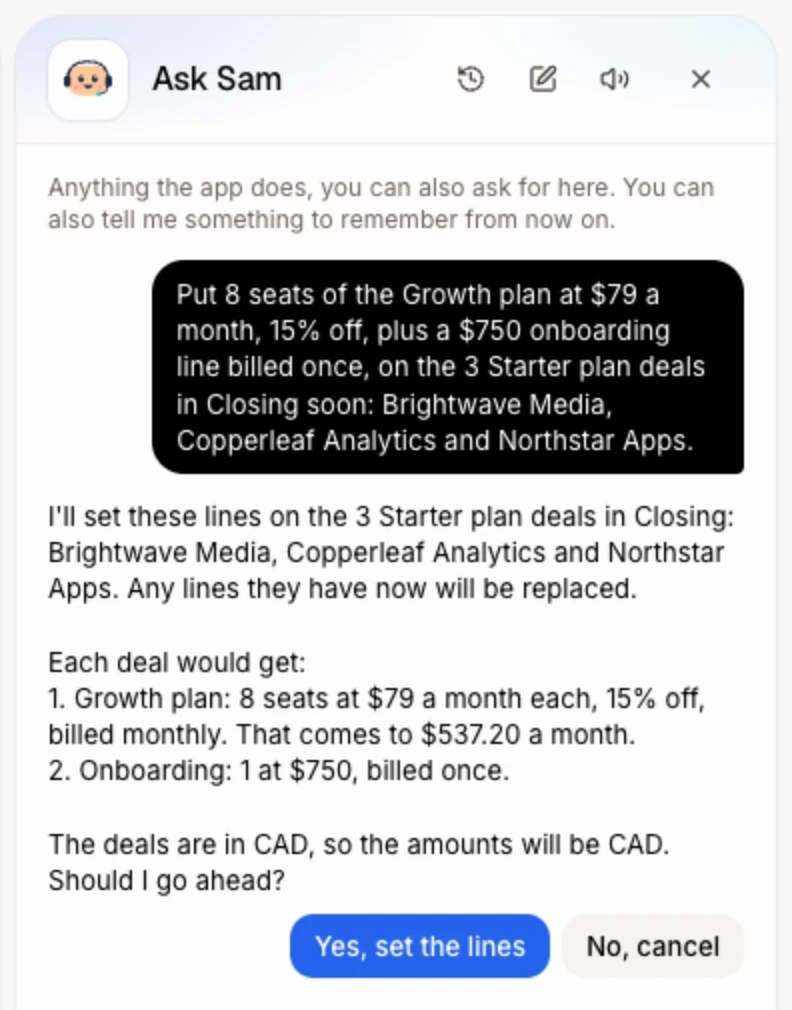
For 3 deals or more, Sam first says what he'll do, with the number of deals, their names and each line. Check it, then click the yes button under it (like Yes, set the lines), or type yes.
Click: Yes, set the lines
Step 4: Check the change
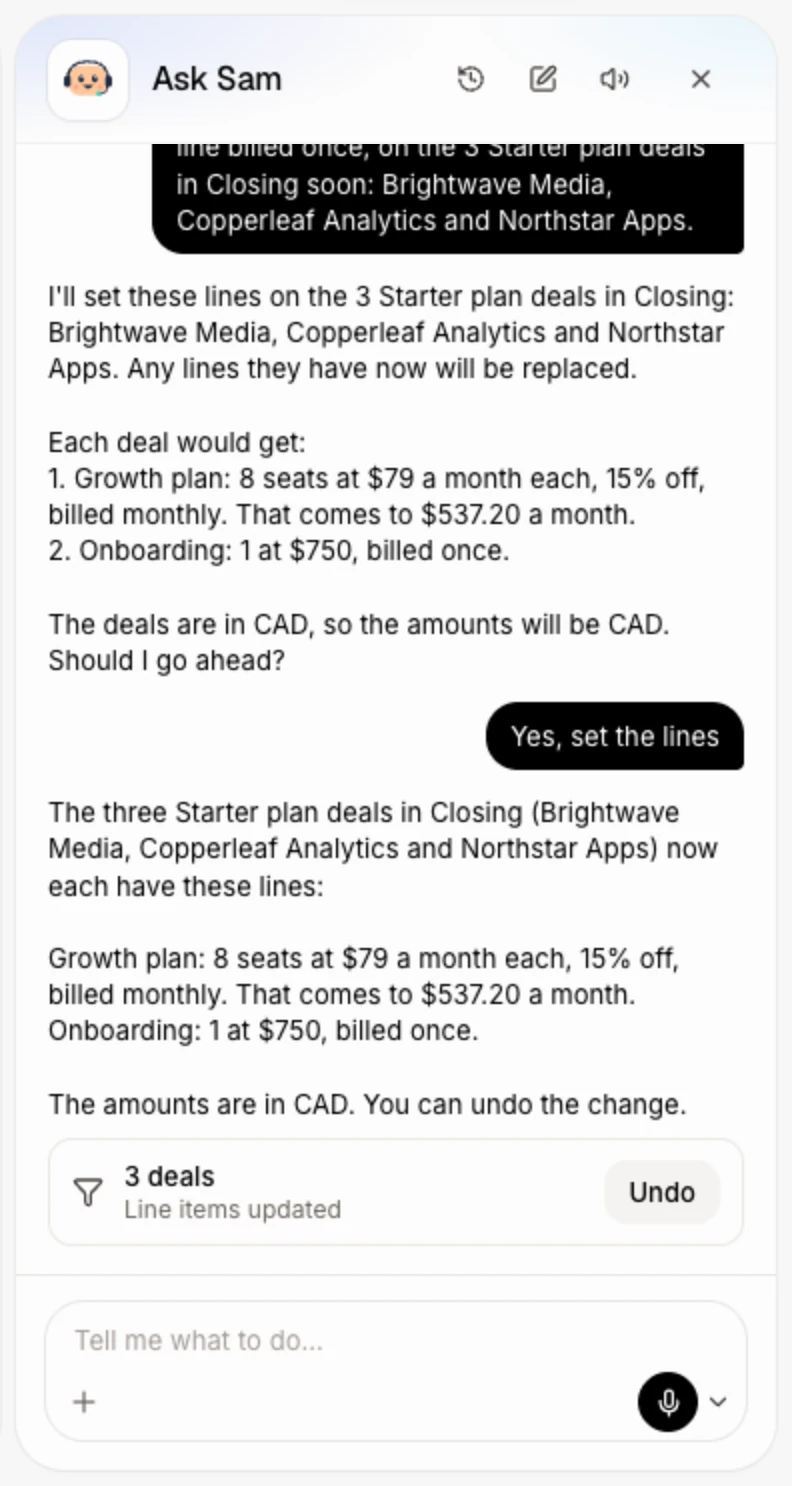
Sam changes them all and shows a card with the number of deals and Line items updated. Each deal's price tag and MRR are worked out again from its new lines.
Step 5: Undo it if you need to
Changed your mind? Click Undo on Sam's card. Every deal gets its old lines back, and the card says Undone.
Click: Undo

Good to know
Sam changes up to 50 deals in one go.
Your Deals list also lets you pick deals with their boxes, then Move to, Owner or Edit to change their stage, owner or fields together. Lines are changed by asking Sam.
To change one deal by hand, use its Money card: How do I add products and recurring revenue to a deal?
If it doesn't work
"Only the person who started it can undo it." Ask the teammate who asked Sam to click Undo.
"Someone changed this since, so I left it as it is." A deal changed after Sam's change. Fix that deal in its Money card.
"That was too long ago to undo." Ask Sam to set the lines again the way they were.
"I couldn't undo that." Try again in a moment.
"Enter a discount from 0 to 100 %, or an amount of 0 or more." Give a percent up to 100, or an amount of 0 or more.
Related
Did this answer your question?