How do I count, add, take out or move stock?
On an item's page, click Count to type what's on the shelf, Add or take out for a change, or Move to send stock to another place. Every change can be undone.
Open the item in Inventory. Click Count to type how many are on the shelf, Add or take out to change the stock with a reason, or Move to send some to another place. Each change shows in the item's History, with Undo.
Also called: stock count, physical count, adjust stock, transfer, inventory count, compter, ajuster, déplacer, transfert, inventaire physique
Step 1: Count what's there
Click Count (or click a place in the Stock block to count that place). Type the number under How many are there now? and click Save. Alori saves the difference as one change: if the warehouse had 7 and you counted 4, it shows -3.
Click: Inventory › the item › Count › Save
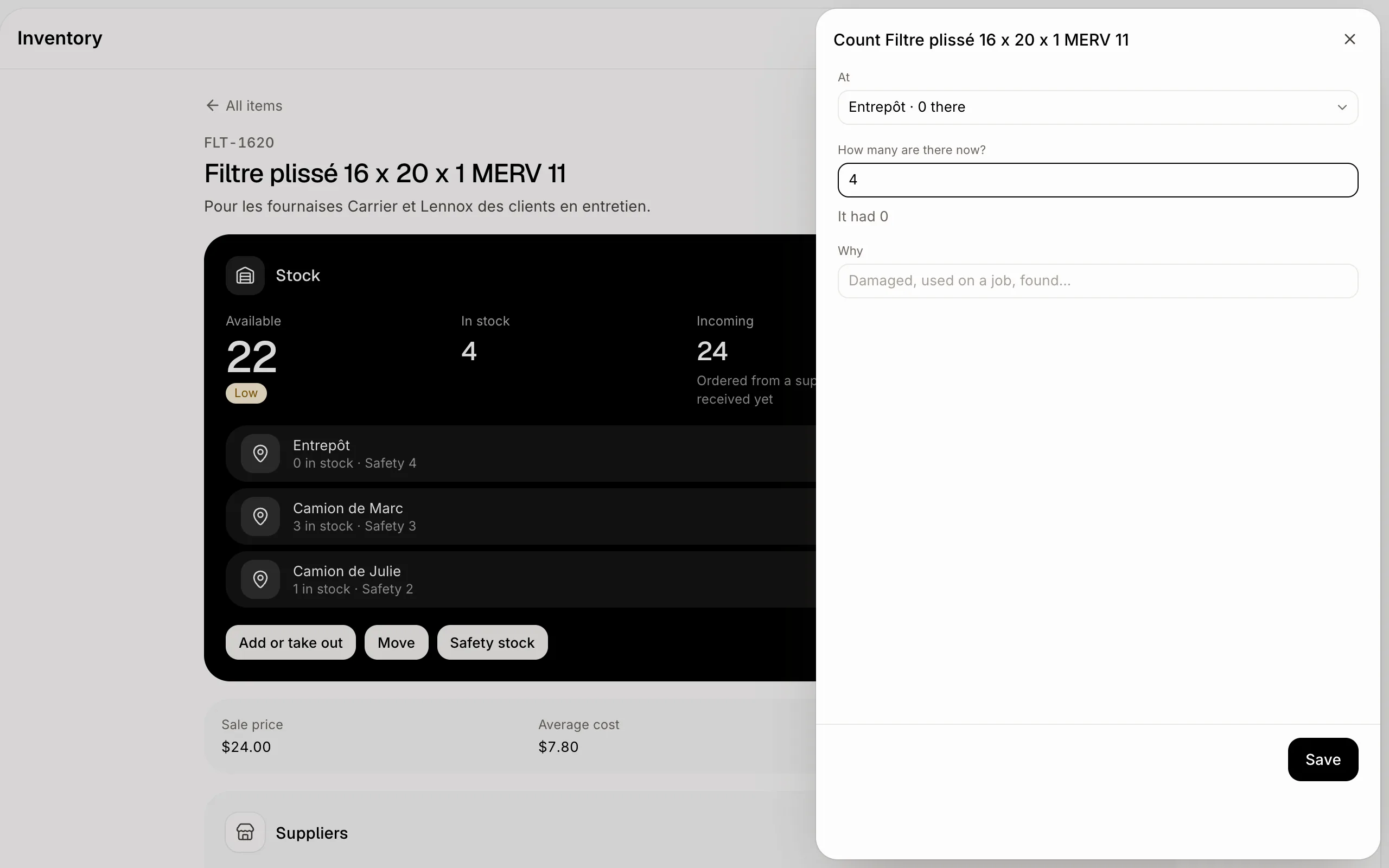
Step 2: Add or take out stock
Click Add or take out, then Add or Take out. Type How many and, in Why, a few words like "Damaged" or "Found". When you add, type the Cost of one if you know it: the item's average cost follows.
Click: Inventory › the item › Add or take out › Save
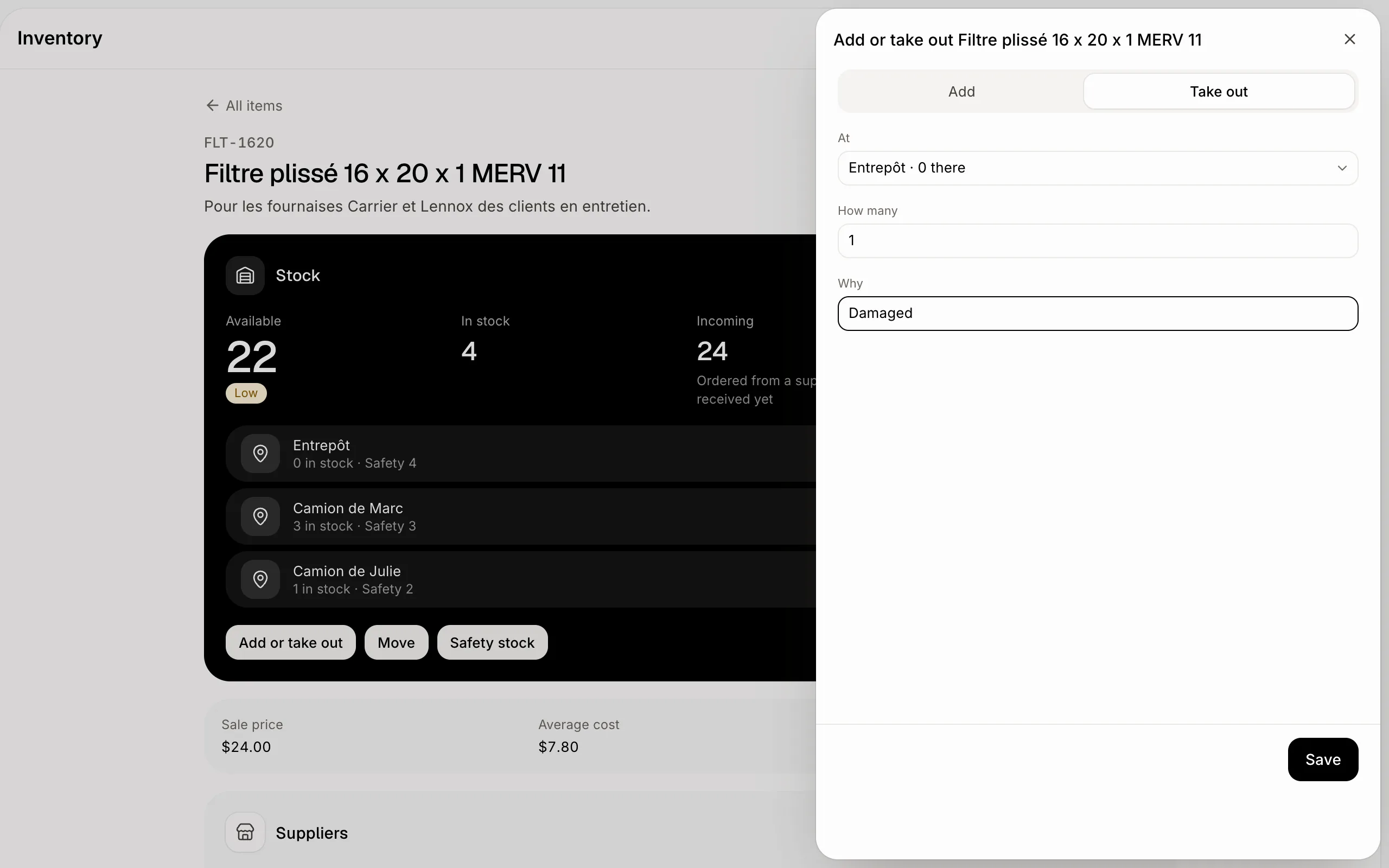
Step 3: Move stock to another place
Click Move, pick From and To (the warehouse, a truck), type How many and click Save. The stock leaves one place and arrives at the other. Move shows once you have two places or more.
To add a place, go to Inventory › Places › Add, name it and pick Warehouse, Truck or Site. A place can be removed once it holds nothing and no open purchase or sales order uses it; your main place stays.
Click: Inventory › the item › Move › Save
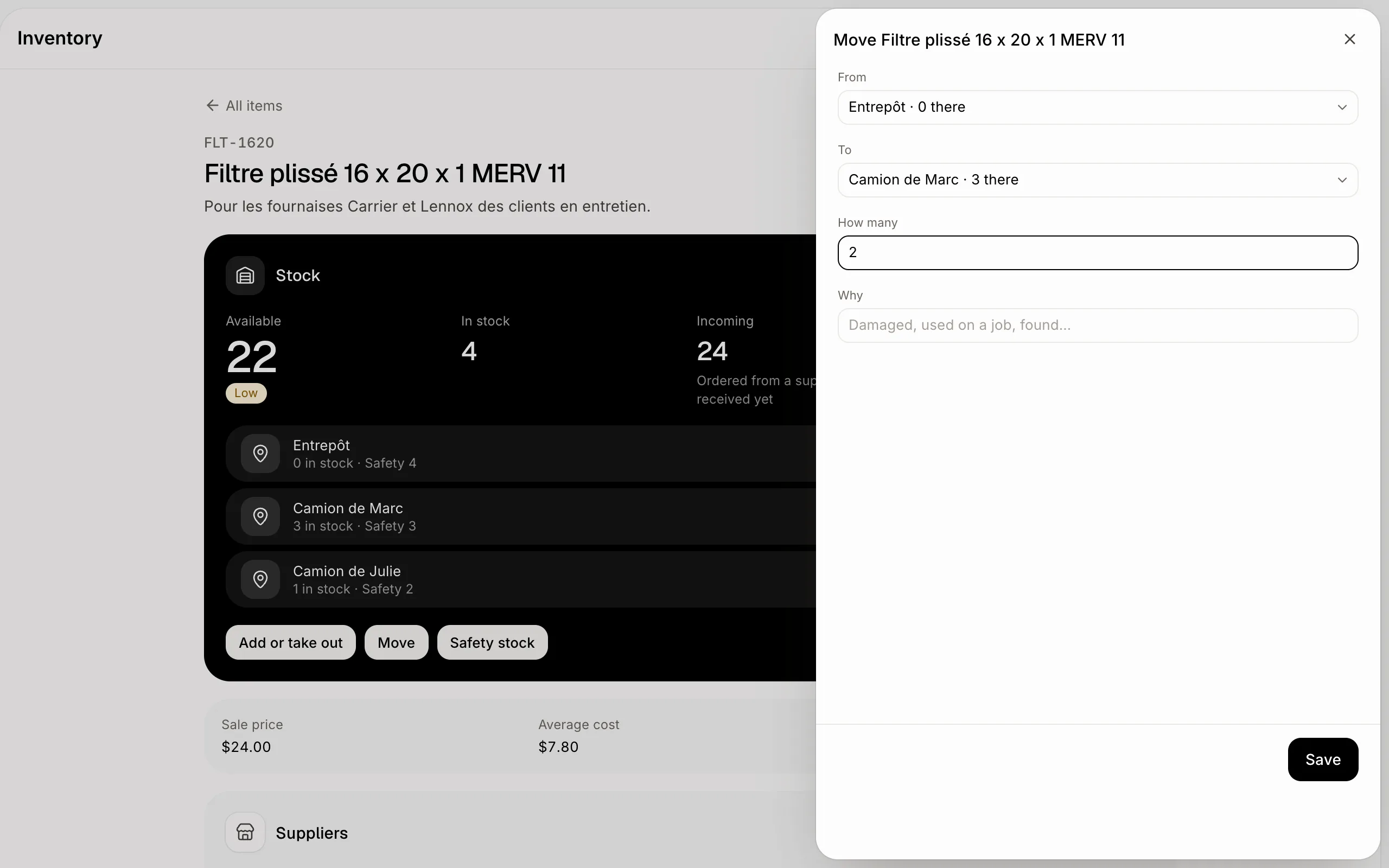
Step 4: Check or undo a change
Every count, change and move shows in History, with who did it and when. Click Undo on a line to take it back: Alori adds the opposite change, so the history stays complete. Lines from receiving a purchase order or shipping a sales order have no Undo: change those on the order.
Click: Inventory › the item › History › Undo
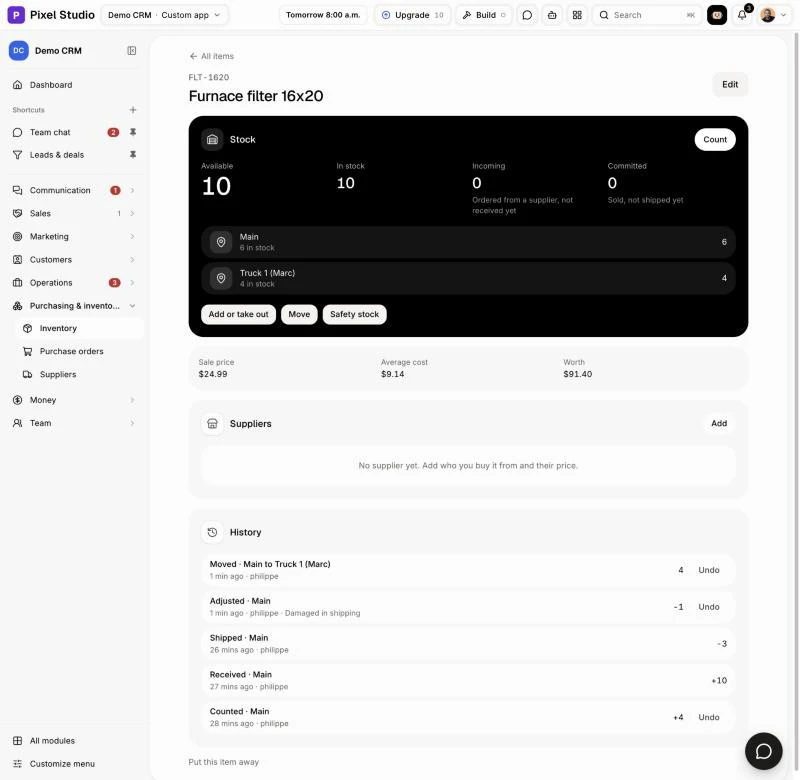
If it doesn't work
"Enter a number." Type a number of 0 or more to count, or more than 0 to add, take out or move.
"Pick two different places." A move needs a From and a To that aren't the same.
"This item isn't counted." Count its stock is off for this item. Turn it on in Edit.
"Move its stock out first." A place that still holds stock can't be removed.
"Open orders still use this place. Finish or cancel them first." A purchase order still to receive, or a sales order still to ship, uses this place. Receive, ship or cancel it, then remove the place.
"This came from an order. Change it on the order." This change came from receiving or shipping an order. Open the order to fix it.