How do I follow items by lot or serial number?
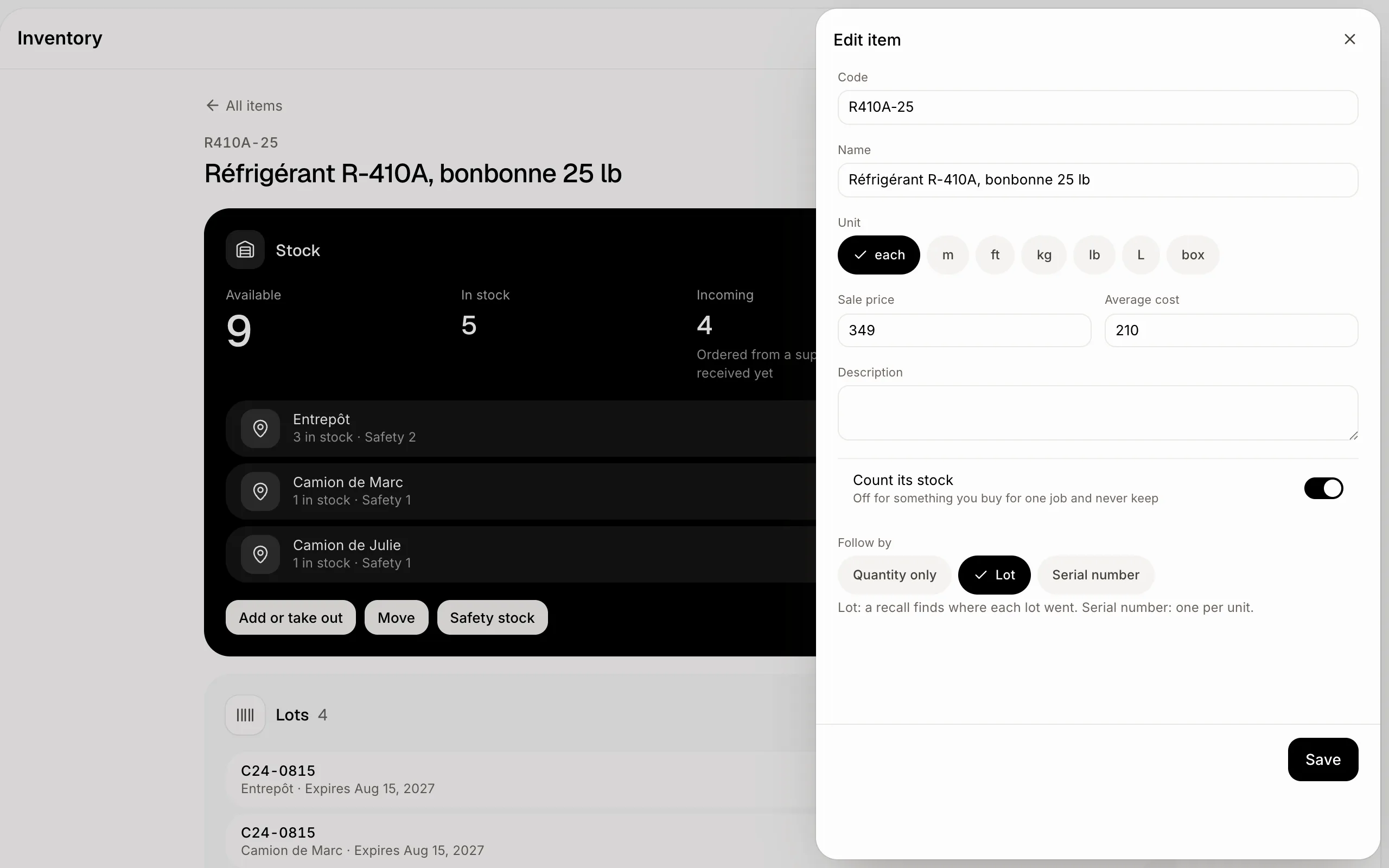
Edit the item and pick Lot or Serial number under Follow by. Each receipt then asks for its lot, and the item's page shows where each lot went.
Open the item, click Edit and, under Follow by, pick Lot or Serial number. Each time it comes in, Alori asks which lot (or which serial numbers). The item's page then lists its lots, and a lot shows where it came from and where it went.
Also called: lot tracking, batch tracking, serial numbers, traceability, recall, expiry, numéro de lot, suivi de lot, numéro de série, traçabilité, rappel
Step 1: Turn it on for the item
Open the item in Inventory and click Edit. Under Follow by, pick Lot (food, chemicals, refrigerant: a recall finds where each lot went) or Serial number (one number per unit, like a thermostat). Click Save. It can change only while none is in stock.
Click: Inventory › the item › Edit › Follow by › Save
Step 2: Name the lot when it comes in
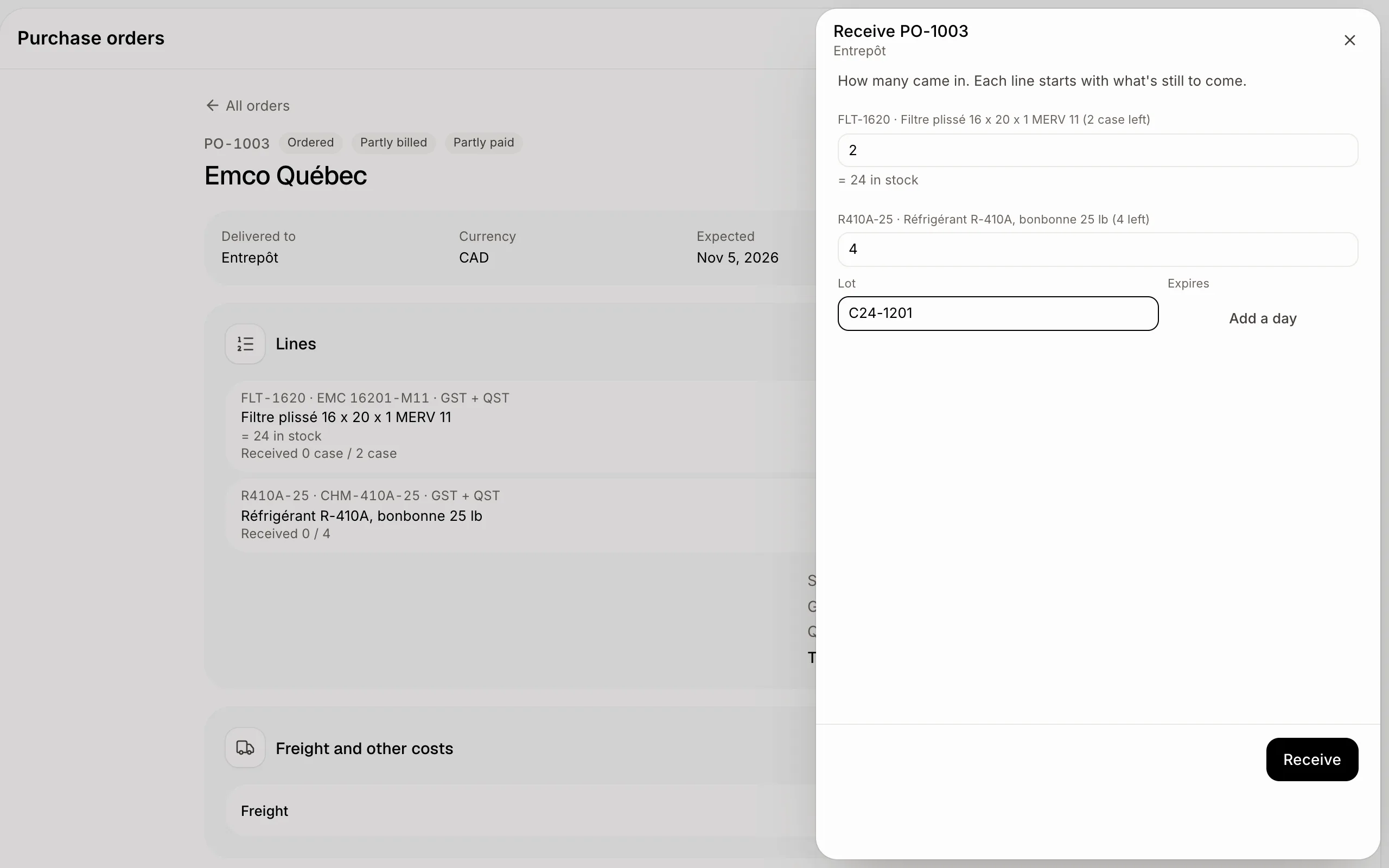
When you click Receive on a purchase order, type the Lot printed on the box, and when it expires (Expires, Add a day) if it does. For an item followed by serial number, type one serial number per line. The same goes for Count and Add on the item's page.
Taking stock out (shipping, parts used on a job, Take out, Move) uses the first lot to expire, unless you pick one under From lot.
Click: Purchase orders › the order › Receive
Step 3: See the lots in stock
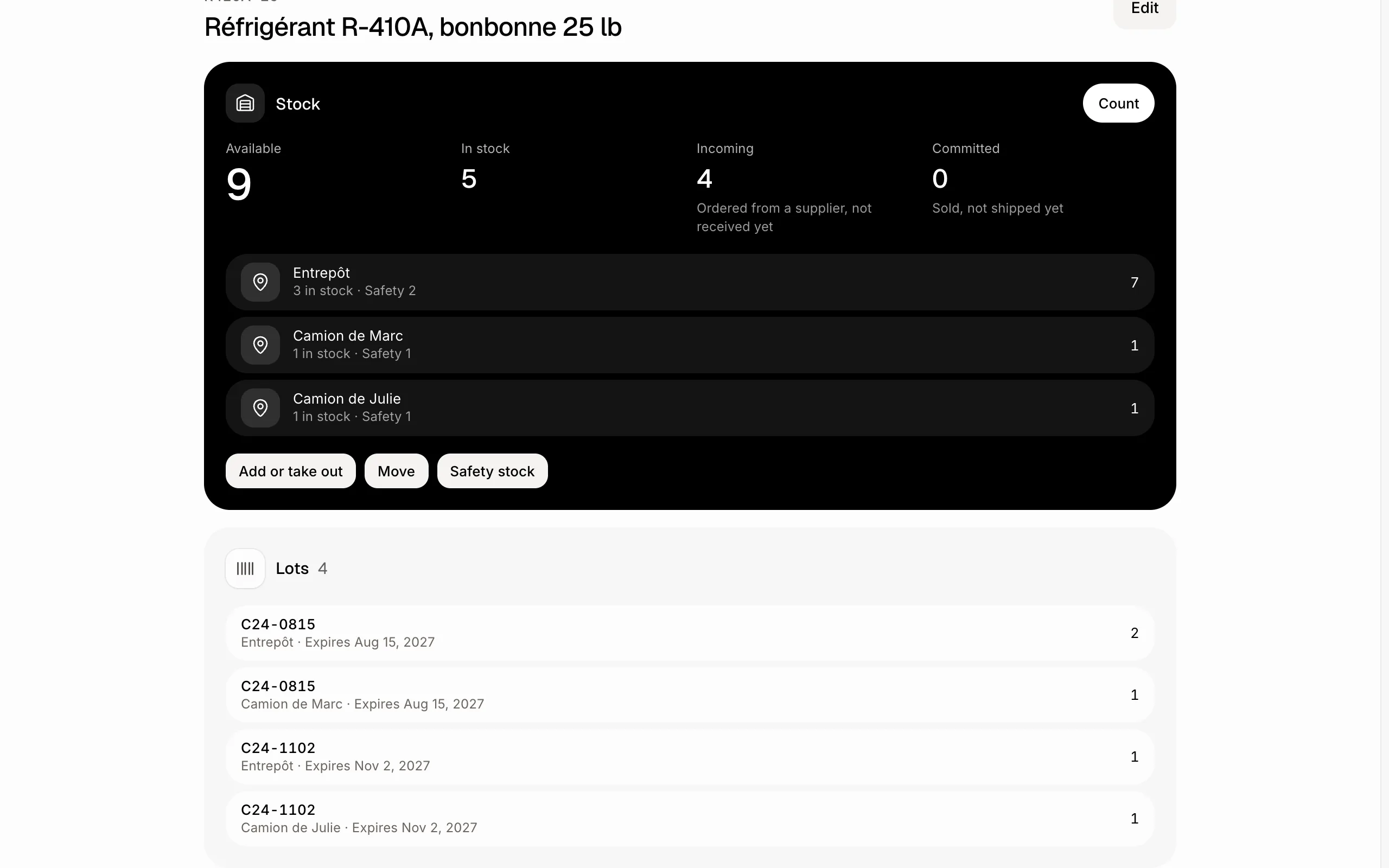
The item's page shows Lots: each lot at each place, how many, and when it expires, the first to expire first.
Click: Inventory › the item › Lots
Step 4: See where a lot went
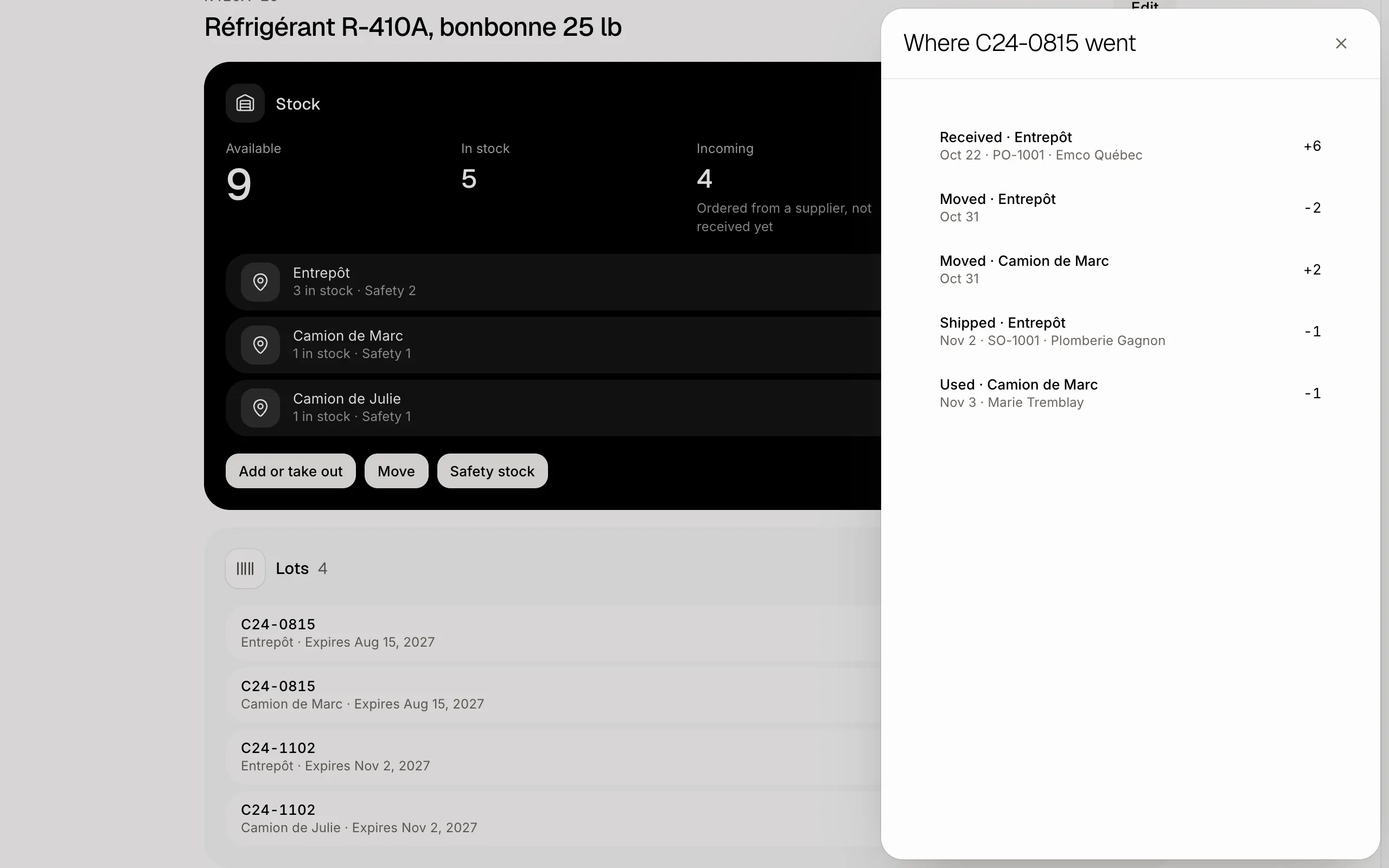
Click a lot. You see every movement of it, oldest first: the purchase order and supplier it came in on, the moves between places, and the sales orders, customers and jobs it went to. Click a line to open that order or job.
Click: Inventory › the item › Lots › the lot
If it doesn't work
"Enter the lot." An item followed by lot needs its lot to come in or be counted.
"That serial number is already in stock." Each serial number is one unit, in stock once.
"That lot doesn't have that many here." Pick another lot, or leave From lot on First to expire.
"Count it down to 0 first: it still has stock." Follow by changes only while the item has none in stock.