How do I see what happened to a conversation?
Open the conversation, click More actions, then Events. You see who opened, closed, reassigned or tagged it, and when.
Open the conversation in Conversations, click More actions (the three dots) at the top, then Events. In place of the messages, you see everything that happened to it, newest first: who did it, when, and what changed.
Also called: history, activity, audit log, log, timeline, who closed it, who reassigned it, événements, historique, journal
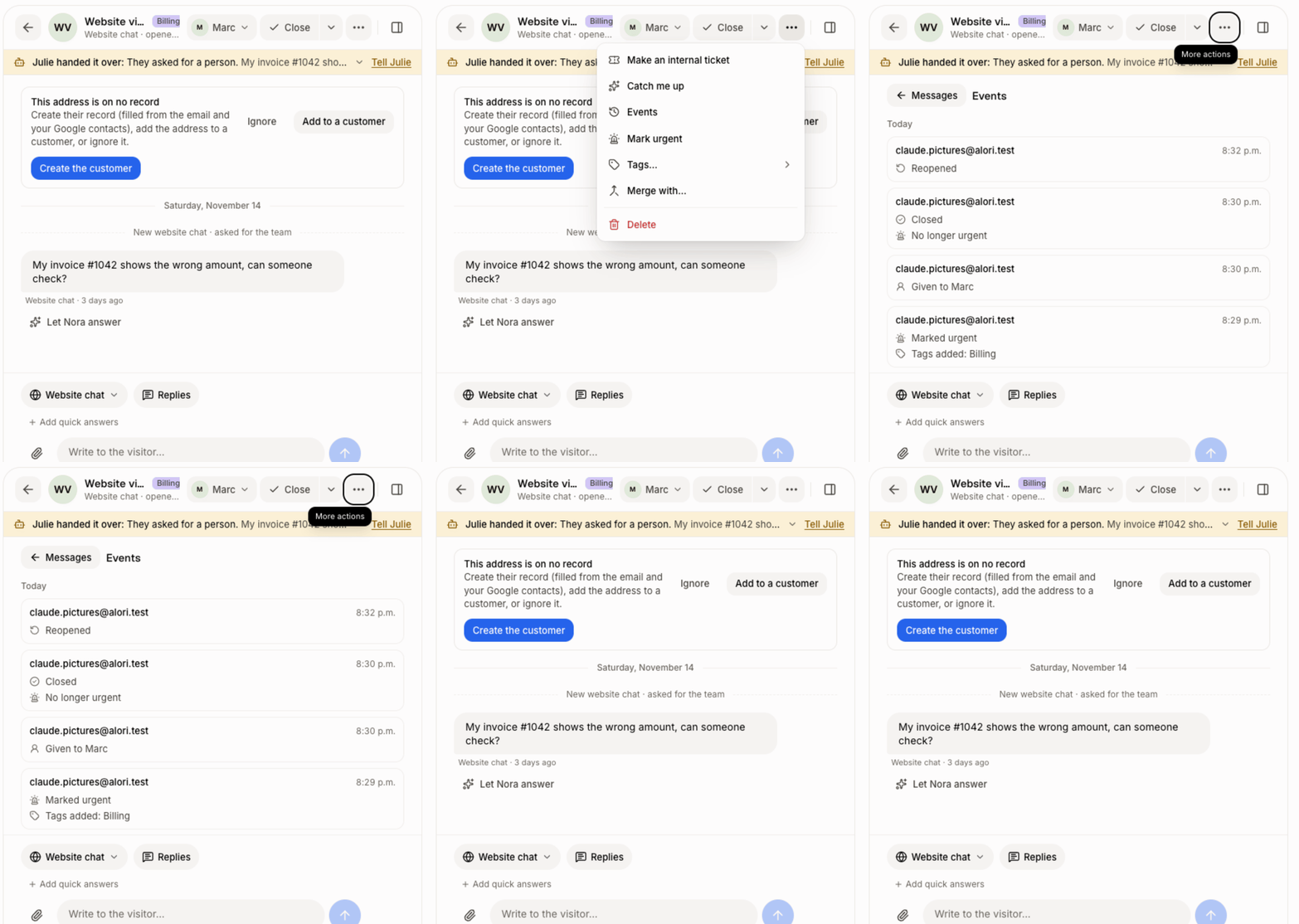
Step 1: Open the conversation's Events
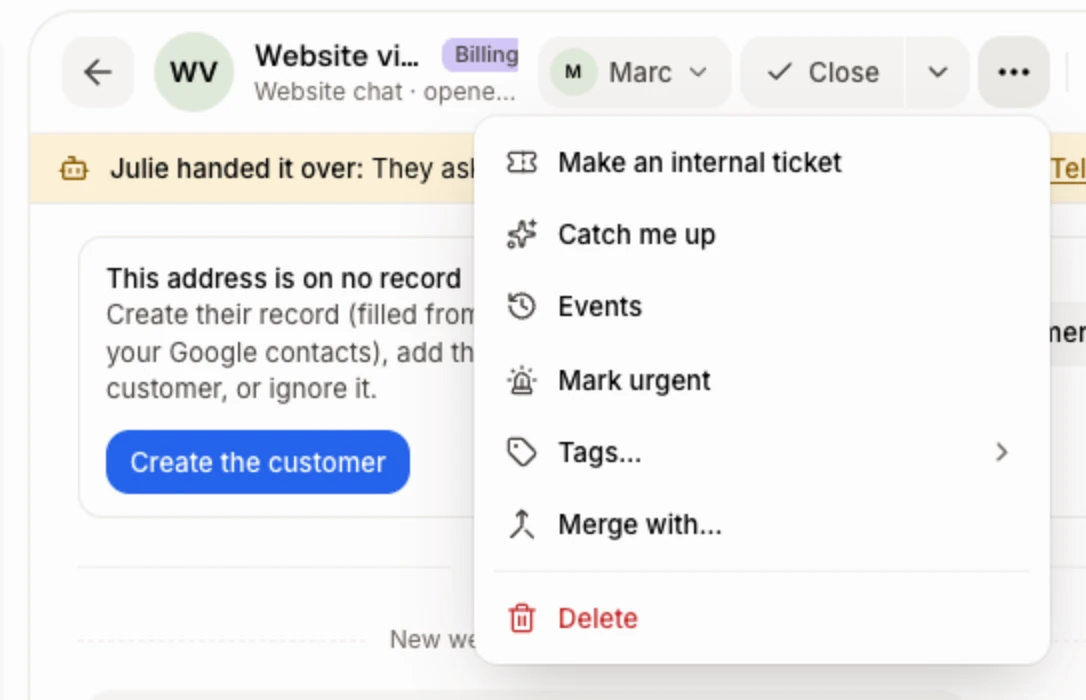
Click Conversations in the left menu and open a conversation. At the top right, click More actions, then Events.
Click: Conversations › More actions › Events
Step 2: Read what happened
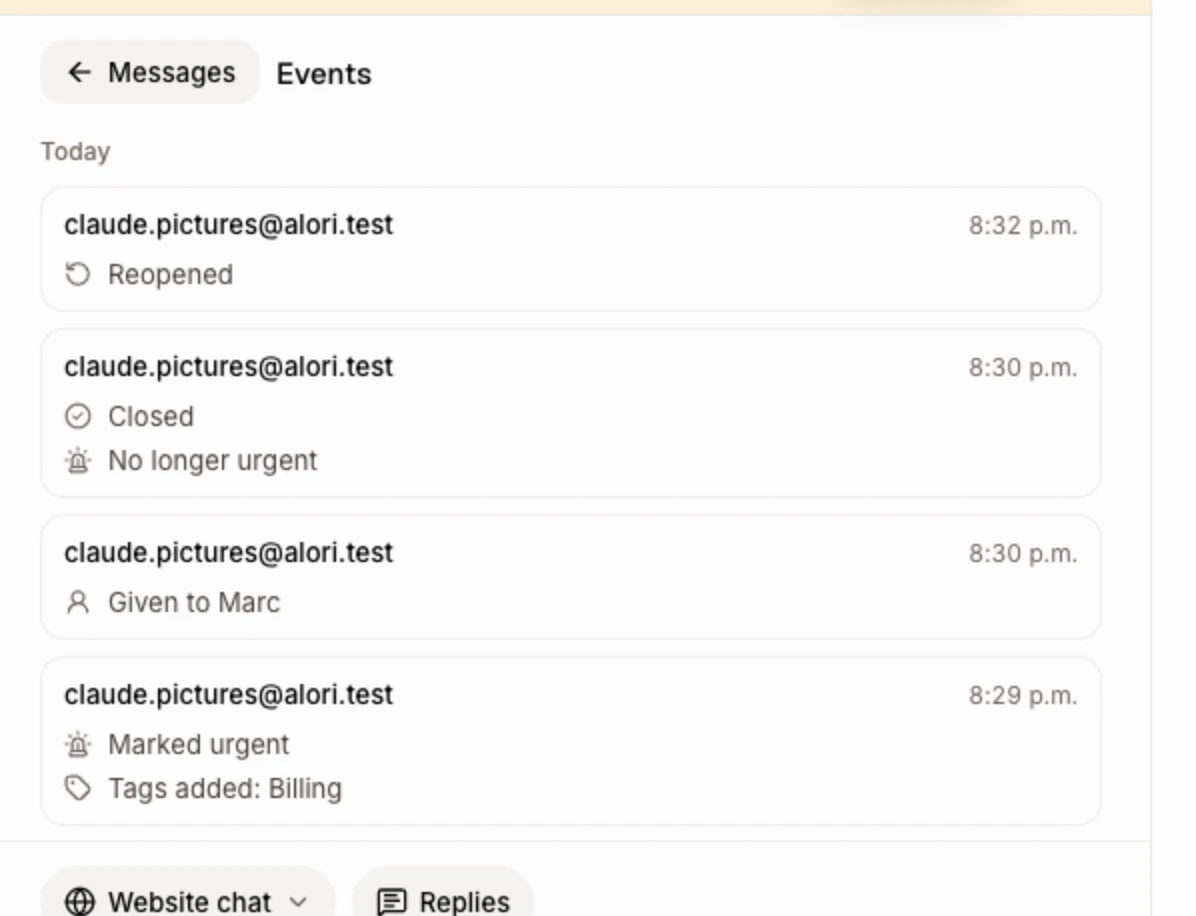
Each entry is one update: who made it, the time, and each change on its own line. A day line separates the days. You can see:
Conversation opened, Closed, Reopened, or Reopened: they wrote again when the customer wrote back
Snoozed until a date, or Snoozed until they reply, then Back from snooze
Given to a teammate, with who had it before
Tags added and Tags removed
Marked urgent (with the reason) and No longer urgent
Passed on to the team, when Nora handed it over
Used the saved reply, a ticket number given, and a merge
Changes nobody made by hand say Automatic. Changes your app made by itself show your app's name, and Nora's show her name.
Step 3: Go back to the messages
Click Messages at the top left of Events.
Click: Messages
Good to know
Events are recorded whatever made the change: a teammate, Nora, Ask Sam, an automation or the API.
When you merge two conversations, their events move together.
Everyone who can see the conversation can see its Events, even if they can't answer it.
Events start from when your app got this update. Older changes don't show.
Ask Sam: "who closed Priya's conversation?" or "when was it reopened?".
If it doesn't work
"Nothing yet. Changes to this conversation show here from now on: who closed it, gave it to whom, tagged it." Nothing has changed on it since Events came to your app. The next change shows here.
I see "A former teammate". That person no longer has access to your app.
Related
Did this answer your question?