How do I test the bot without sending anything to customers?
Ask Nora in Try Nora on her page, rate her answers and fix the wrong ones. For real messages, turn on Test mode: nothing is sent.
Open Bots › Nora and ask her anything in Try Nora: a private test no customer sees. Rate each answer, and fix the wrong ones in your own words. To see how she does on your real messages, turn on Test mode: she answers them, but nothing is sent.
Also called: try the bot, test chat, sandbox, dry run, shadow mode, rate answers, mode test, essayer le bot, tester Nora
Step 1: Ask Nora a question
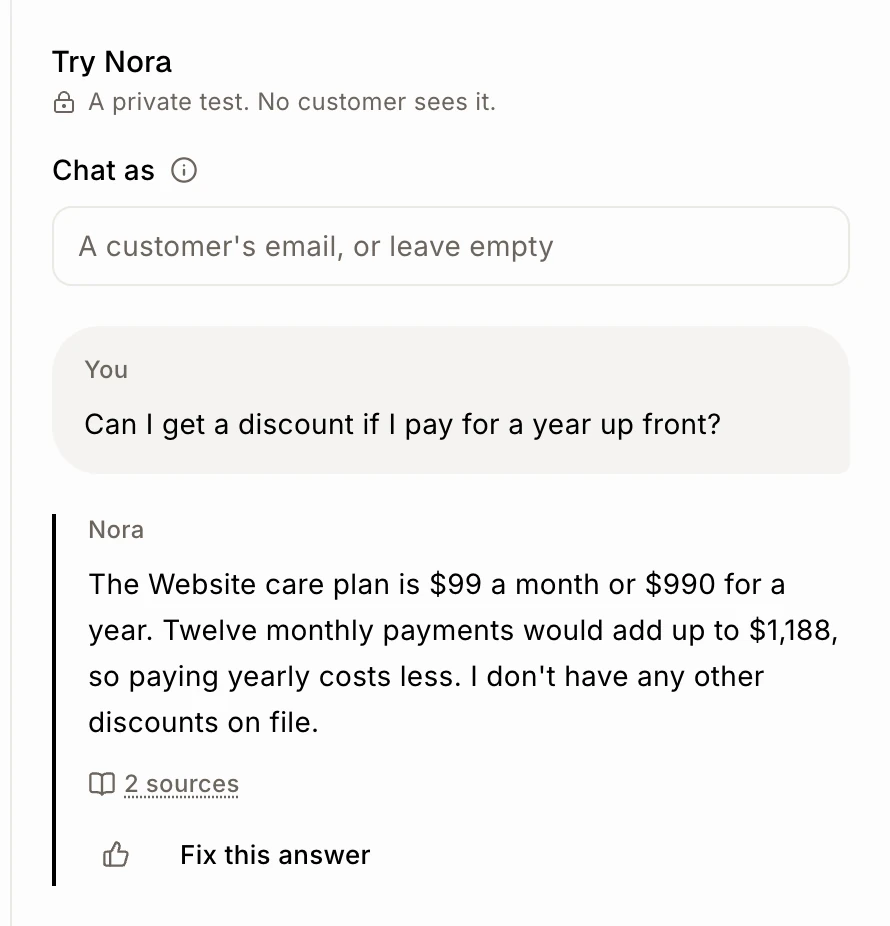
In the menu, click Bots › Nora. On a computer, Try Nora is always open on the right. On a phone, press the Try Nora button at the bottom. Type what a customer would ask. She answers exactly like on your website, from what she knows.
Click: Bots › Nora › Try Nora
Step 2: Rate her answer
Under each answer:
Click the thumbs up (Good answer) to keep it as an answer she can follow. It says Kept as a good answer.
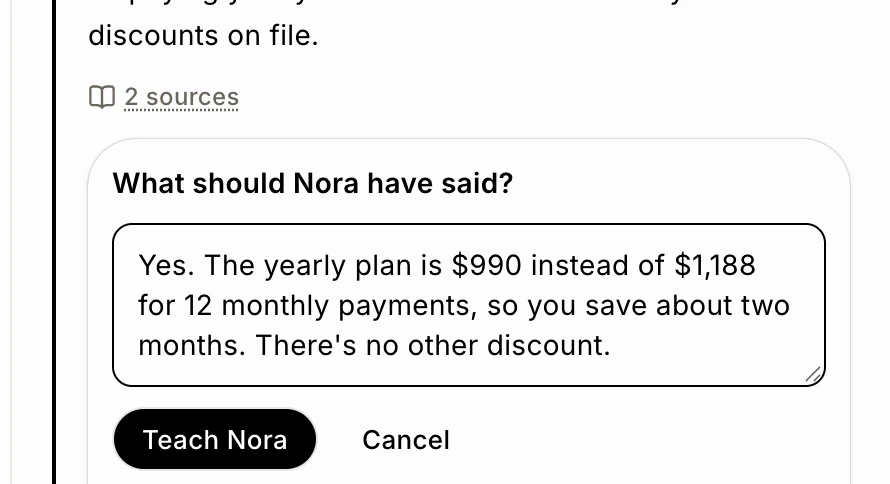
Click Fix this answer, write What should Nora have said?, then click Teach Nora. She uses it from her next answer, for every customer.
Click: Fix this answer › Teach Nora
Step 3: Ask again to see the fix
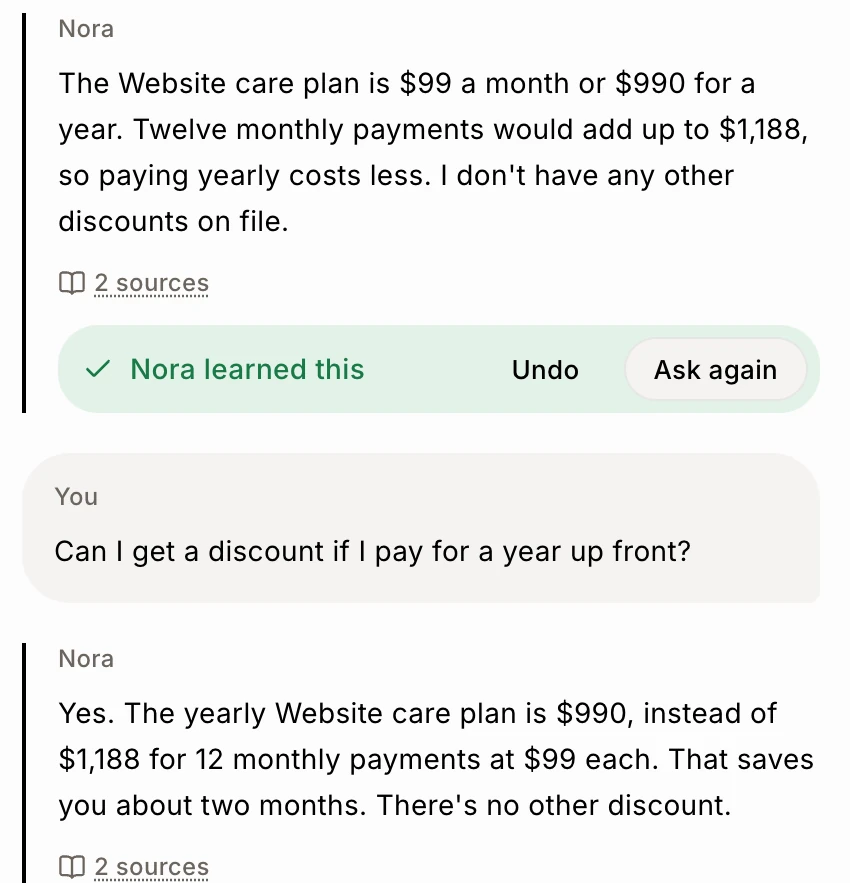
The answer now says Nora learned this. Click Ask again: she answers the same question with your fix. Click Undo to take it back. Every fix is also listed in What Nora learned on the same page.
Click: Ask again
Step 4: Test her on real messages
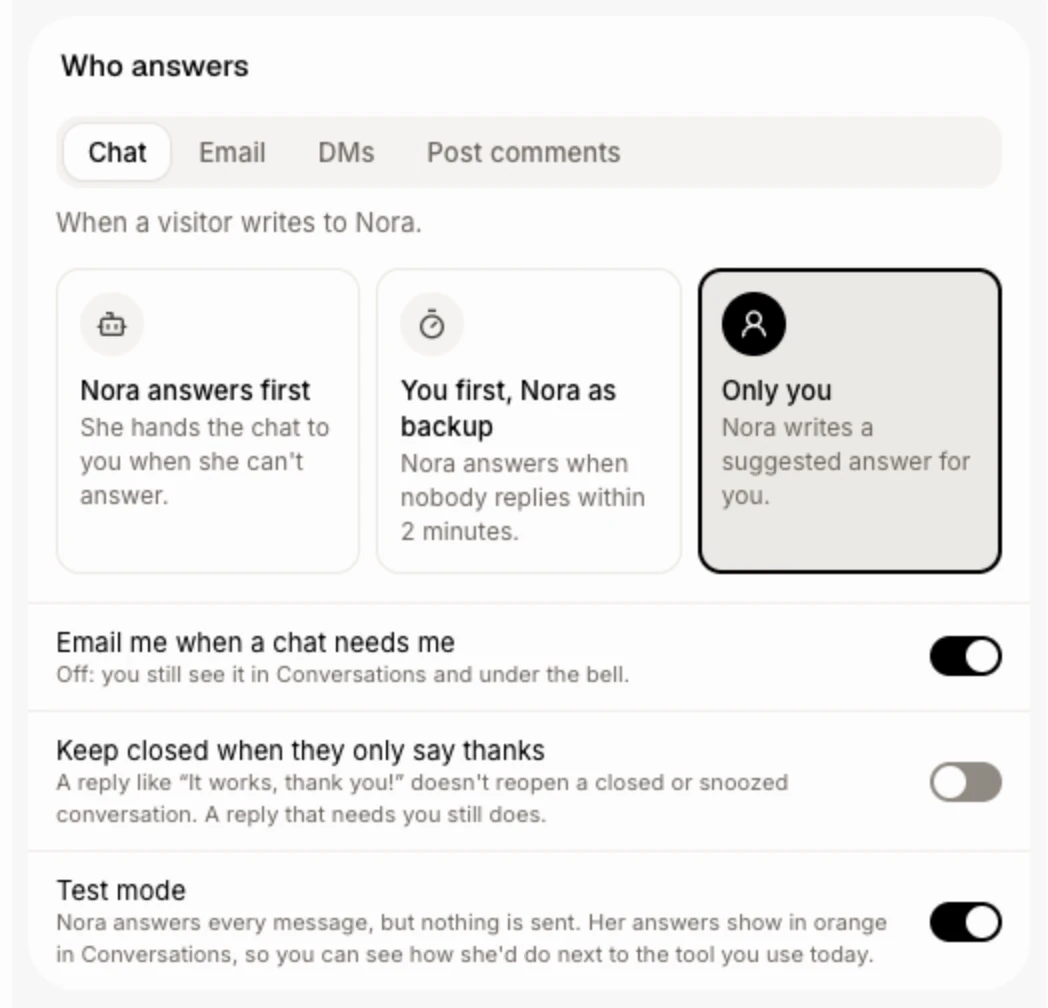
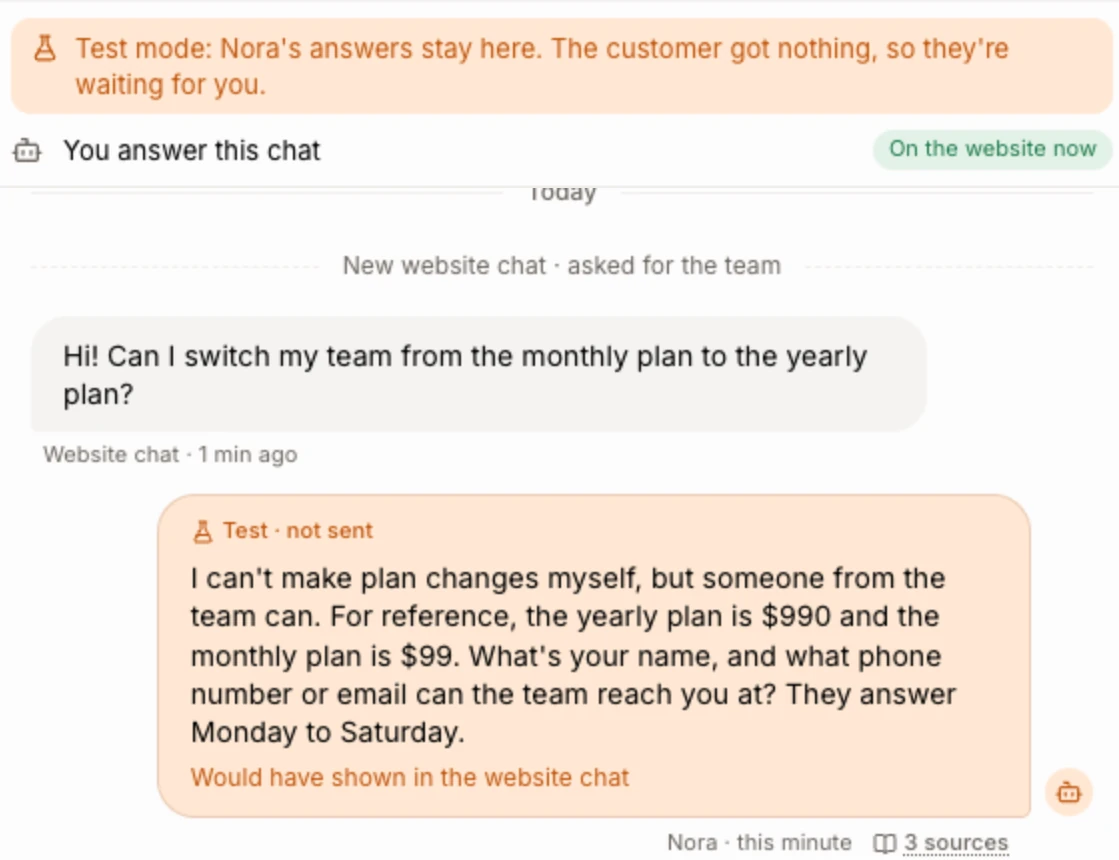
In Front desk, open Settings, and in the Who answers card switch on Test mode. Nora then answers every website chat, support email, Messenger and Instagram message and comment, but nothing leaves Alori. The customer gets nothing from her, so their message stays marked Needs you for your team.
Click: Front desk › Settings › Who answers › Test mode
Step 5: Read her test answers in Conversations
Open a conversation. Each of Nora's answers is an orange bubble marked Test · not sent, with what she would have done: where it would have gone, what she would have saved on the customer, or that she would have passed it to your team. Switch Test mode off in the same place when she's ready.
Good to know
If Alori checks Zendesk for changes, Nora also answers new Zendesk messages in test mode only, next to what your agent really wrote. At most 200 a day, and not on solved or closed tickets.
Your Try Nora chat stays there when you come back.
If it doesn't work
"That didn't save. Try again." Click Teach Nora again.
Nora doesn't answer in test mode. Check that Front desk is on, and that no teammate took over the chat.
I don't see the Test mode switch. It takes the Settings permission and edit access to Front desk. Ask the owner.
Related
Did this answer your question?