How do I sync with Xero?
Connect Xero in Connectors, then click its card and turn on Sync with Xero. Customers and invoices then sync both ways, and payments come back from Xero.
Connect Xero once on the Connectors page. Then click the Xero card and turn on Sync with Xero. Your customers, companies and invoices then stay the same in both places, and payments you record in Xero show in Alori.
Also called: Xero accounting, bookkeeping, sync invoices, comptabilité, synchroniser Xero, synchro
Step 1: Connect Xero
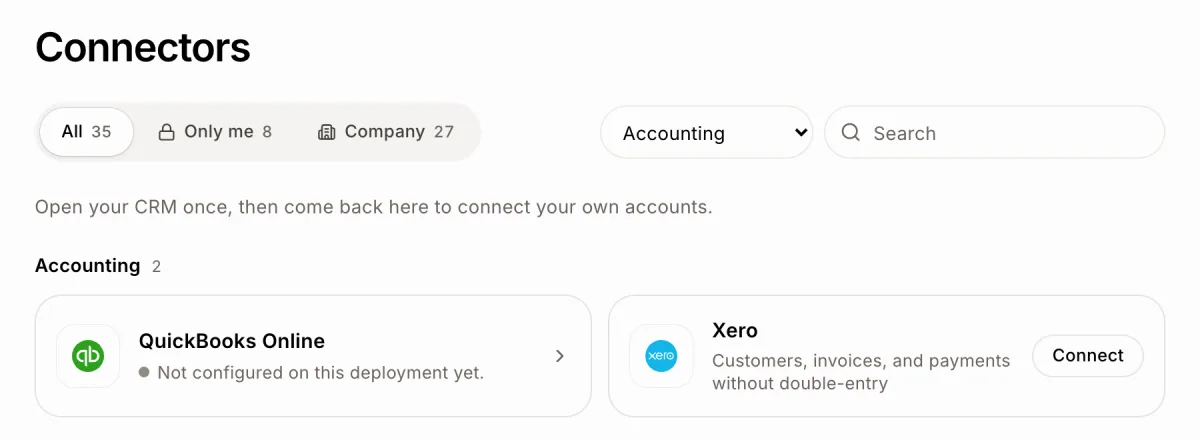
Click the grid menu at the top right, then Connectors. Xero is under Accounting: type "Xero" in Search, or pick Accounting in All categories. Click Connect on it. Sign in to Xero, pick your organisation and allow Alori. Back in Alori, the card says "Connected to" and your organisation's name.
You can also type "connect Xero" in the chat and click Connect on the card.
Click: Connectors › Xero › Connect
Step 2: Turn on the sync
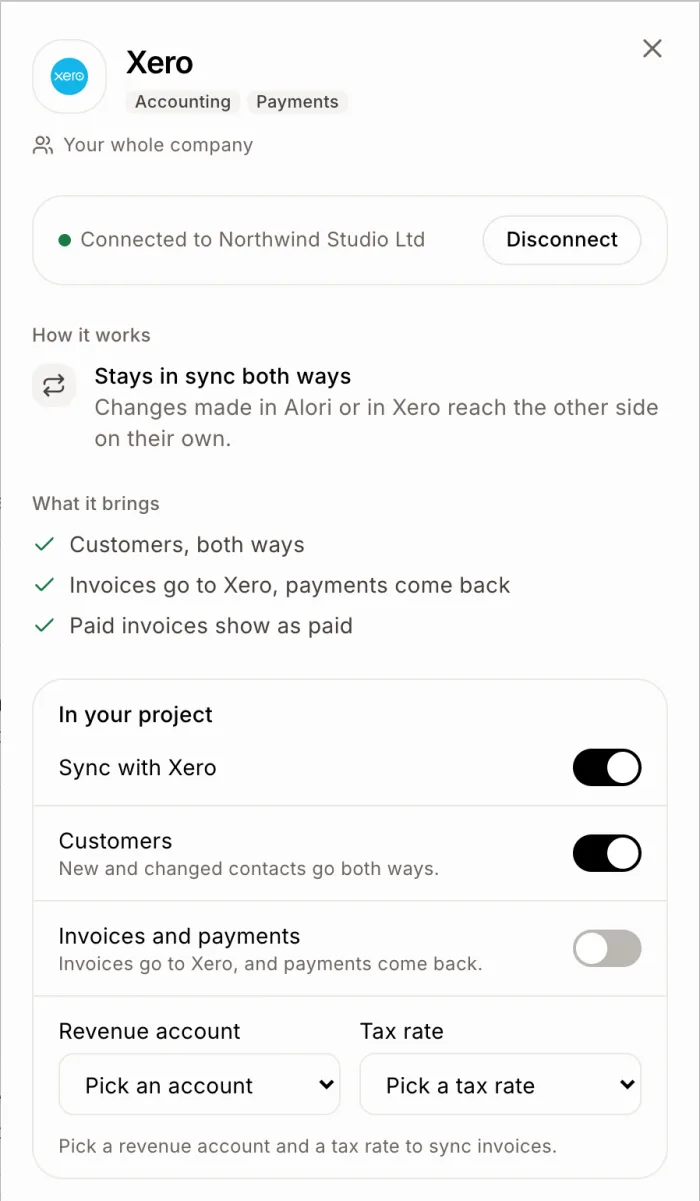
Click the Xero card. Its panel opens on the right. Under In your project, turn on Sync with Xero. Customers start syncing at once.
Customers: matched by email, then by name. New contacts come over both ways. Suppliers stay in Xero.
Invoices and payments: each invoice goes to Xero as one approved line. Pick a Revenue account and a Tax rate from your Xero lists first, then turn it on.
Each change saves at once.
Click: Connectors › Xero › Sync with Xero
Good to know
The sync runs every 10 minutes, and right away when something changes in Xero.
If a record changed in both places, the latest change wins.
Paid status always comes from Xero. Record payments there.
Unpaid invoices, and paid ones from the last 90 days, come over when you turn it on. Draft invoices wait until you approve them in Xero. Bills you pay stay in Xero.
An invoice that's paid or voided in Xero can't change there anymore: edits in Alori stay in Alori.
If several projects use Xero, you see "These projects write to the same Xero organisation." To pick which projects can use it, click the Xero card and use Projects.
To stop, click the card, then Disconnect.
If it doesn't work
"Pick a revenue account and a tax rate to sync invoices." Pick both, then turn on Invoices and payments.
The lists are empty. Alori reads your active revenue accounts and tax rates from Xero. Add one in Xero, then open the panel again.
Xero shows "Needs reconnect" in Connectors. See What do I do when a connector says "Needs reconnect"?