How do I file an internal ticket from Conversations?
In Conversations, click the arrow next to the New button, pick Internal ticket, write what needs doing and click File ticket.
In Conversations, click the small arrow next to the black New button, then Internal ticket. Write what needs doing and click File ticket. The ticket goes to your team's Tickets, without leaving your inbox.
Also called: new ticket, file a ticket, internal request, issue, bug, nouveau ticket, ticket interne, billet
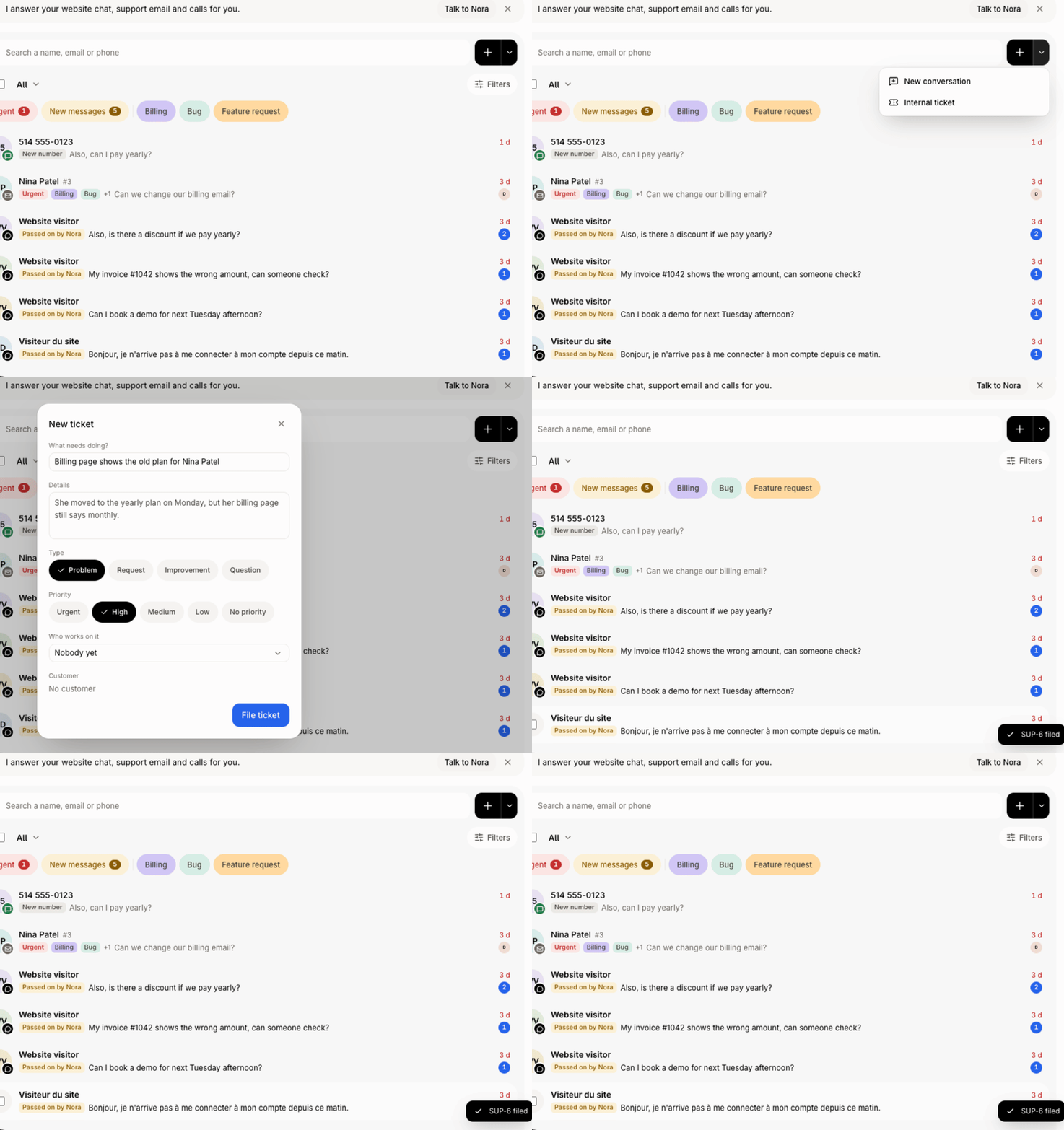
This is for work that isn't about one conversation. To make a ticket from a customer's conversation, see How do I turn a conversation into a ticket?
Step 1: Open the New menu
In Conversations, next to the search, click the arrow joined to the black + button (Start something else). Click Internal ticket. (The + itself still starts a New conversation.)
Click: Conversations › Start something else › Internal ticket

Step 2: Write the ticket
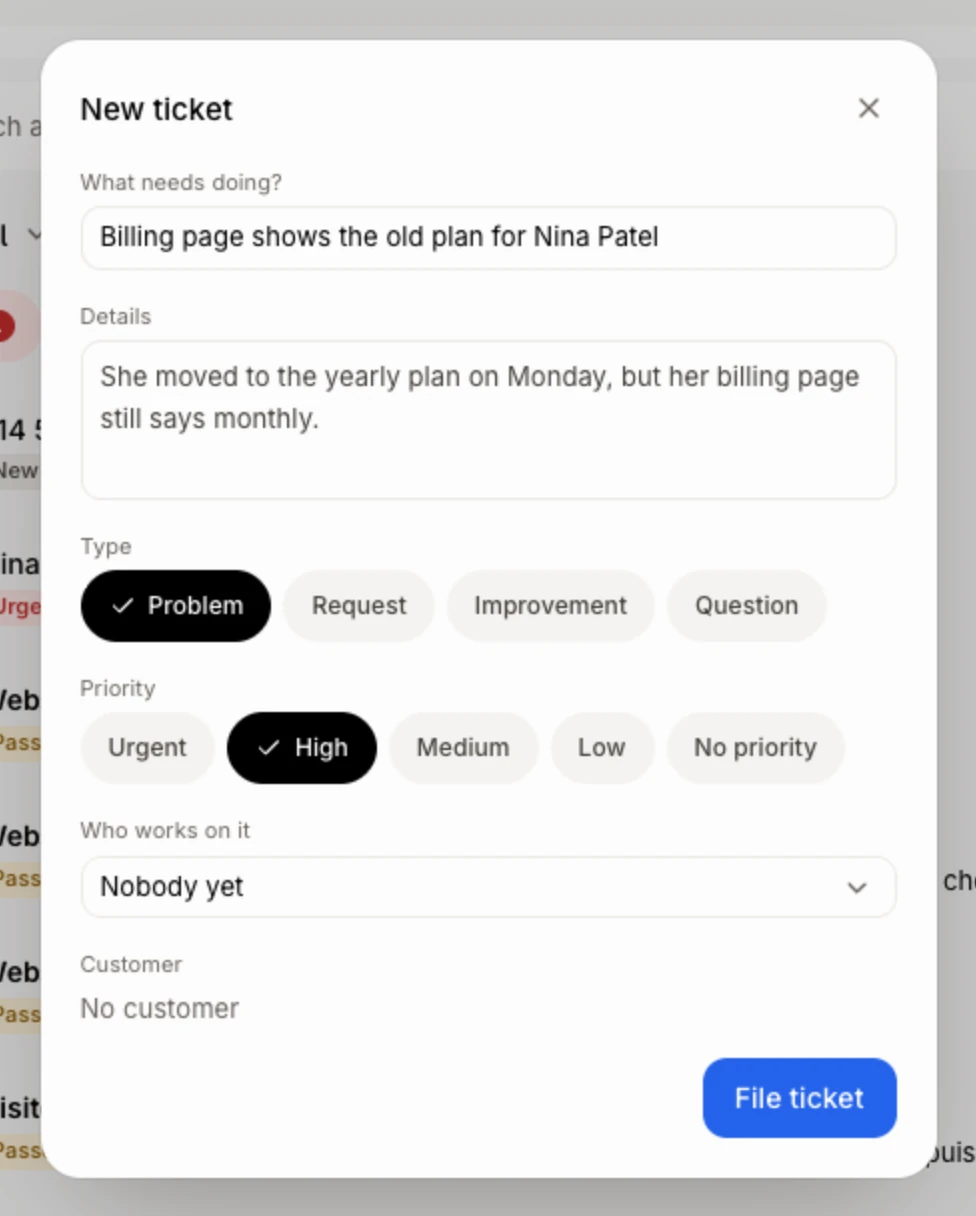
The New ticket window opens. Under What needs doing?, write a short title. Add Details if you want. Pick a Type and a Priority if it matters. A template under Start from fills it in for you.
Step 3: Choose who and file it
If your team has more than one ticket team, pick the Team. Pick Who works on it, or leave Nobody yet. To tie it to a customer, pick them under Customer; turn on Email the customer that we got it if they should hear about it. Click File ticket.
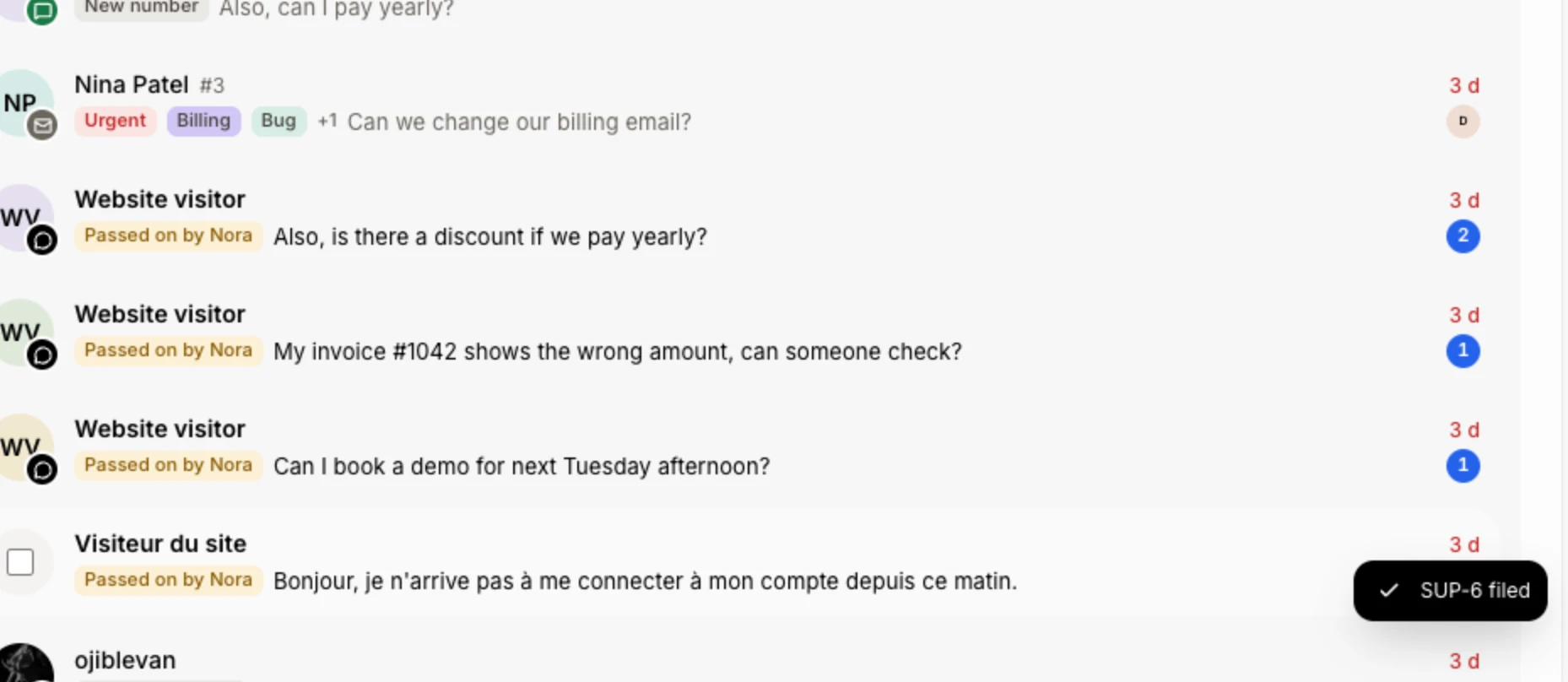
A message says it's filed, with its number (like SUP-12). You stay in Conversations.
Click: File ticket
Good to know
The arrow shows on a computer only, when the Tickets module is on and you can edit tickets.
Find the ticket in Tickets, under its team.
If it doesn't work
No arrow next to New. Turn on Tickets in your app, or ask the owner for access to edit tickets. On a phone, file it from Tickets.
The window won't file the ticket without What needs doing?: type a title first.
Related
Did this answer your question?